

Quick Answer & Verdict
NitroFlare Premium removes the restrictions that made our free download impractical: an 18.0 KB/s transfer rate, a 1-minute 55-second countdown, and an image CAPTCHA. On our 1 Gbps symmetric fiber connection, one Premium download reached 14.0 MB/s in Chrome. JDownloader 2 performed much better with several files active, averaging as much as 35.99 MiB/s and showing a momentary rate of 51.23 MiB/s.
NitroFlare is worth considering when the files you need are available only on this host. Its main drawbacks are daily traffic limits and payment-processing fees that may raise the checkout total. For a first purchase, the 30-day Medium plan is more sensible than the expensive 2-day Trial.
Key Facts & Tested Results
We tested NitroFlare Free and Premium in May 2026 with Google Chrome and JDownloader 2. The connection was 1 Gbps symmetric fiber. Browser results use MB/s, while JDownloader reports MiB/s, so the figures should not be treated as identical units. See our testing methodology for the general test process.
Tested by Changbin Ge on a 1 Gbps symmetric fiber connection using Chrome and JDownloader 2.
| Test or account detail | Observed result |
|---|---|
| Free download | 18.0 KB/s on a 467 MB file; about 7 hours estimated |
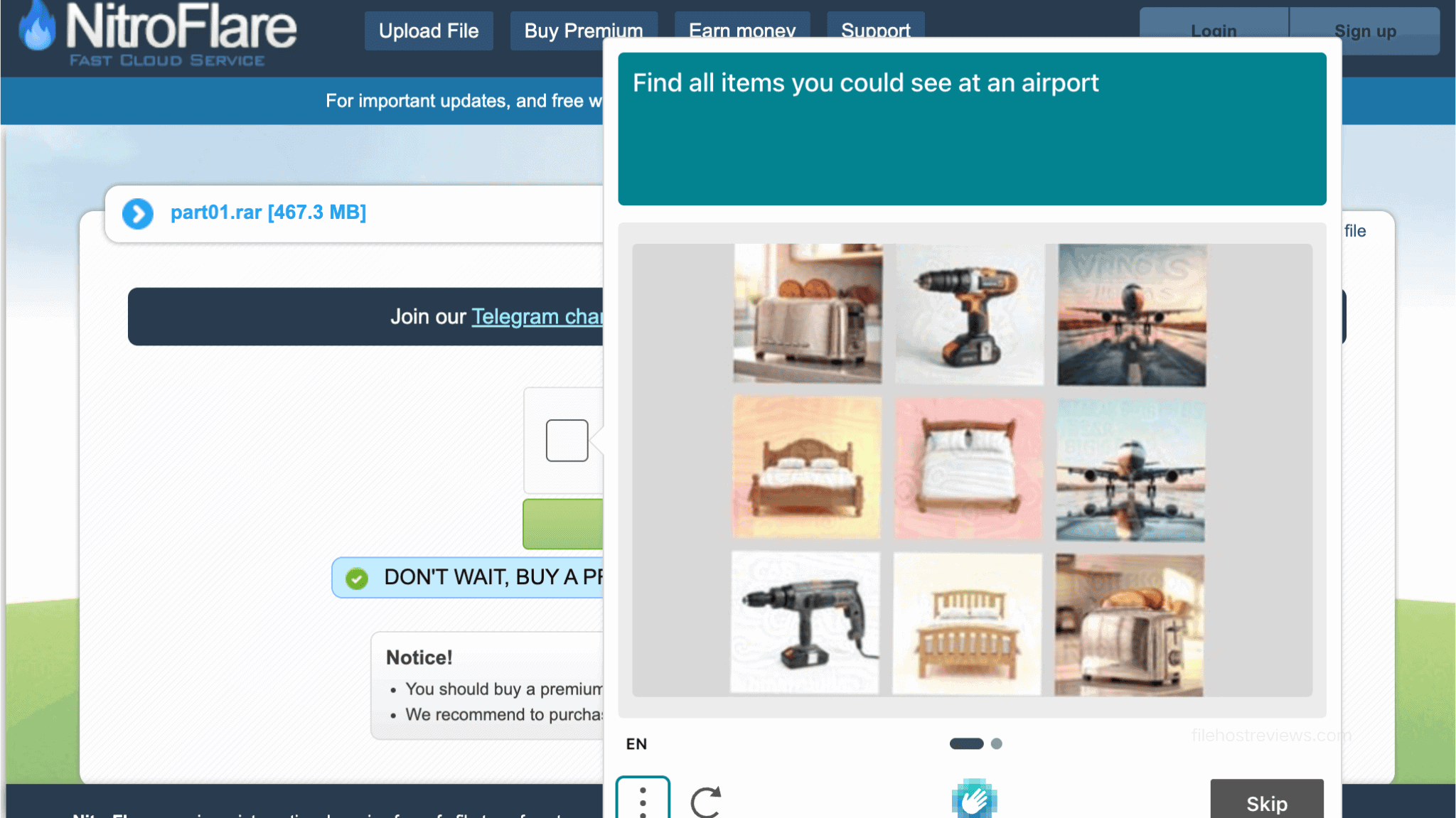
| Free download steps | 1 minute 55 seconds of waiting, followed by an image CAPTCHA |
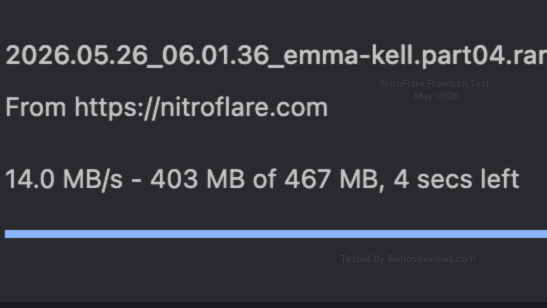
| Chrome, one Premium file | 14.0 MB/s |
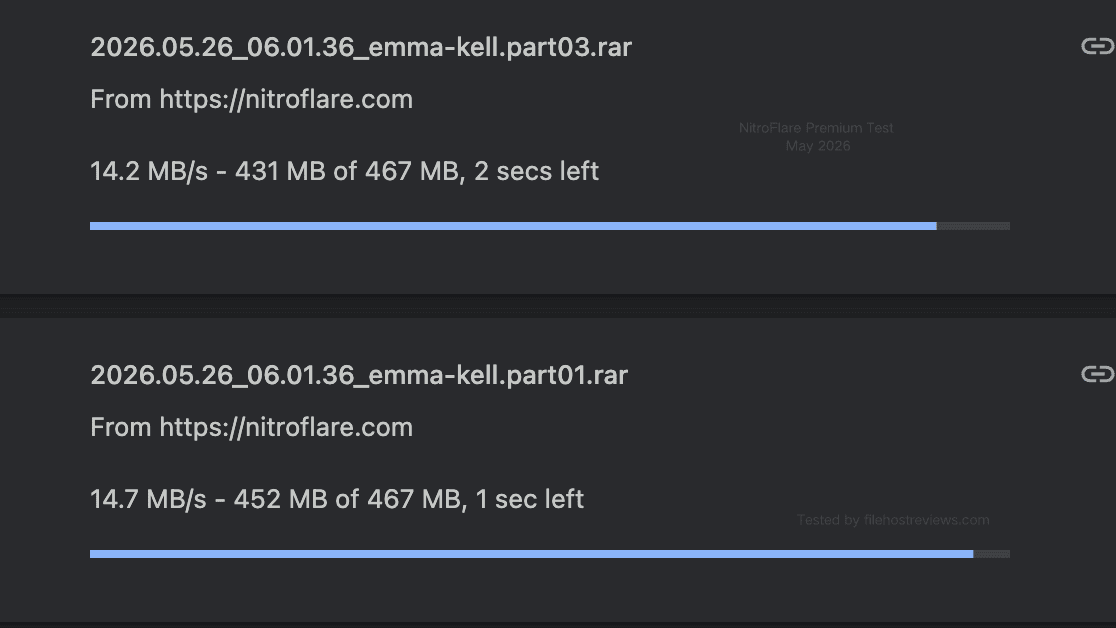
| Chrome, two Premium files | 14.2 MB/s and 14.7 MB/s; 28.9 MB/s combined |
| JD2 Run 1 | 31.44 MiB/s average; 41.84 MiB/s current |
| JD2 Run 2 | 35.99 MiB/s average; 51.23 MiB/s current |
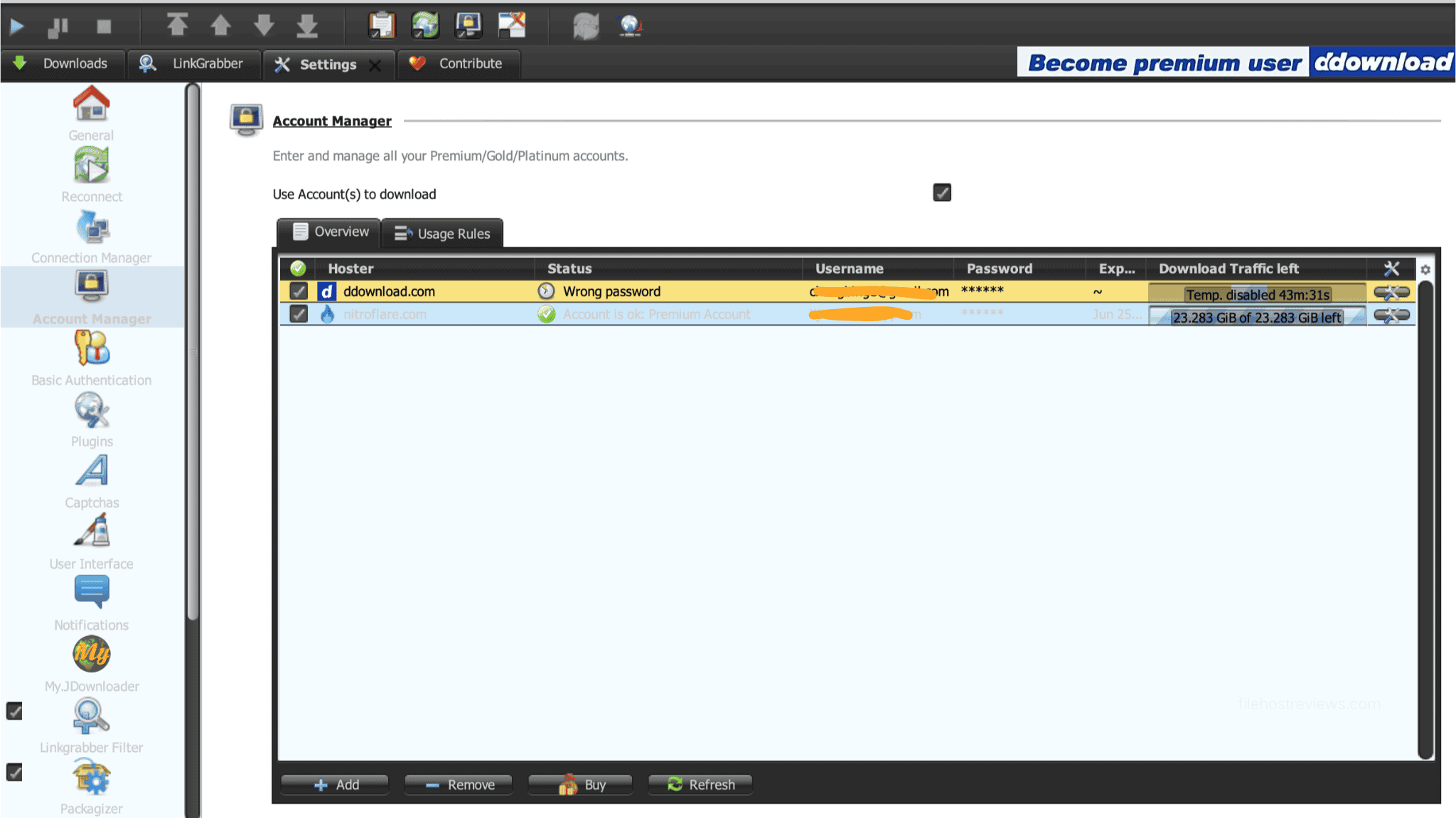
| Traffic shown in JD2 | 23.283 GiB remaining during the account check |
| Advertised daily allowance | 10 GB to 100 GB, depending on the plan |
| Billing label observed | All listed plans were marked “Non-Recurring” |
NitroFlare Premium Pricing & Plans
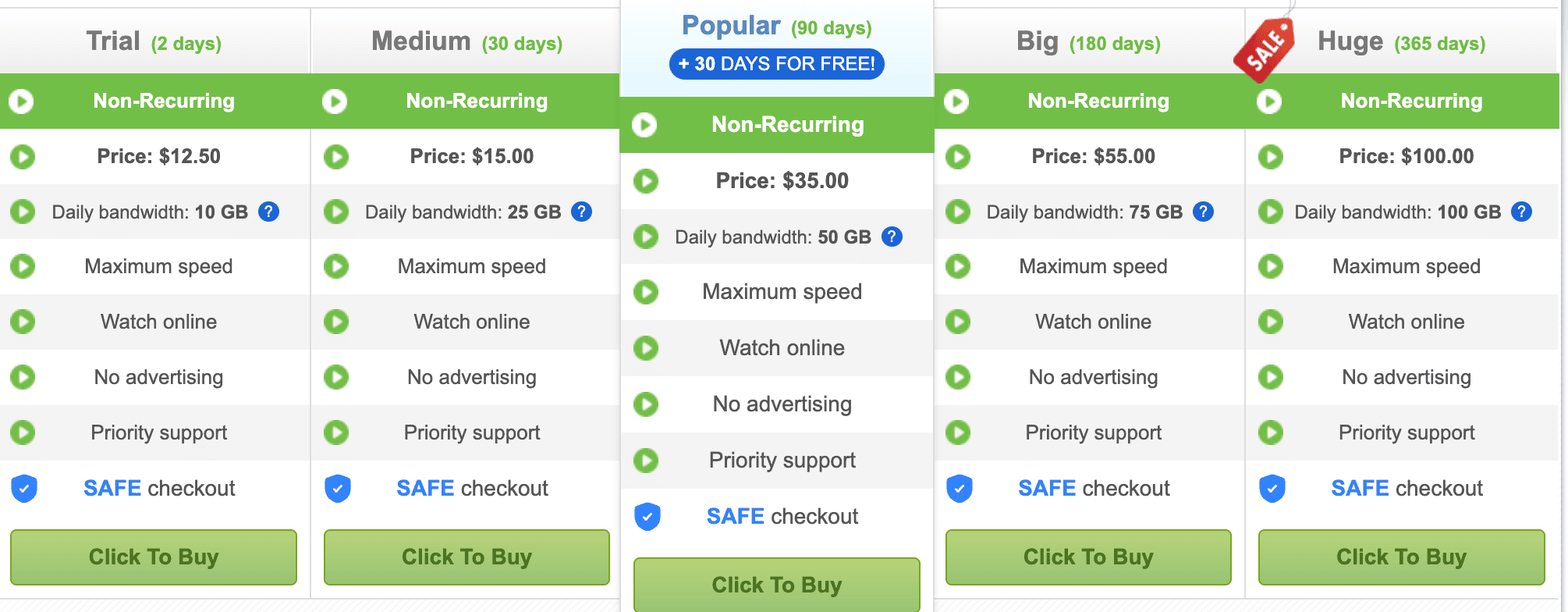
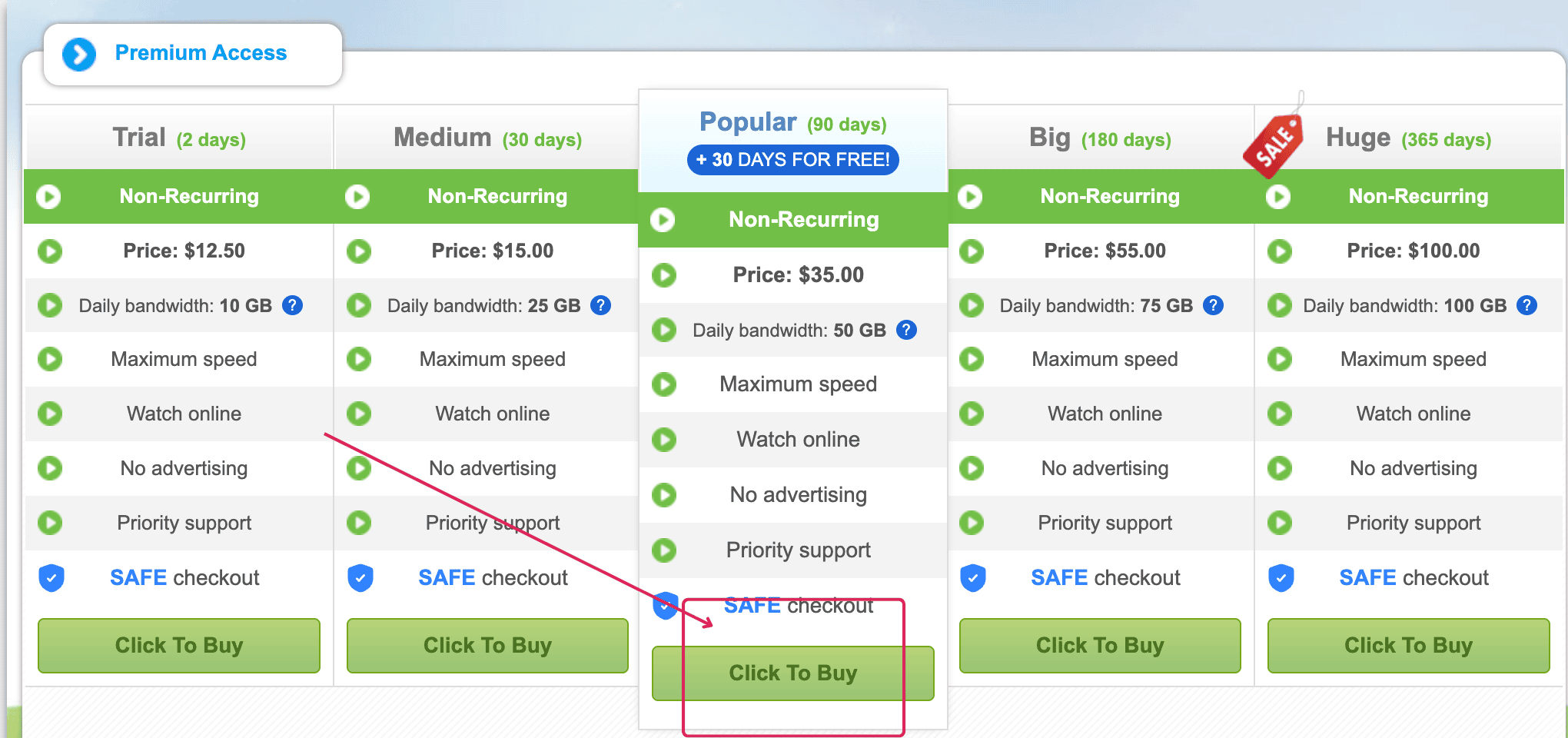
NitroFlare displayed five plans during our review. Longer plans included more traffic per day, not merely a longer account term. Every option was labelled “Non-Recurring” at the time of the check. Prices and payment routes can change, so confirm the live terms before paying.
| Plan | Access period | Displayed price | Daily traffic |
|---|---|---|---|
| Trial | 2 days | $12.50 | 10 GB |
| Medium | 30 days | $15.00 | 25 GB |
| Popular | 90 days plus 30 free | $35.00 | 50 GB |
| Big | 180 days | $55.00 | 75 GB |
| Huge | 365 days | $100.00 | 100 GB |
The Trial plan is difficult to justify. It costs $12.50 for two days and permits only 10 GB per day. Medium costs just $2.50 more, lasts 30 days, and raises the allowance to 25 GB per day. That makes Medium the better low-risk option for checking speed, routing, and file availability with your own connection.
Popular showed $35.00 for 90 days plus 30 bonus days and included 50 GB per day. Before fees, that works out to $8.75 for each 30-day block. Buyers should not assume the advertised price will equal the amount charged by a payment processor.
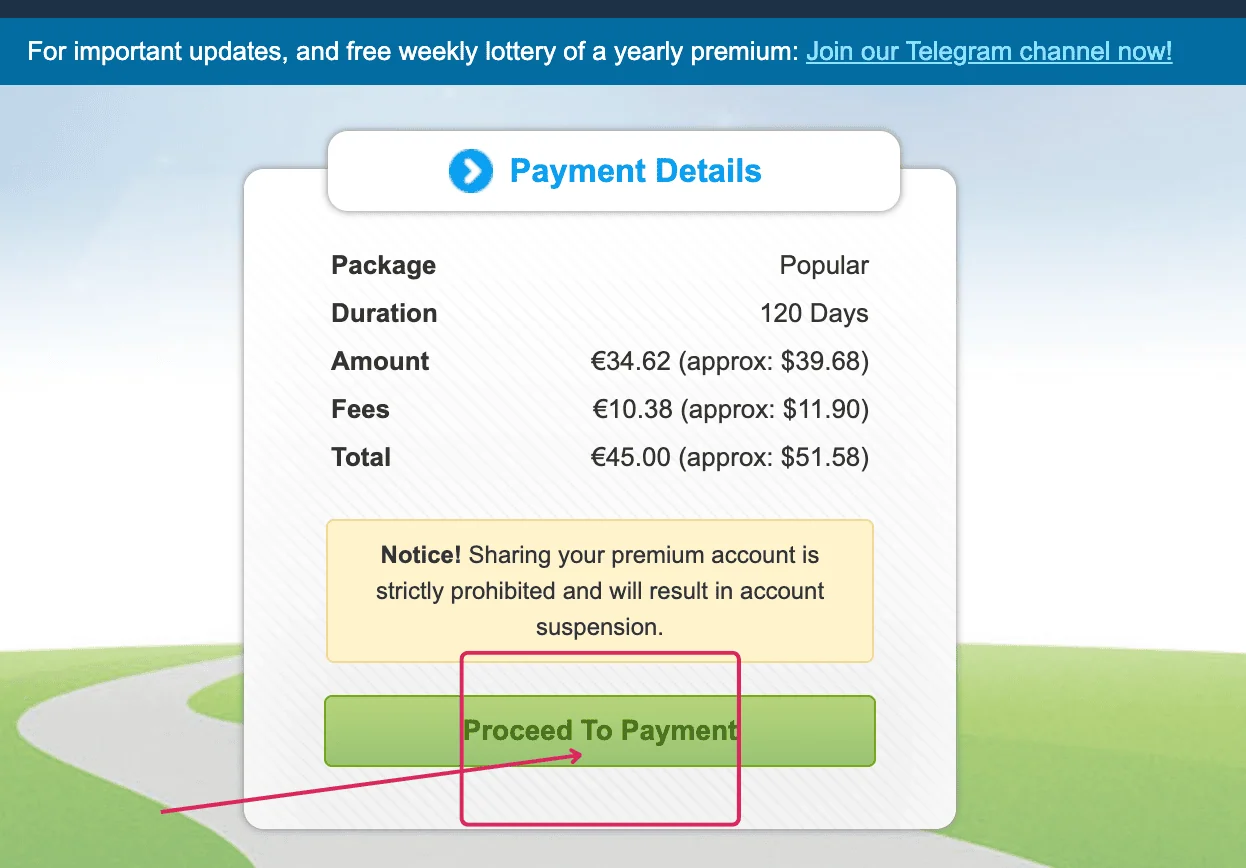
Our observed PayPal route listed a base amount of €34.62 and a €10.38 processing fee. The final total was €45.00. The screen also showed approximate dollar values of $39.68, $11.90, and $51.58. This was one checkout route, not a universal surcharge. Always inspect the amount, fees, currency, and final total before continuing.
Check Current NitroFlare PlansTesting and affiliate disclosure: FileHostReviews purchased the account used for this review. We may receive a commission if you buy through our link. This does not change our measurements or conclusions.
NitroFlare Free vs Premium
The free option can confirm that a link is still available, but it is poorly suited to large downloads. Premium removes the free workflow we encountered and enables several downloads at once. Actual speed still depends on the source file, NitroFlare’s servers, and the route to your connection.
| Feature | Free result | Premium result |
|---|---|---|
| Download speed | 18.0 KB/s measured | 14.0 MB/s for one Chrome file in our test |
| Countdown | 1 minute 55 seconds observed | No free countdown in our Premium session |
| CAPTCHA | Image-selection challenge | No free CAPTCHA in our Premium session |
| Parallel files | Not tested as a practical option | Multiple files worked in Chrome and JD2 |
| Traffic | Restricted free access | 10 GB to 100 GB per day by plan |
| JDownloader 2 | Not used for the free benchmark | Premium account accepted by JD2 Account Manager |
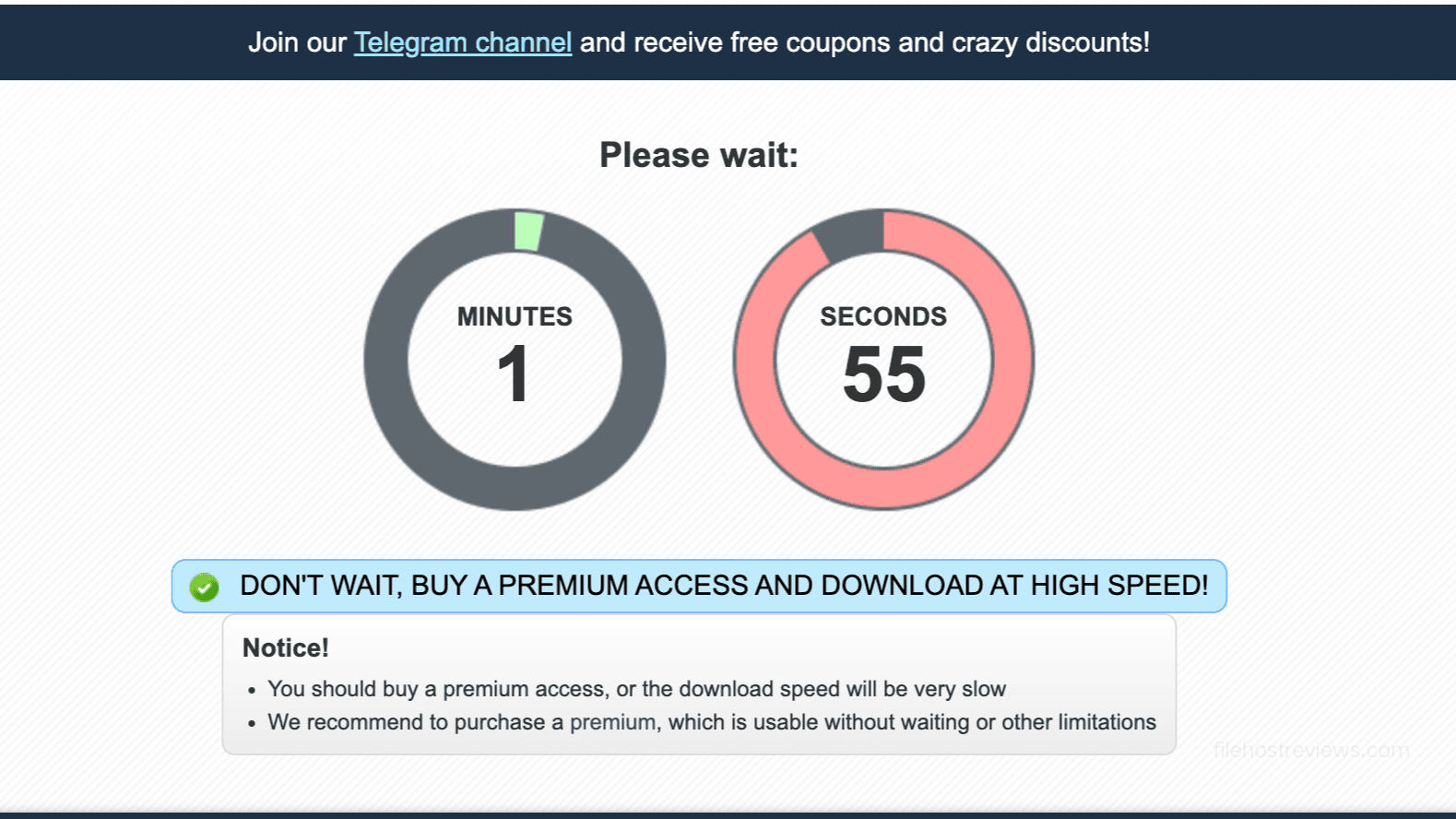
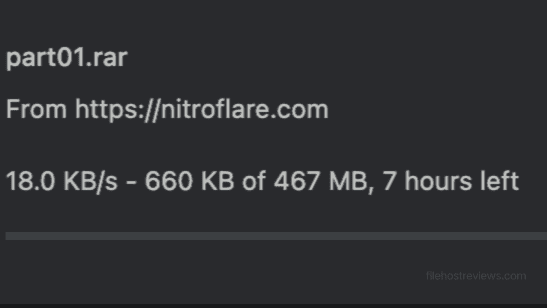
The 467 MB free test file ran at 18.0 KB/s, and Chrome estimated about seven hours remaining. By comparison, Premium completed the same type of browser transfer at a rate measured in megabytes rather than kilobytes per second. For anything beyond a small file, the time cost is the real limitation of the free tier.
Real NitroFlare Premium Speed Tests
Chrome: single and parallel downloads
A single 467 MB Premium download reached 14.0 MB/s in Chrome. This is a useful result because it required no download manager or connection tuning. Someone downloading one ordinary file can therefore receive good performance through the browser alone.
We then ran two 467 MB files at the same time. Chrome showed 14.2 MB/s for one file and 14.7 MB/s for the other, or 28.9 MB/s combined at that moment. We do not add the earlier single-file capture to this result because it came from a separate test.
JDownloader 2: two benchmark runs
JDownloader 2 delivered the strongest aggregate results. We ran two different packages to avoid presenting a single screenshot as a permanent speed claim. Average speed is the better comparison measure; “current” speed records only the moment captured in the screenshot.
| Session | Package | Average | Current | Connections |
|---|---|---|---|---|
| Run 1 | 20.508 GiB, 20 parts | 31.44 MiB/s | 41.84 MiB/s | 4 active files; 1 per file |
| Run 2 | 3.796 GiB, 4 parts | 35.99 MiB/s | 51.23 MiB/s | 4 active files; 35 open |
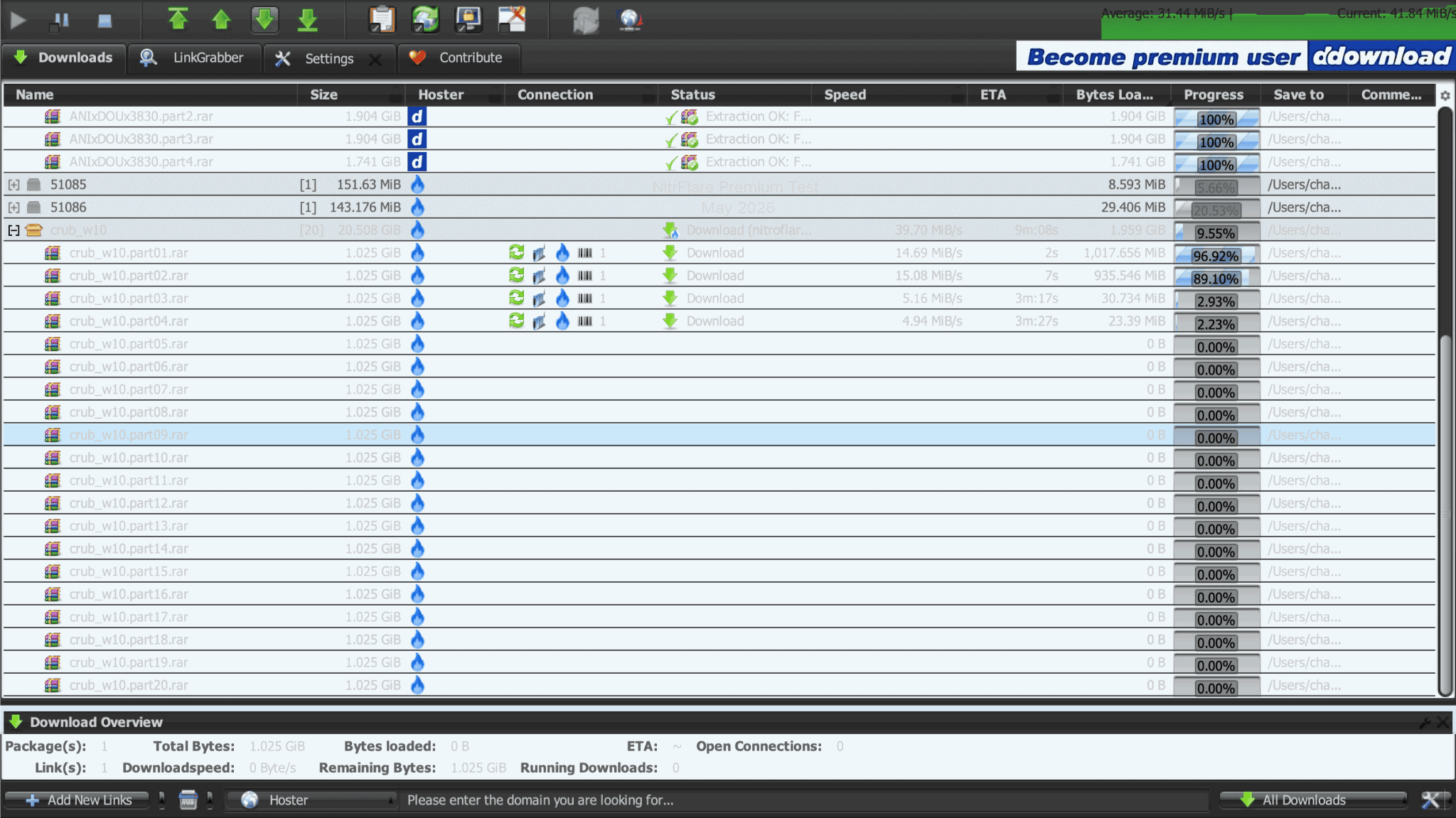
Run 1 used four active files with one connection per file. It averaged 31.44 MiB/s, while 41.84 MiB/s was the current reading at capture time. The distinction matters because a brief current rate should not be presented as the speed sustained across the entire package.
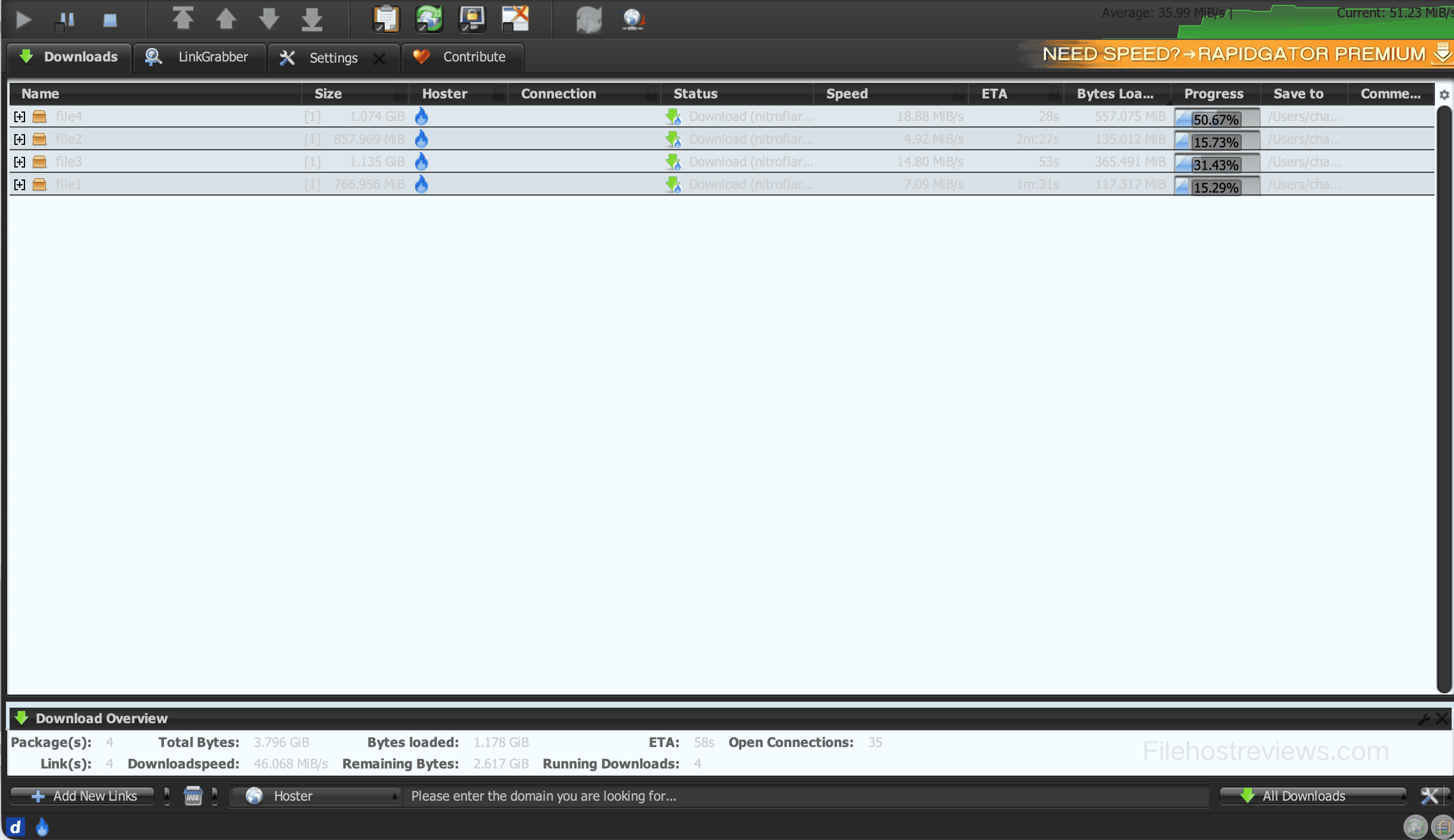
Run 2 also used four active files but displayed 35 open connections. It averaged 35.99 MiB/s, showed a 46.068 MiB/s overview rate, and reached 51.23 MiB/s at the captured moment. The connection counts differed between sessions, so neither screenshot proves a fixed limit. Both runs show that several active downloads performed substantially better than one browser transfer.
How to Buy and Activate NitroFlare Premium
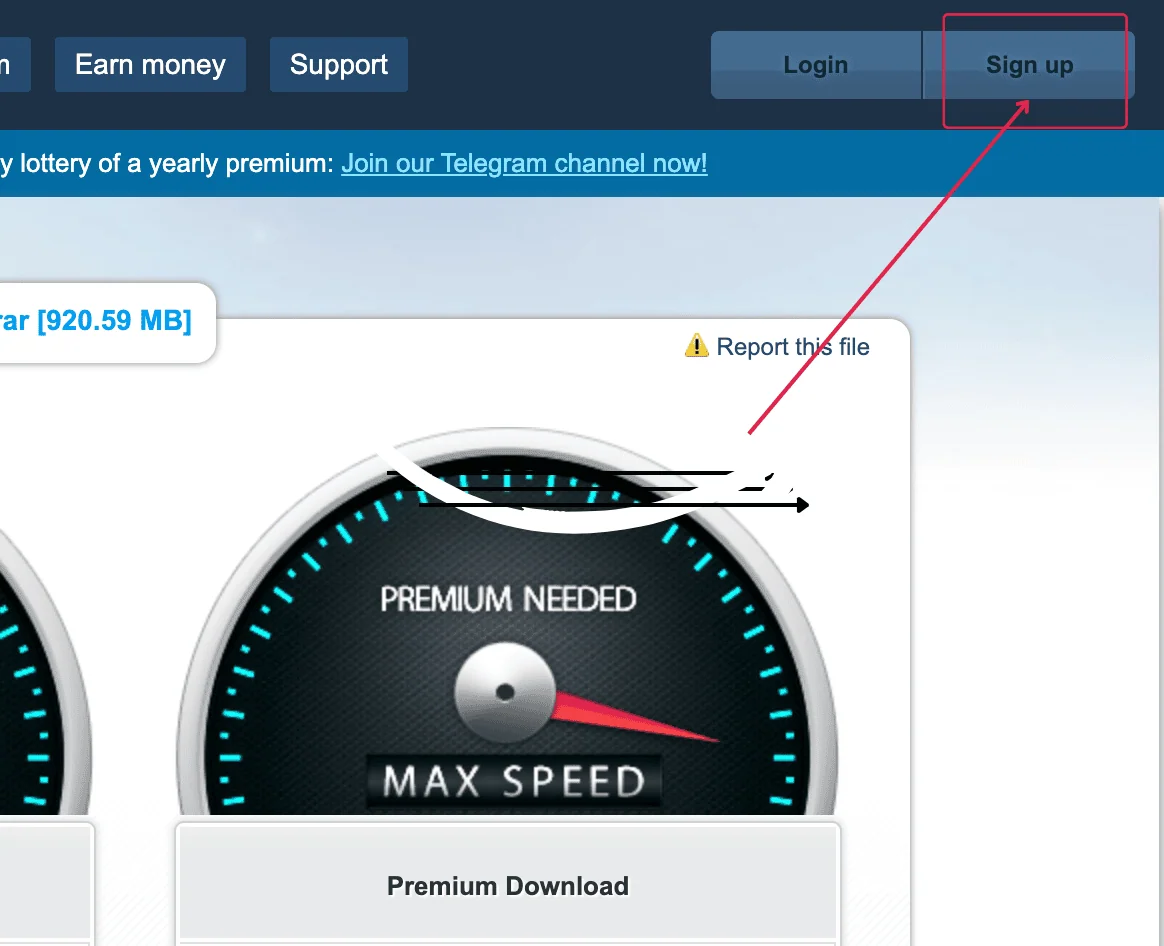
- Create an account. Select Sign up in the header.
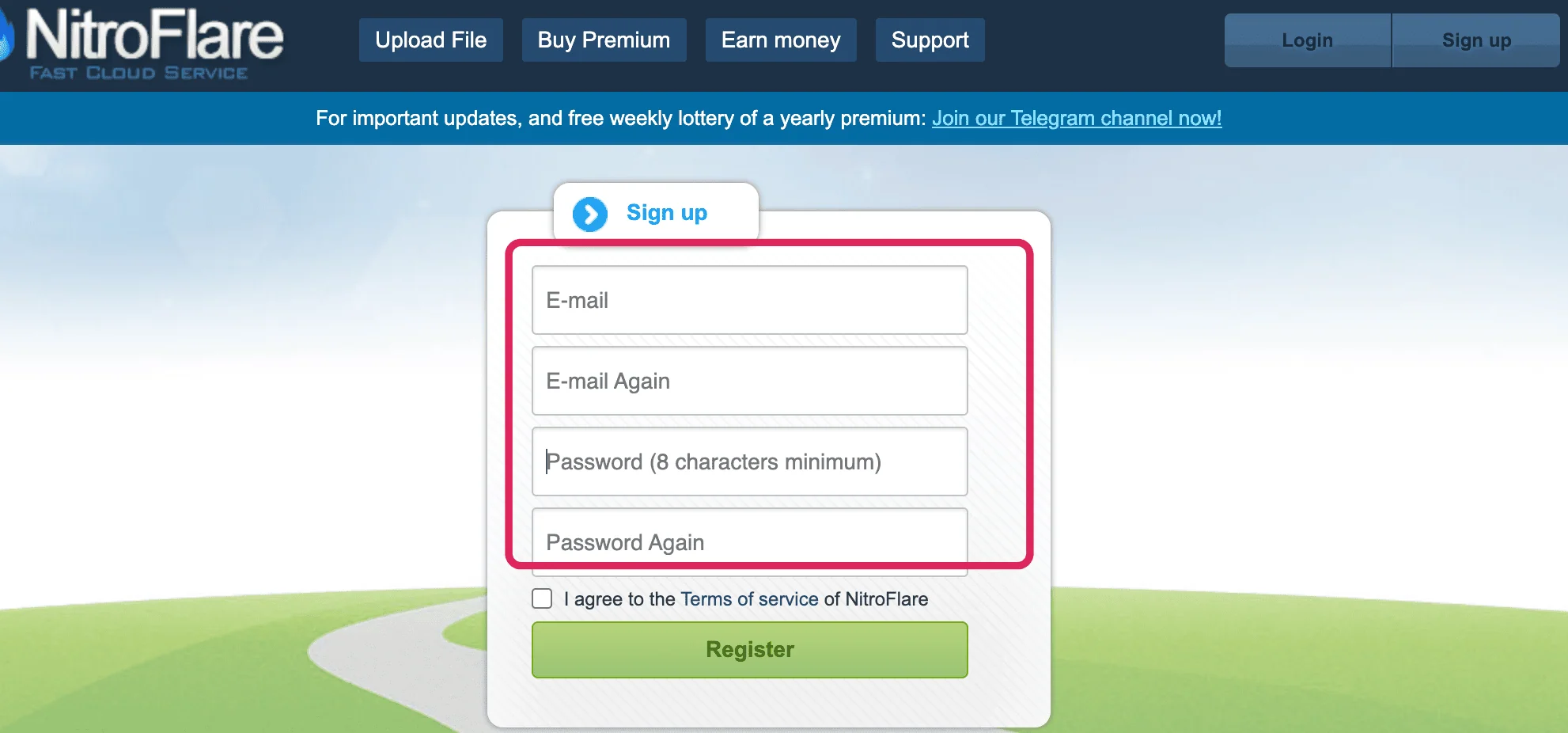
- Complete registration. Enter your email and password twice, accept the terms, and select Register.
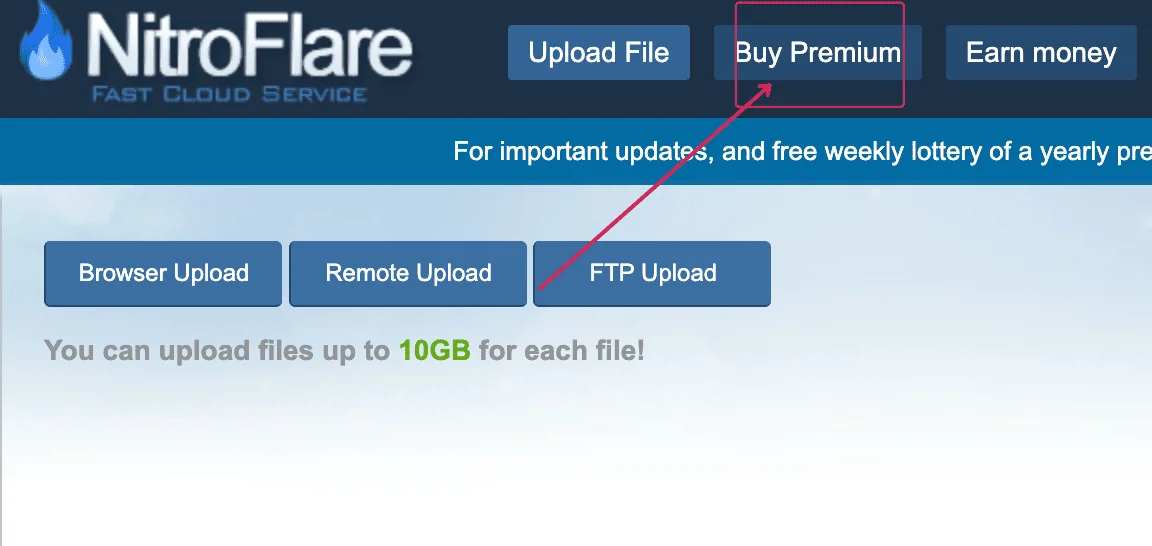
- Open the upgrade page. Sign in and select Buy Premium.
- Select a plan. Compare the access period and daily traffic, then choose Click To Buy.
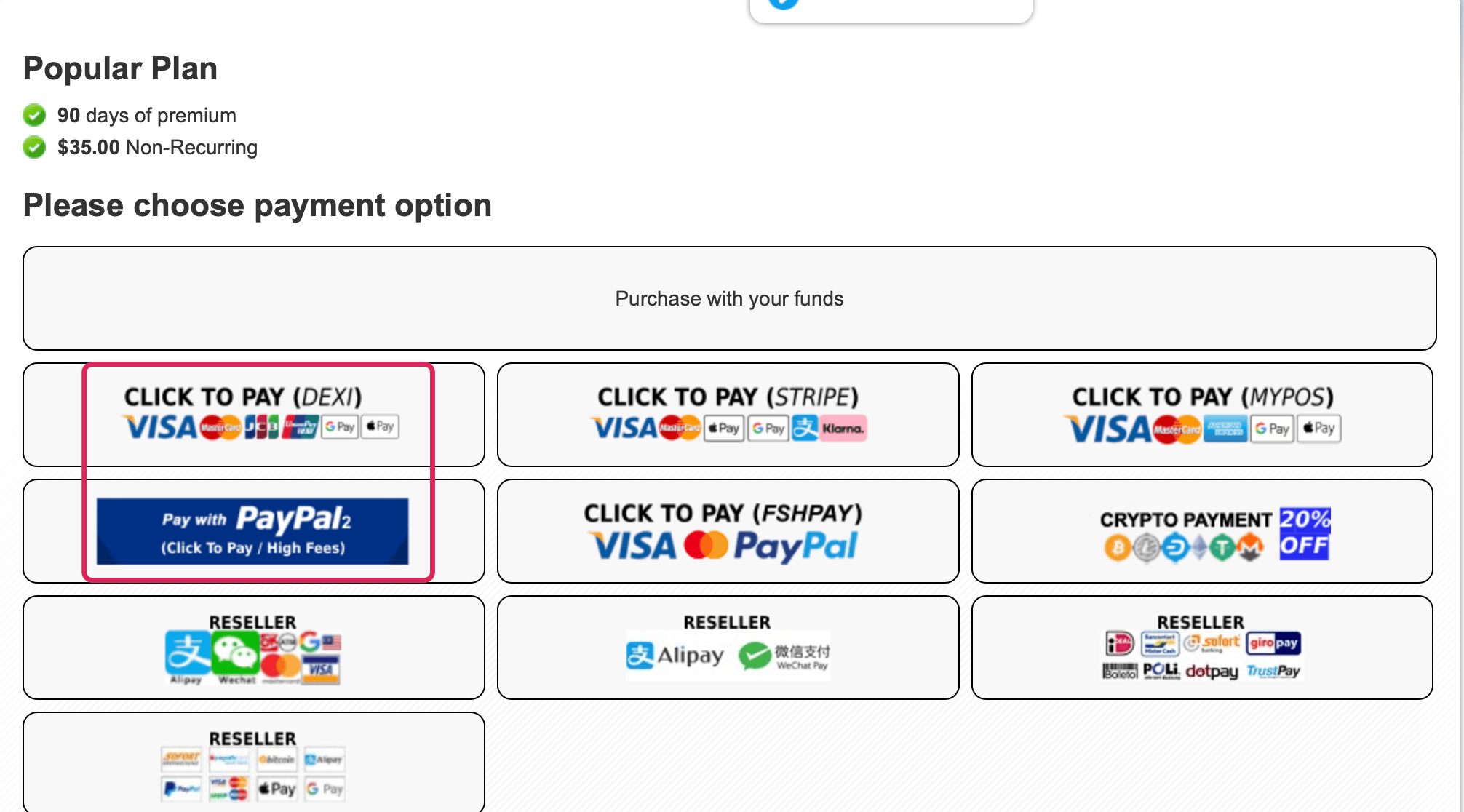
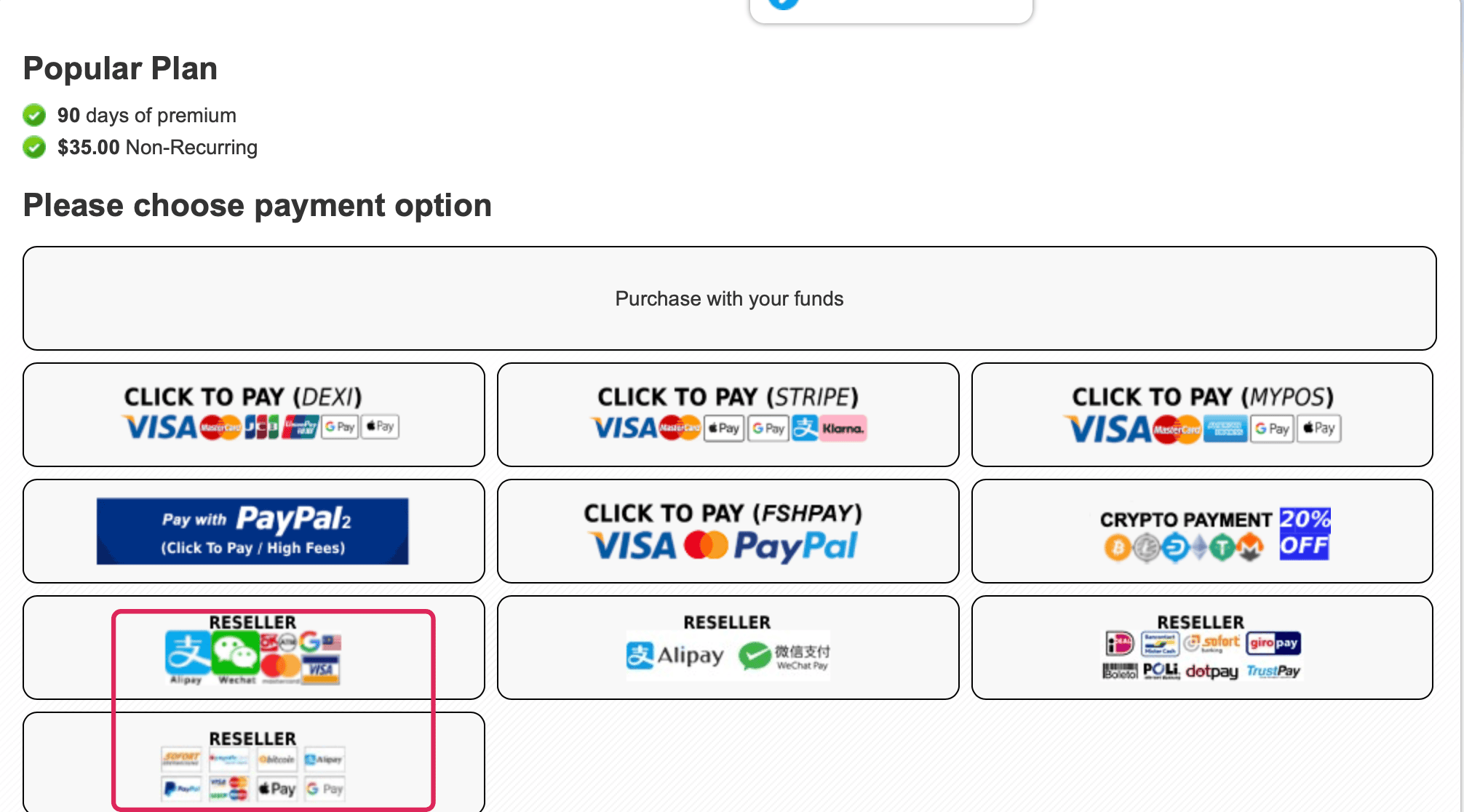
- Choose a payment route. The page displayed card processors, PayPal, cryptocurrency options, and resellers during our check.
- Check the final amount. Review the plan price, added fee, billing currency, and total before selecting Proceed To Payment.
How to redeem a Premium Key
An authorized reseller may deliver an alphanumeric Premium Key instead of activating the account automatically. Select the reseller option, complete payment, and retain the key it provides.
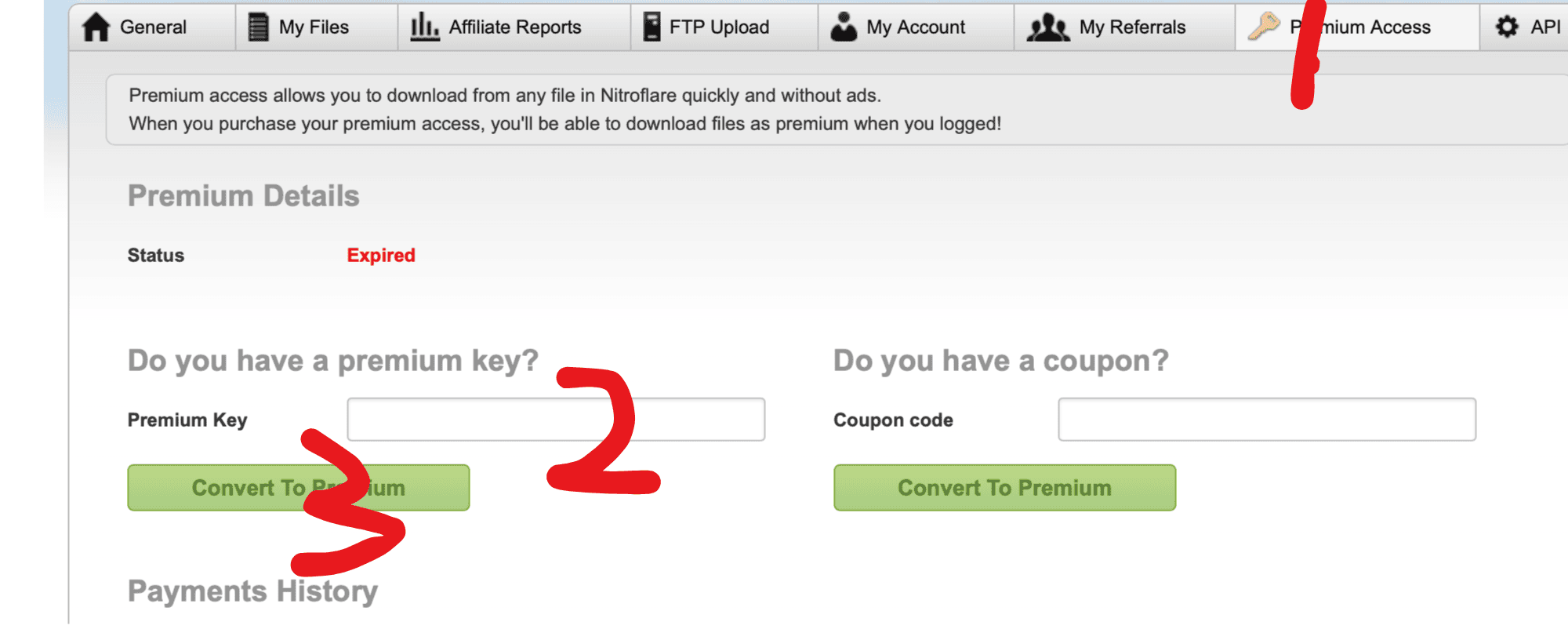
After signing in, open Premium Access. Paste the key into the Premium Key box and select Convert To Premium. Do not place a prepaid key in the separate Coupon code field; that field is intended for checkout discounts.
How to Add NitroFlare to JDownloader 2
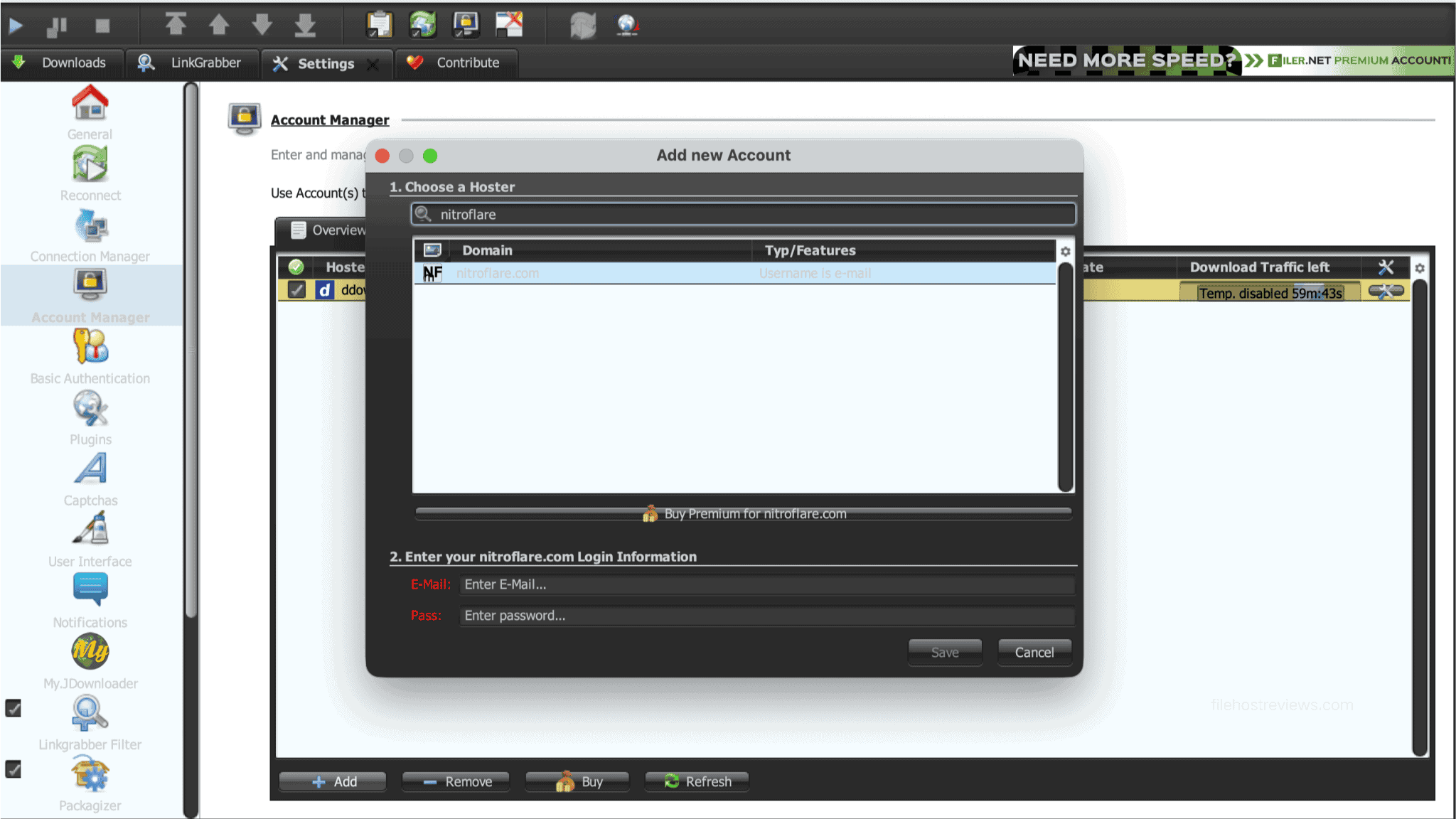
- Open JDownloader 2 and go to Settings → Account Manager.
- Select Add, search for
nitroflare.com, and choose the host entry. - Enter the email and password registered with NitroFlare, then save the account.
A successful login should display a Premium Account status. During our account check, JD2 showed 23.283 GiB of traffic remaining. Treat that number as the balance visible at that moment, not as proof of a separate fixed plan allowance.
After setup, copied NitroFlare links can be collected and queued in JD2. Start with a modest number of simultaneous downloads, then adjust based on stability and the traffic available to your plan. Our two tests showed that connection behavior can vary between sessions. See our guide to JDownloader-compatible file hosts for broader comparisons.
Visit NitroFlare PremiumLimits & Things to Know Before Buying
- Daily traffic varies by plan. The displayed limits ranged from 10 GB per day on Trial to 100 GB on Huge. Choose for your expected daily use, not only the term length.
- Checkout fees can change the value. Our PayPal route added €10.38 to a €34.62 base amount. Compare the final total with the advertised price before approving payment.
- Account sharing was prohibited. The checkout screen warned that sharing could lead to suspension. We do not infer additional IP rules beyond that displayed warning.
- JD2 connections were not consistent. One run used one connection per active file; another displayed 35 open connections across four files. Do not assume either is a permanent ceiling.
- Results are not guarantees. File availability, server load, routing, location, and the user’s connection can produce different speeds.
Alternatives and When Not to Buy
Direct NitroFlare Premium makes the most sense when the required files are exclusive to NitroFlare. If the same files have other mirrors, compare the current Rapidgator review and DDownload review before paying. Multi-host support and quotas can change without notice, so verify current NitroFlare support directly with any debrid provider. Do not buy a long plan based only on an old compatibility list.
Who Should Buy NitroFlare Premium?
Buy it if:
- Your required files are available mainly or exclusively on NitroFlare.
- Twenty-five to 100 GB of daily traffic covers your normal use.
- You want good browser performance or regularly download multipart sets with JD2.
- You have checked the final processor fee and still accept the total price.
Skip it if:
- You need more daily traffic than the selected plan supplies.
- The same files are available from a cheaper or more suitable host.
- You download only a few small files and can tolerate the free restrictions.
- You intend to share one account with other people.
Frequently Asked Questions
Is NitroFlare Premium worth it?
It can be worth buying when important files are exclusive to NitroFlare and the plan’s daily traffic covers your needs. It is less attractive for occasional downloads, files with faster mirrors, or buyers facing a high payment-processing fee.
How fast is NitroFlare Premium?
Our single Chrome download reached 14.0 MB/s, while two simultaneous files reached 28.9 MB/s combined. In JD2, the two package averages were 31.44 and 35.99 MiB/s. The higher 51.23 MiB/s figure was a current reading, not an average.
How slow is NitroFlare Free?
Our 467 MB free download ran at 18.0 KB/s and showed about seven hours remaining. Before it began, NitroFlare required a 1-minute 55-second countdown and an image CAPTCHA. These were observations from our test, not promised values for every session.
What is the daily download limit?
The displayed allowance depended on the plan: 10 GB for Trial, 25 GB for Medium, 50 GB for Popular, 75 GB for Big, and 100 GB for Huge. Confirm the current limits before buying because host plans can change.
Does NitroFlare work with JDownloader 2?
Yes. JD2 accepted our Premium credentials through Account Manager and displayed the account as Premium. It also showed the remaining traffic balance. Our tests used several active files, although the number of open connections differed between the two sessions.
Which NitroFlare plan is best for a first purchase?
Medium is the practical starting point. It displayed $15.00 for 30 days and 25 GB per day. Trial cost $12.50 for only two days and 10 GB per day, so the small saving did not compensate for its much shorter access period.
Does NitroFlare Premium renew automatically?
Every plan on the pricing screen was marked “Non-Recurring” during our review. That indicates access should end after the purchased term rather than renew automatically. Still, check the final processor page and its terms before authorizing payment.
Final Verdict
NitroFlare earns 7/10. Premium transformed an impractical free download into good browser performance and much faster multi-file JD2 transfers. The service is best for users who specifically need NitroFlare-hosted files and can remain within the daily quota. Its weaker points are plan-based traffic limits and checkout fees that may materially raise the price. Start with the 30-day Medium plan, confirm performance from your location, and inspect the final payment total.
Check NitroFlare Premium Availability