

Quick Answer & Verdict
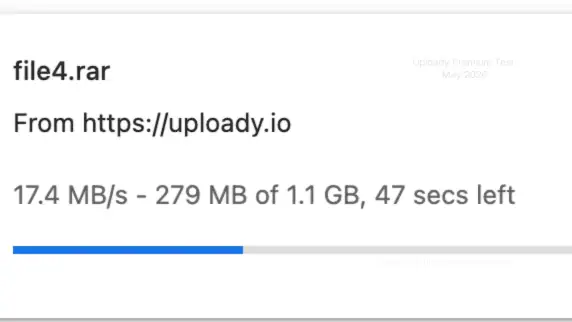
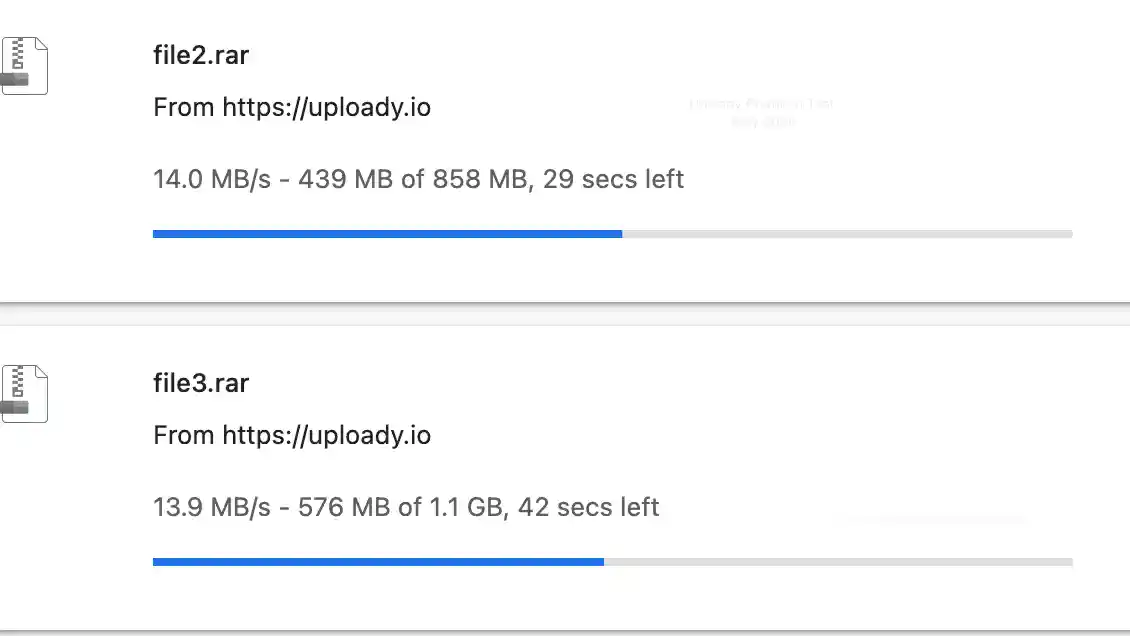
Uploady advertises Premium access without free-tier waits, CAPTCHAs or speed caps. On our 1 Gbps fiber line, Chrome displayed 17.4 MB/s for one file and 27.9 MB/s across two files. JDownloader 2 showed about 40 MiB/s combined with four files active. These are screenshot readings, not promises for every download.
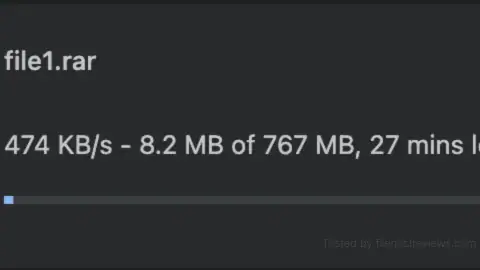
Our free-download screenshot showed 474 KB/s. The page separately advertised a 100 KB/s limit. A paid tier is a practical choice if you regularly download files hosted on Uploady and manage queues in JDownloader 2. Our checkout displayed $12.74 for 30 days with TG15. Start there to check speeds on your own connection.
Key Facts & Tested Results
Changbin Ge tested Uploady on a Mac with 1 Gbps symmetric fiber, Chrome and JDownloader 2. Paid speed screenshots date from May 2026; prices and daily allowances were checked on 6 October 2026. Browser rates use MB/s; JD2 uses MiB/s. See our testing methodology.
| Test or feature | Captured or advertised result |
|---|---|
| Free speed | 474 KB/s observed; 100 KB/s advertised |
| Free wait | 120s listed; 109s remaining in screenshot |
| Free checks | Image CAPTCHA and overlay marked Ad |
| Chrome single file | 17.4 MB/s displayed; file shown as 1.1 GB |
| Chrome two files | 14.0 + 13.9 = 27.9 MB/s combined |
| JD2 four files | Download Overview: 40.015 MiB/s; four open connections |
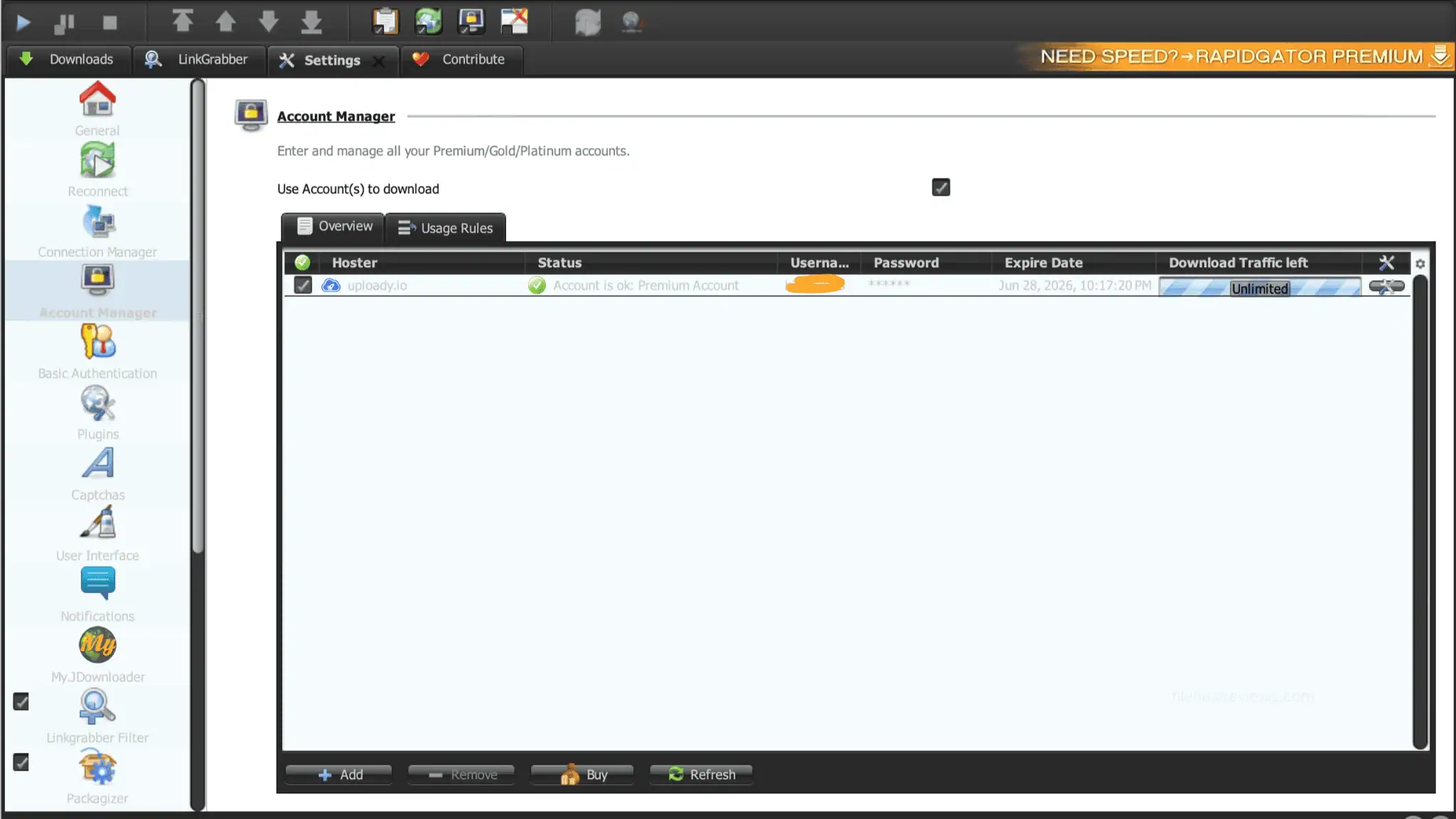
| JD2 account | Premium Account; traffic label Unlimited |
| Standard Premium allowance | 50–150 GB/day, depending on duration |
| TG15 starting price | $12.74 total for 30 days in checkout screenshot |
Table of Contents
Pricing, Premium vs Pro & TG15
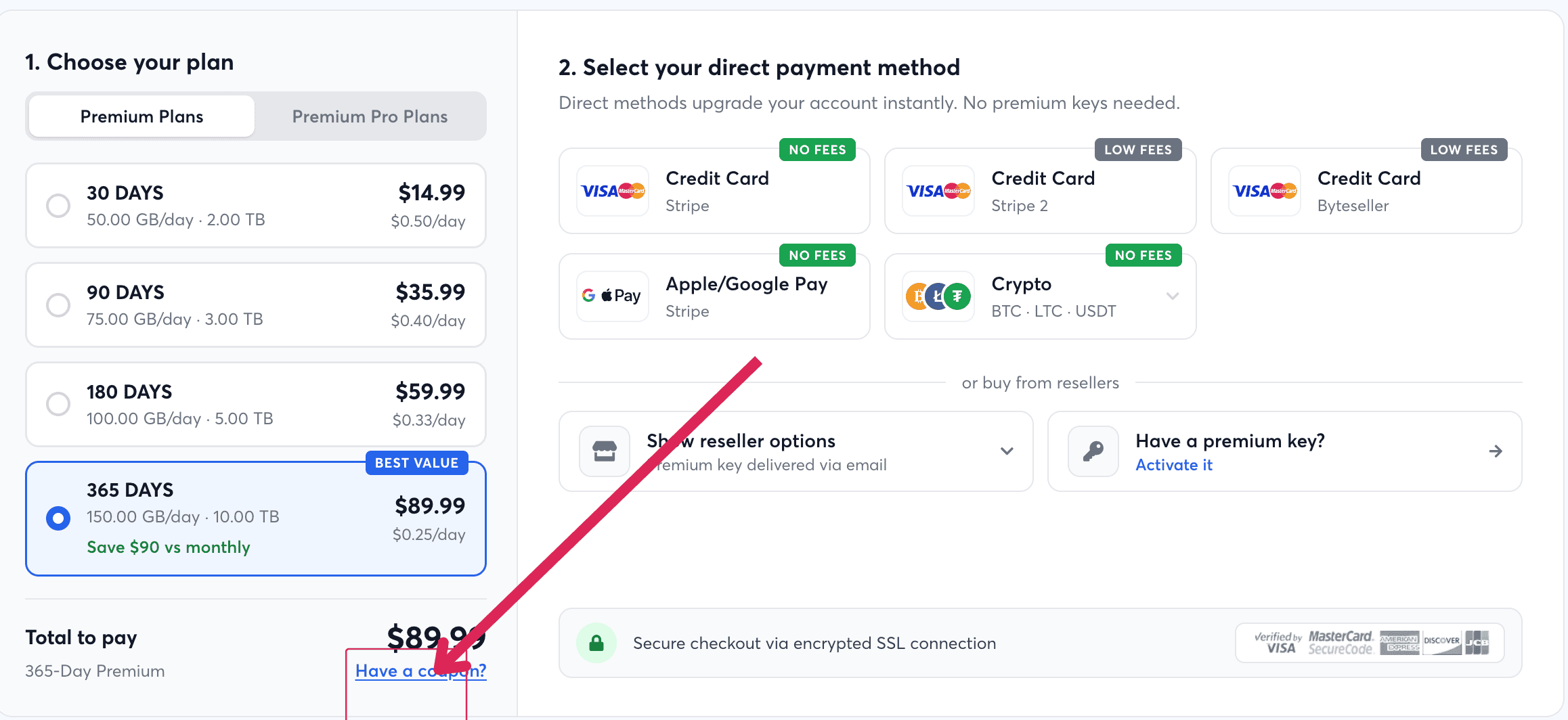
Uploady offers standard Premium and Premium Pro. Each plan has a daily download allowance. The purchase page labels plans One-time / No subscription; check your payment route’s terms. Longer plans offer more daily traffic and a lower cost per day.
These are total plan prices in USD, not monthly bills:
| Duration | Regular total | Displayed total with TG15 | Daily allowance |
|---|---|---|---|
| 30 days | $14.99 | $12.74 | 50 GB/day |
| 90 days | $35.99 | $30.59 | 75 GB/day |
| 180 days | $59.99 | $50.99 | 100 GB/day |
| 365 days | $89.99 | $76.49 | 150 GB/day |
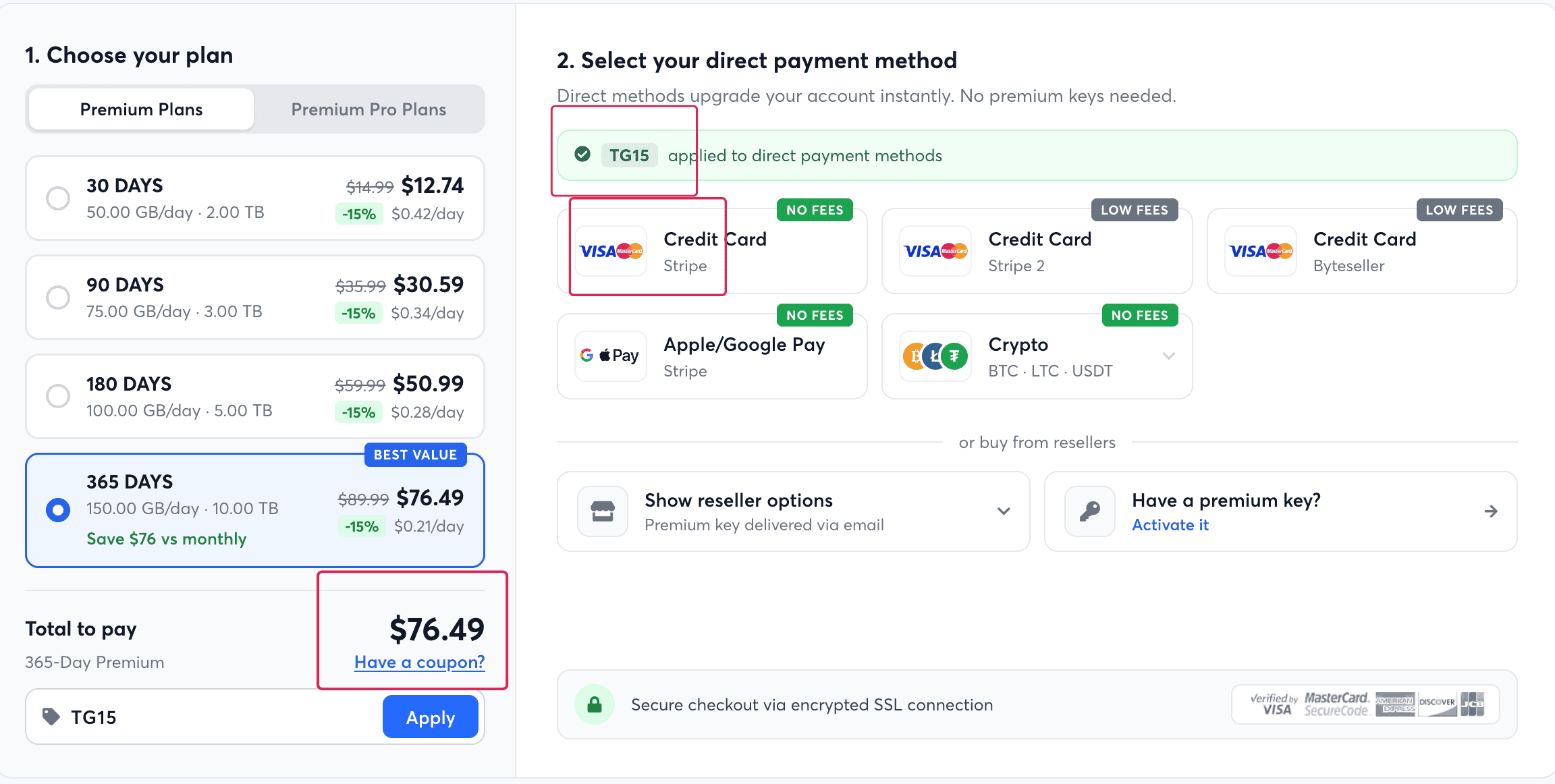
Our checkout screenshots confirm 15% off standard Premium with TG15. The official Uploady Telegram channel also promotes the code. It applies to direct payments, not reseller options. Confirm that it still works before paying.
Premium Pro prices and daily allowances were verified on the official purchase page on 6 October 2026:
| Pro Duration | Regular Price | Daily allowance |
|---|---|---|
| 30 days | $27.99 | 100 GB/day |
| 90 days | $69.99 | 150 GB/day |
| 180 days | $99.99 | 200 GB/day |
| 365 days | $149.99 | 300 GB/day |
We have no Pro speed comparison or verified Pro checkout discount in this batch. Compare its listed daily allowance with your needs; these tests do not establish a speed advantage.
For an initial purchase, the 30-day Premium tier at $12.74 with TG15 offers a practical way to check local transfer speeds. Users who know they need Uploady files continuously can consider the 365-day plan at $76.49. That plan increases daily traffic to 150 GB, which changes the daily allowance as well as the price.
FileHostReviews may earn a commission from purchases through its links.
Free vs Premium
Free access may suit an occasional small file. Our screenshots show a wait, an image CAPTCHA and an ad overlay. The lower observed speed makes larger downloads less convenient.
| Feature | Free Tier | Premium Tier |
|---|---|---|
| Download Speed | 474 KB/s observed (100 KB/s advertised limit) | 17.4 MB/s in Chrome; about 40 MiB/s in JD2 |
| Waiting Timer | 120s listed; 109s remaining captured | No waiting advertised |
| Human Verification | Image CAPTCHA displayed | No CAPTCHA advertised |
| Advertisements | Overlay marked Ad displayed | No ads advertised |
| Concurrent Downloads | Not tested | Parallel downloads supported |
| Resuming Transfers | No resume support advertised | Resume support advertised |
Starting a free download displays a waiting page. The comparison table lists a 120-second wait, while our countdown screenshot captured 109 seconds remaining.
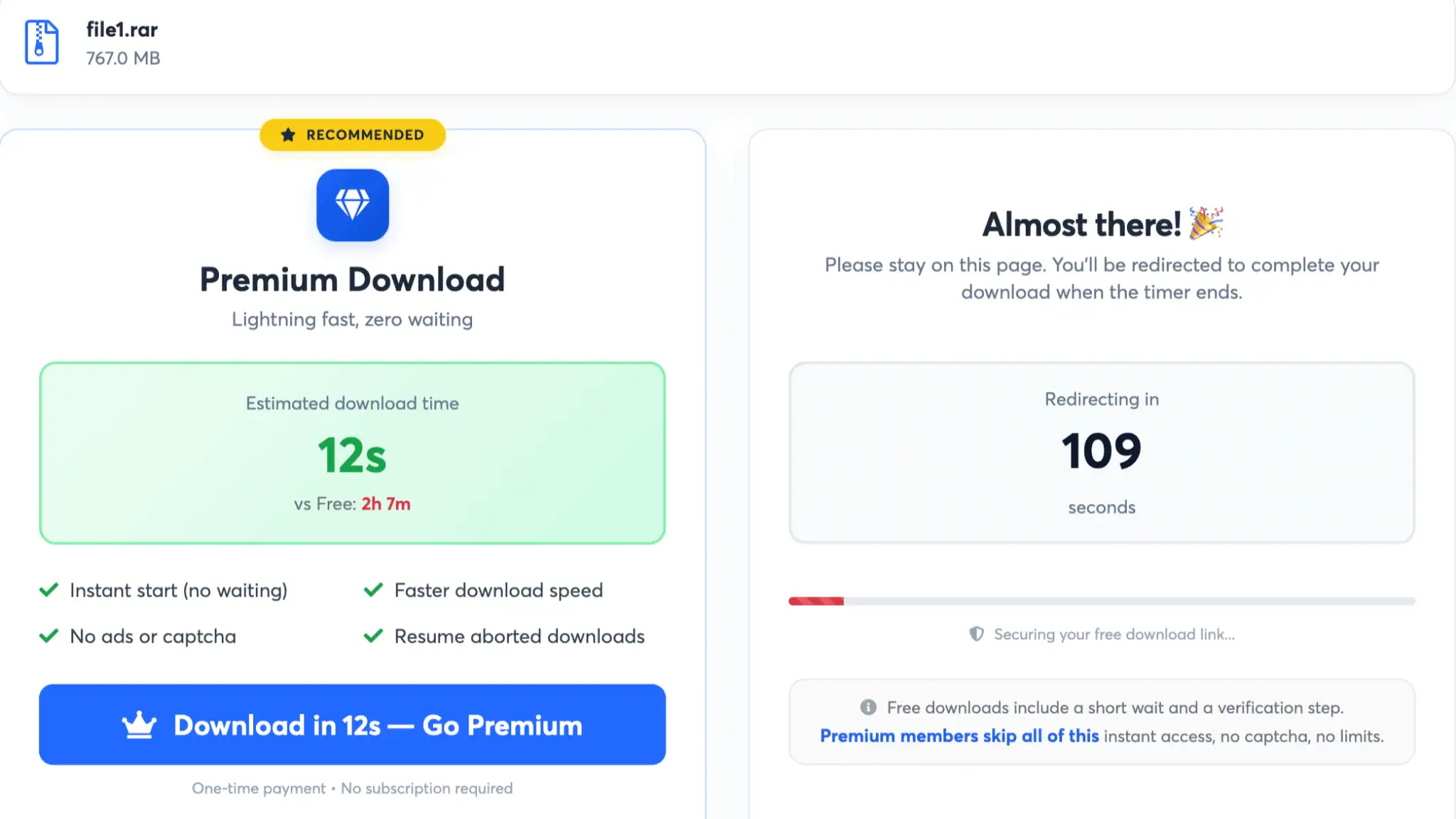
A separate screenshot shows an overlay marked Ad, saying “Download is ready / Tap to proceed”. Its label identifies advertising, not a verified file link.
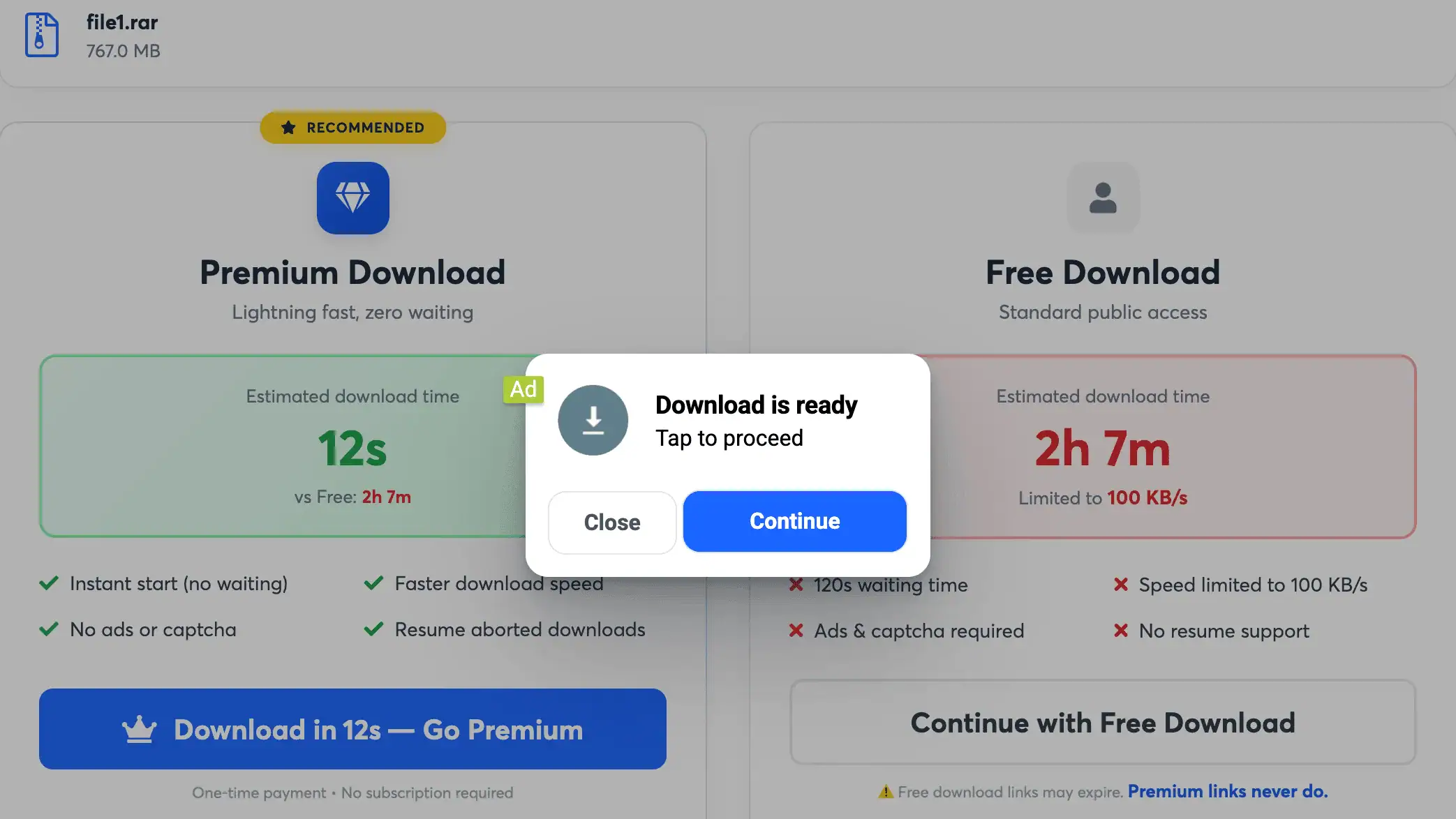
Another screenshot shows an image CAPTCHA in the free download process. These captures do not establish a fixed order for the timer, CAPTCHA and advertising.
Chrome displayed 474 KB/s for a 767 MB archive, with about 27 minutes remaining. That was an estimate, not a completed transfer time. The page separately advertised a 100 KB/s cap.
Uploady states that free users have no resume support, while premium members receive resume support for aborted downloads. This is an advertised feature; we did not run a disconnected recovery test.
Real Premium Speed Tests
We tested paid access in Chrome and JD2 in May 2026. JD2 labelled the account Premium Account. The screenshots do not identify its equivalent in today’s Premium and Pro tiers.
Chrome Single Download
Chrome displayed 17.4 MB/s when the single-file screenshot was taken. The browser showed a 1.1 GB file with 47 seconds left. This demonstrates solid standalone browser performance for retrieving individual files directly.
Chrome Parallel Downloads
Downloading two files simultaneously in Google Chrome produced 14.0 MB/s and 13.9 MB/s, totaling 27.9 MB/s combined. The two-file screenshot showed a higher combined rate than the separate single-file capture.
JDownloader 2 Four-File Test
JDownloader 2 showed 40.015 MiB/s in Download Overview with four files active. The queue contained a four-file group totaling 3.796 GiB. The top chart separately showed Average 41.15 MiB/s and Current 39.49 MiB/s. We use about 40 MiB/s combined as the benchmark headline.
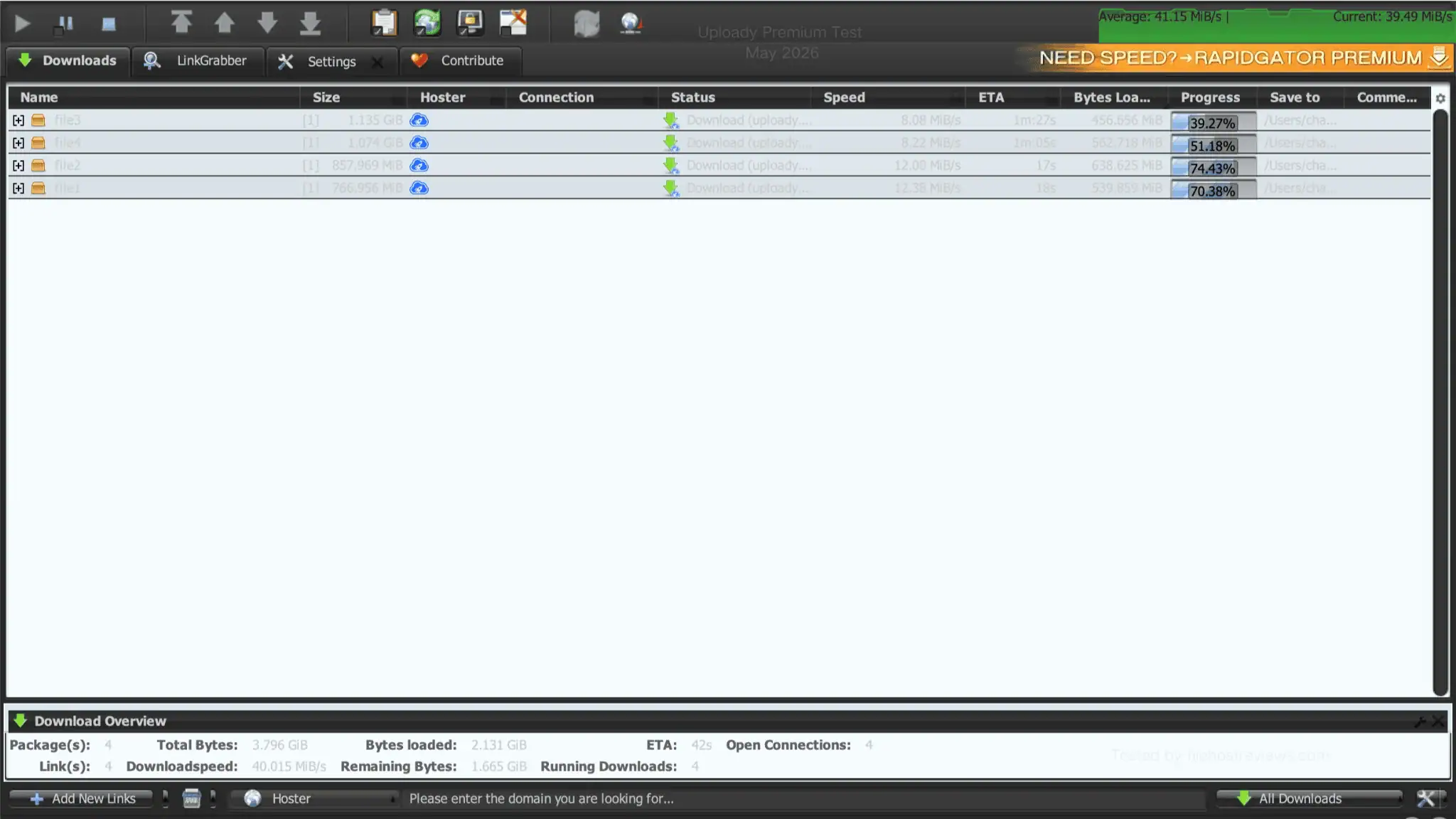
The screenshot shows four open connections for four files. It does not prove a permanent single-connection limit per file. Running four files concurrently serves as a practical starting configuration for everyday downloading.
How to Buy, Apply TG15 & Redeem a Key
Create an account, choose a plan, apply TG15 and review the payment screen:
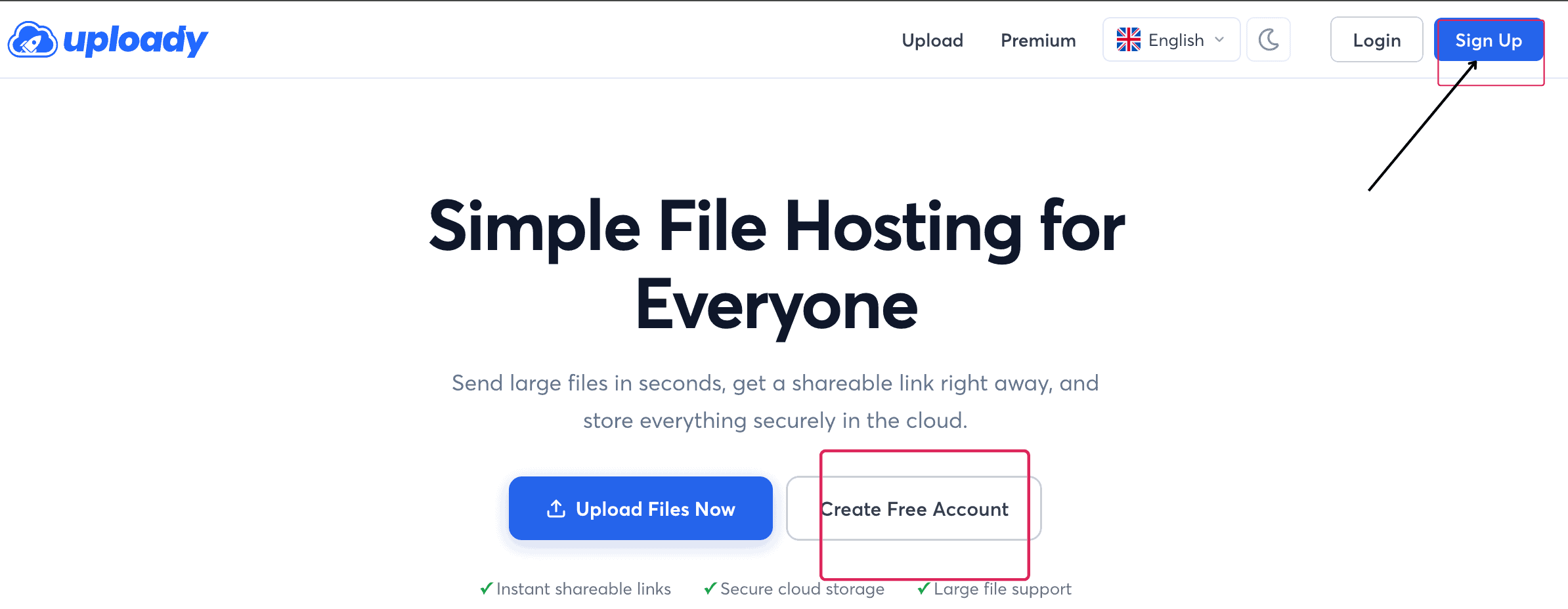
- Start Registration: Click Sign Up in the header or Create Free Account on the homepage.
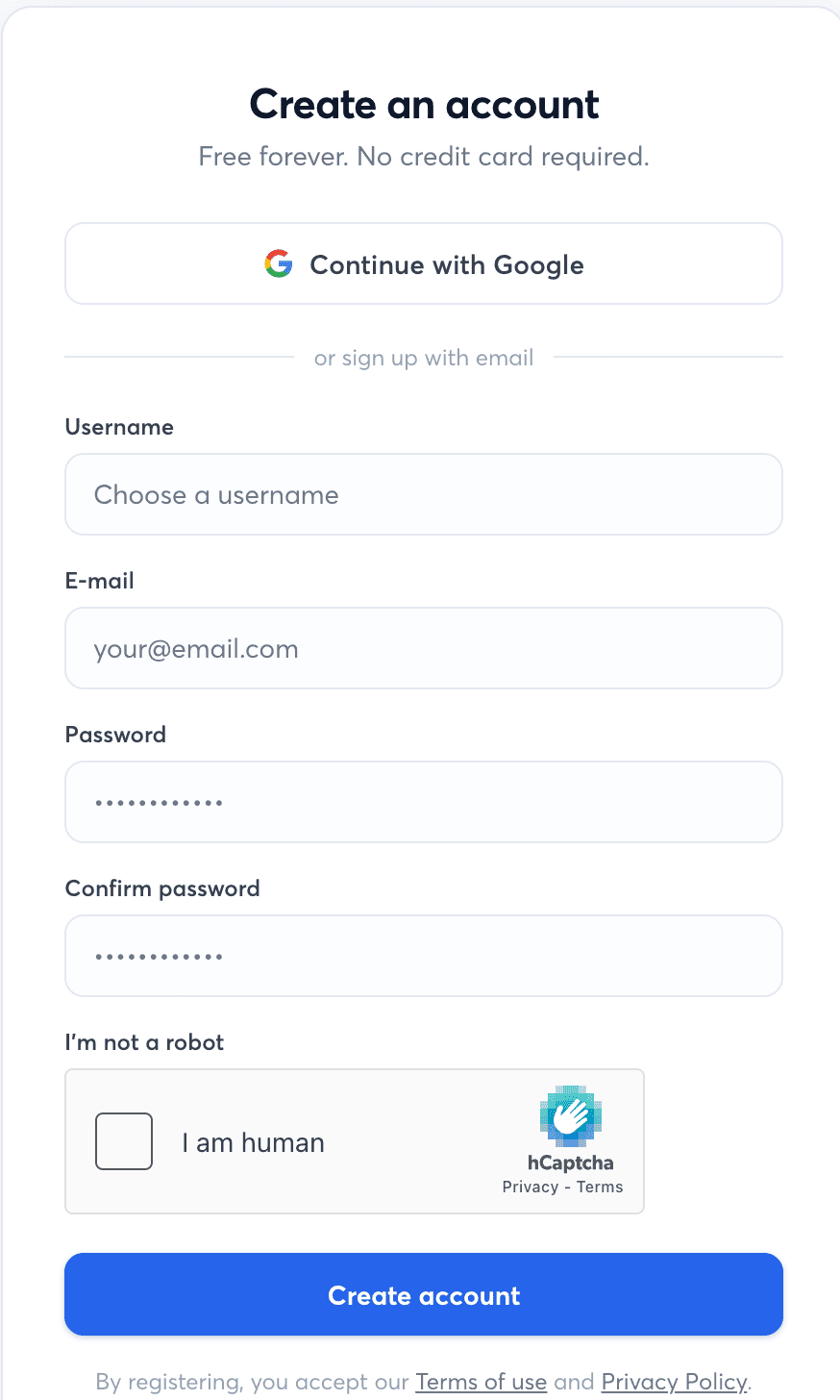
- Complete the Form: Enter a username, email address, password, and confirmation password, solve the human check, and click Create account.
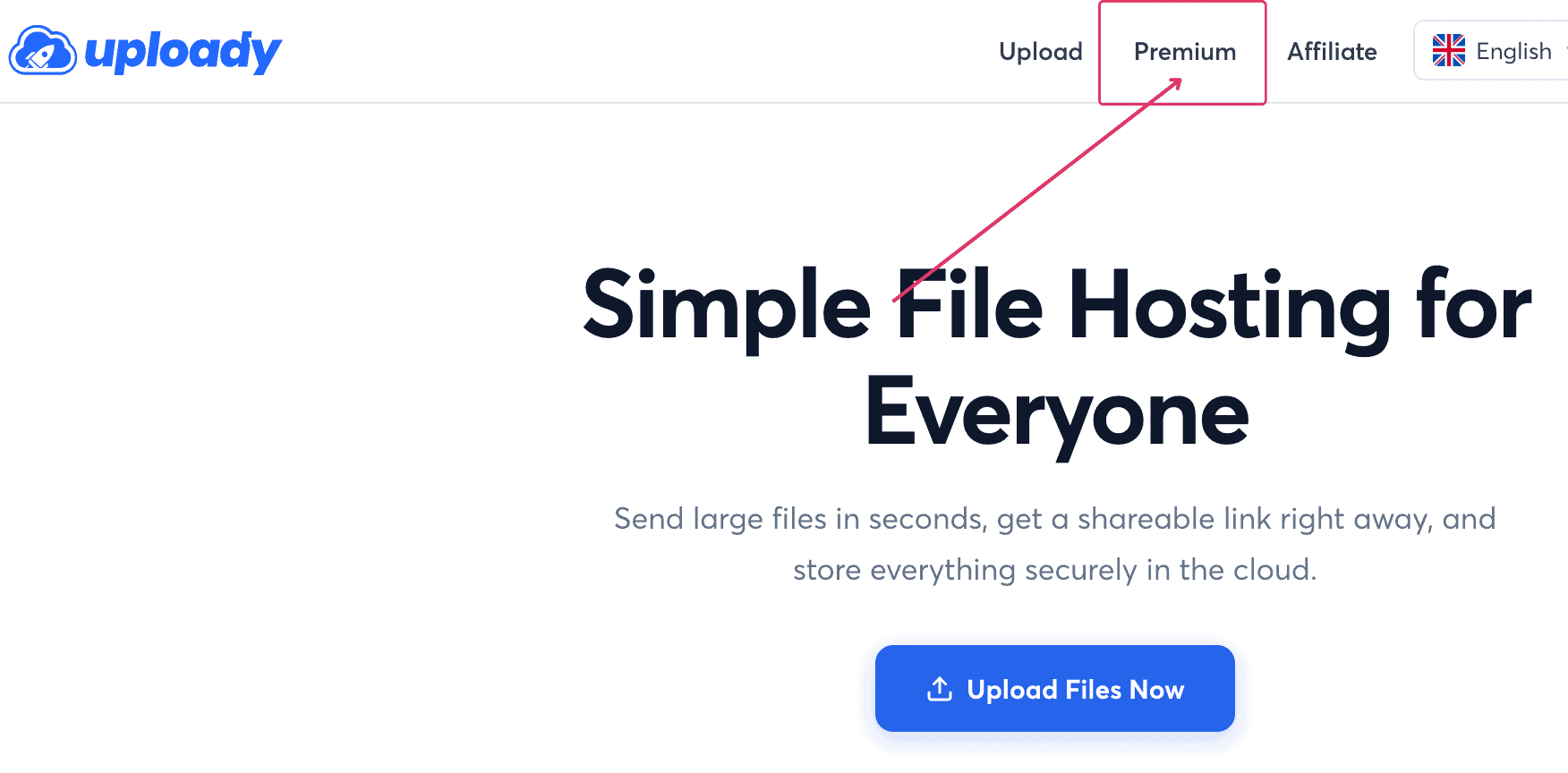
- Open Plan Selection: Log in and select Premium in the main navigation menu.
- Open the Coupon Field: Choose your plan duration, then click the Have a coupon? link below the order total.
- Apply TG15: Enter
TG15into the coupon box and click Apply. The screen confirms the 15% discount on direct payment methods.
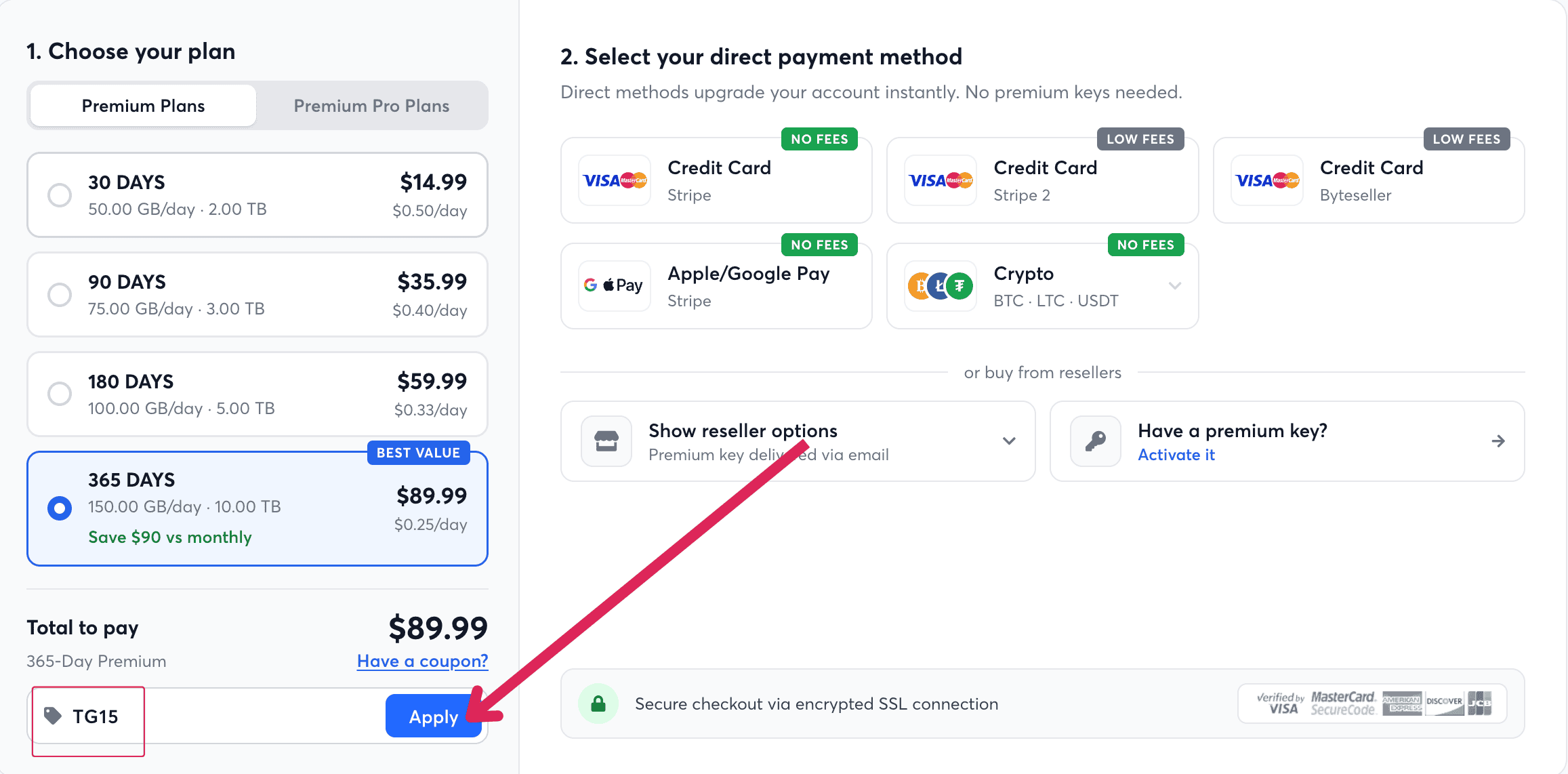
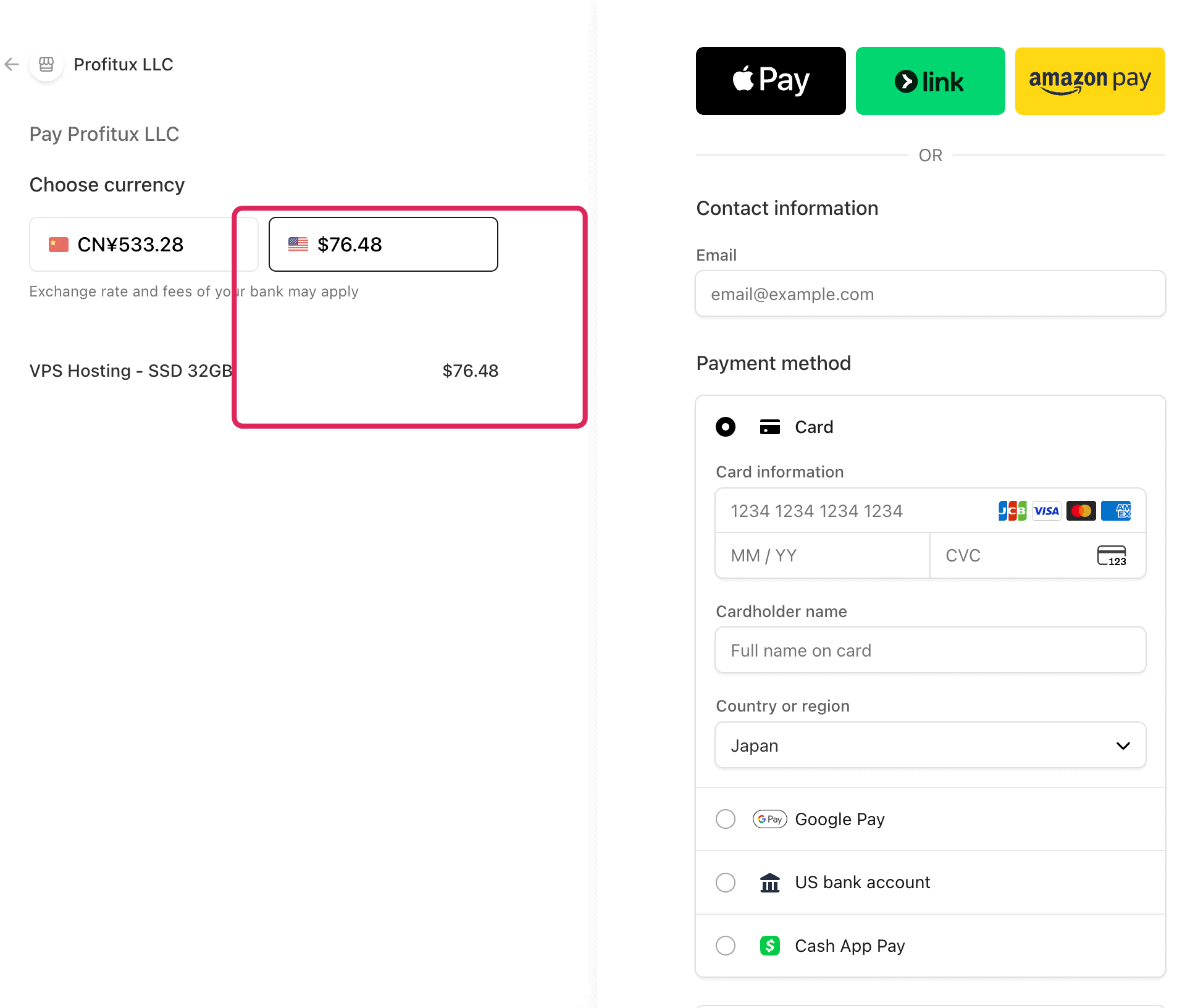
- Review Payment Details: Select a direct payment gateway like credit cards, Apple/Google Pay, or cryptocurrency. The illustrated 365-day card checkout displayed $76.48, merchant Profitux LLC and item VPS Hosting – SSD 32GB. The plan page showed $76.49. The reason for the difference is unknown. Confirm the amount, merchant and item before paying; this screen is not a receipt.
Reseller Purchasing and Key Activation
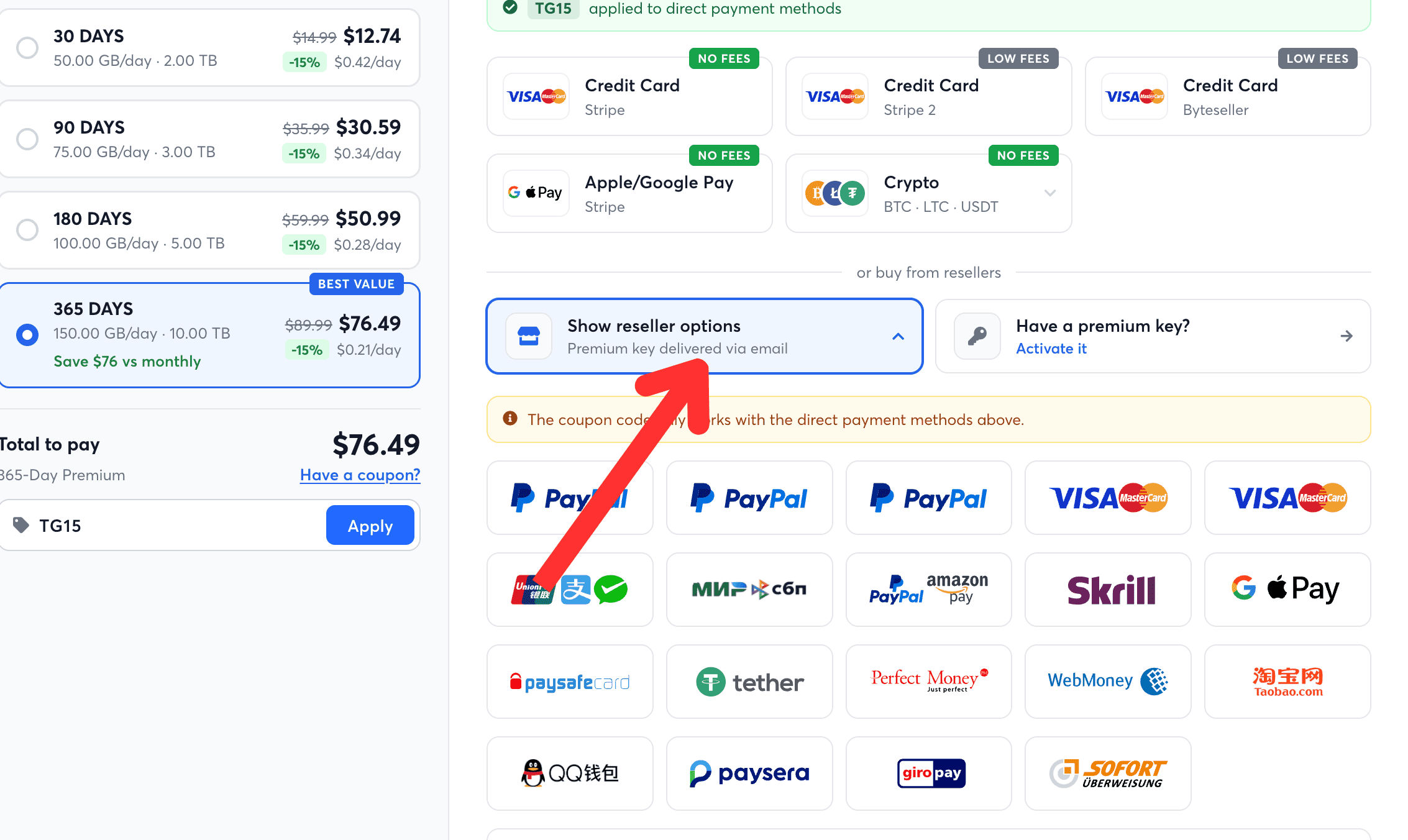
If direct payment gateways are unavailable, clicking Show reseller options displays third-party merchants offering payment options like PayPal. The interface states that the coupon code works only with direct payment methods.
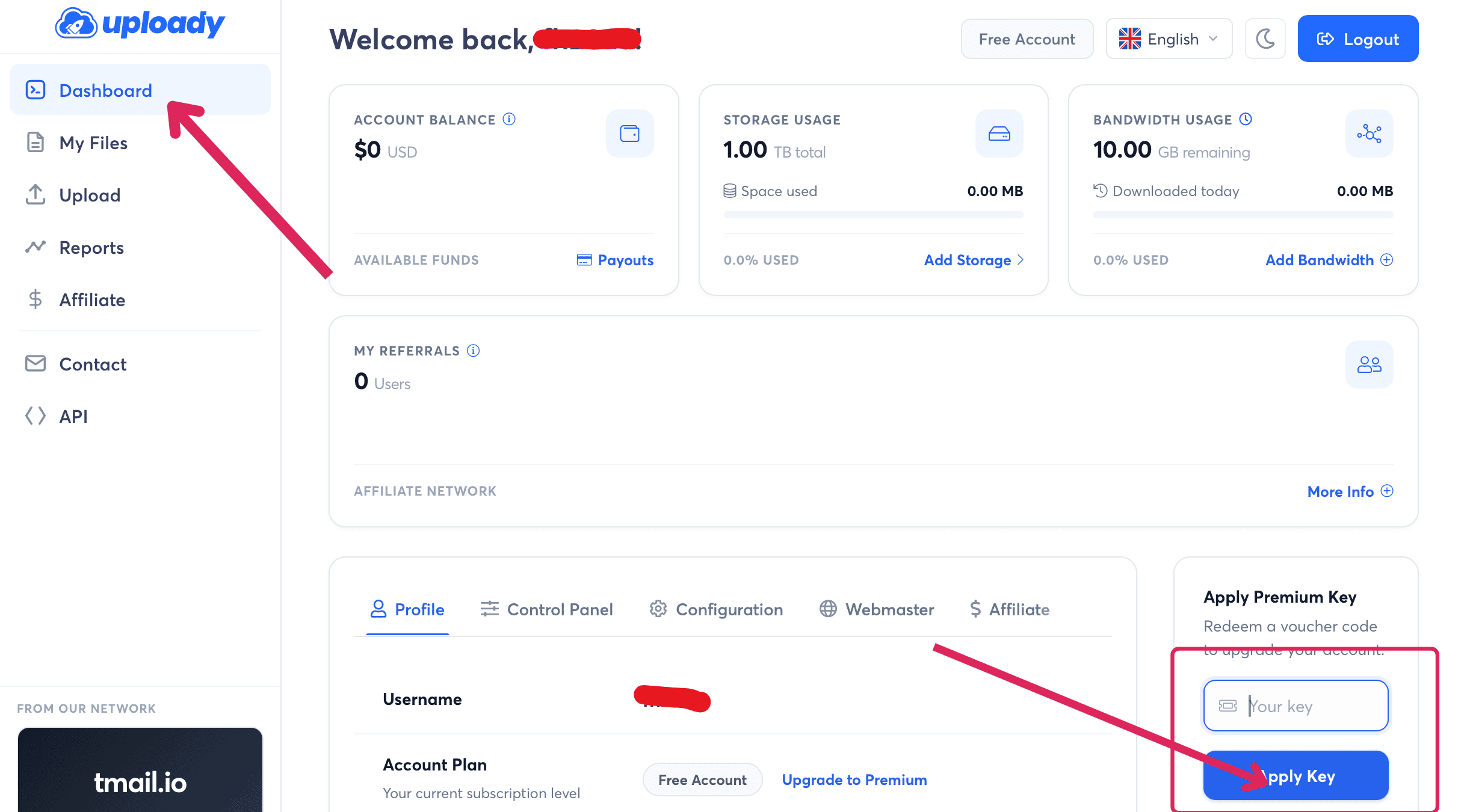
If you buy a Premium Key from a reseller, use the voucher activation field. To activate it, open your account Dashboard, enter the voucher in the Apply Premium Key box, and click Apply Key. You can also redeem keys using the “Have a premium key? Activate it” link on the purchase page. This voucher box is separate from the TG15 checkout coupon field.
How to Use Uploady & JDownloader 2 Setup
With an active premium account, downloading in a web browser requires only opening the file link while logged in. To automate downloads and manage queues, configure JDownloader 2:
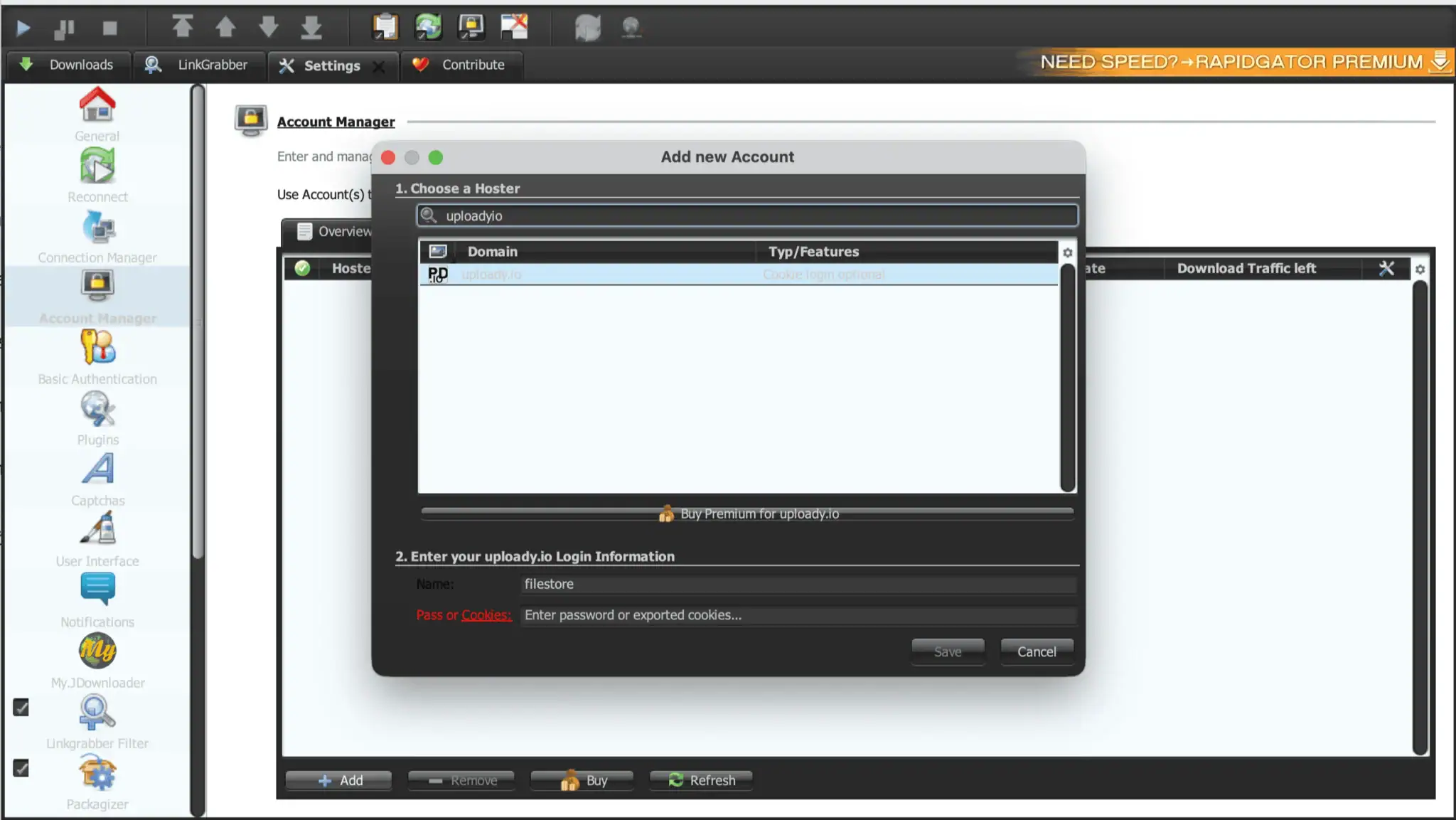
- Open JDownloader 2, click the Settings tab, and select Account Manager from the left menu.
- Click the Add button at the bottom.
- Search for
uploady.io. The dialog notes that Cookie login is optional. Enter your registered username and password, then click Save.
In our account check, JD2 reported Account is ok: Premium Account and showed Unlimited traffic. Use your plan’s daily allowance when budgeting downloads. For other supported tools, check our guide to JDownloader compatible file hosts.
Limits & Things to Know Before Buying
Buyers should understand several account limits and interface details before purchasing an Uploady subscription:
- Daily Allowance vs. Client Display: JD2 displayed Unlimited, but the current plan cards list daily download allowances. Standard Premium cards list 50 GB to 150 GB per day. We did not test quota exhaustion or establish why the two displays differ. Budget your daily downloads using the official allowance of your plan.
- Coupon Restrictions: The TG15 coupon applies exclusively to direct payment methods, such as cards and cryptocurrency. It does not reduce prices when buying through resellers or selecting reseller-routed options like PayPal.
- Checkout Discrepancies: The card screen displayed $76.48; the plan page showed $76.49. Check the final amount, merchant and item description. The screenshot does not prove a completed payment.
- Subscription Status: The plan selection page marks packages as One-time / No subscription. Check your selected payment method or reseller terms to confirm whether automatic renewal applies.
- Speed Variability: Our speed tests were performed over a 1 Gbps fiber line. Transfer rates can vary depending on local ISP routing, regional distance, server load, and file server availability.
Alternatives / When Not to Buy
Uploady Premium makes most sense when the files you need are available only on Uploady. If uploaders provide mirror links on file hosts where you already maintain an active subscription, use your existing account instead. Check our directory of Uploady alternatives for competing hosting options.
If you are considering a multihoster or debrid service, check its current Uploady support, daily allowance, and link availability before paying. Support on intermediate services can change frequently. If you only need occasional small files, using the free tier avoids subscription costs.
Who Should Buy Uploady Premium?
- Buy Uploady Premium if: You regularly download files hosted exclusively on Uploady, want faster browser downloads or multi-file queues in JDownloader 2, and find standard allowances between 50 GB and 150 GB per day sufficient.
- Skip Uploady Premium if: You only download small files occasionally, your files are mirrored on hosts you already pay for, or your daily downloading demands exceed the allowances offered by standard or Pro tiers.
FAQ
Is Uploady Premium worth it?
It may be worth buying if you often need Uploady files and the daily allowance fits your usage. Our paid screenshots showed much faster transfers than free access. Check the final price before paying.
How fast is Uploady Premium?
In our tests, a single Chrome download reached 17.4 MB/s, two parallel files ran at 27.9 MB/s combined, and JDownloader 2 reached 40.015 MiB/s in Download Overview across four files.
What is the difference between Premium and Premium Pro?
Standard Premium provides 50 GB to 150 GB per day across 30 to 365 days. Premium Pro provides 100 GB to 300 GB per day for users requiring higher daily download volumes.
Is Uploady download traffic unlimited?
Do not treat JD2’s Unlimited label as a promise. The purchase page lists 50–150 GB/day for standard Premium and 100–300 GB/day for Pro. Plan your usage around the selected allowance.
How do I use the TG15 coupon?
Click “Have a coupon?” on the plan selection screen, enter TG15, and click Apply. Our standard Premium screenshots showed 15% off direct payments. Verify the reduced total; the displayed reseller options exclude the coupon.
Does Uploady work with JDownloader 2?
Yes. In JDownloader 2, add uploady.io under Account Manager using your username and password. The client verifies premium status and manages automated multi-file downloads.
Does Uploady Premium renew automatically?
The plan selection page lists purchases as One-time / No subscription. However, buyers should check the specific terms on their chosen payment gateway or reseller checkout before completing payment.
Final Verdict
Uploady Premium delivers solid download performance for users retrieving exclusive archives, reaching 17.4 MB/s in Chrome and about 40 MiB/s across four files in JDownloader 2. Using coupon code TG15 lowers the 30-day plan to $12.74, providing an affordable starting option to verify local performance before committing to a larger 365-day plan.