
Quick Answer & Verdict
Keep2Share offers three paid plans: Premium, Premium Pro and Premium Max. We tested Pro on a 1 Gbps fiber connection. Chrome showed 11.6 MB/s for one file and 18.5 MB/s across three files. JDownloader 2 showed a current total of 25.761 MiB/s with four files active. Our free download ran at 22.4 KB/s, and a next-file page displayed a 56-minute wait. Pro is worth considering for regular downloads within its 50 GB daily allowance. Max lists 100 GB per day, but we did not test its speed. Choose a plan around the files you need and your daily volume.
Key Facts & Tested Results
Changbin Ge conducted all tests on a Mac connected to a 1 Gbps symmetric fiber connection, using Google Chrome and JDownloader 2.
| Test or Account Detail | Captured Result |
|---|---|
| Free download | 22.4 KB/s; approximately 467 MB file |
| Free first-file countdown | 20 seconds displayed |
| Free next-file wait | 56 minutes 6 seconds displayed |
| Chrome, one file | 11.6 MB/s current speed |
| Chrome, two files | 17.1 MB/s combined: 8.7 + 8.4 |
| Chrome, three files | 18.5 MB/s combined: 6.0 + 6.3 + 6.2 |
| JD2, four files | 25.761 MiB/s current total; 40 open connections |
| Tested account | Premium Pro; 50 GB daily allowance |
Pricing & Plans
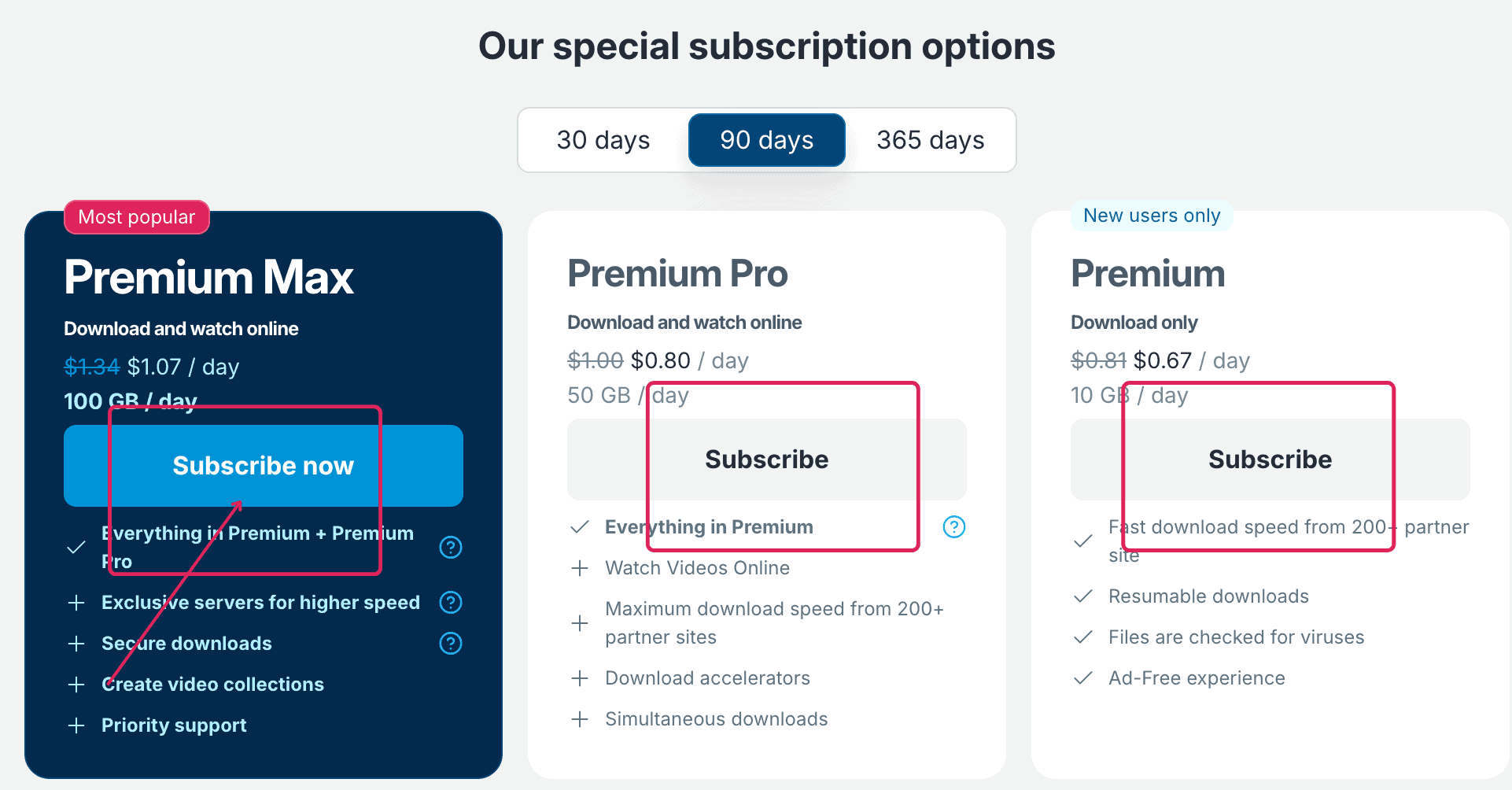
The screenshot above shows daily rates for 90-day access. Premium has a New users only badge. Check your eligibility and the live checkout before buying.
The estimates below multiply each rounded daily rate by 90. They are not confirmed amounts payable.
| Plan Tier | Displayed Daily Rate (90 Days) | Calculated 90-Day Estimate | Daily Traffic Limit | Displayed Eligibility Note |
|---|---|---|---|---|
| Basic Premium | $0.67 / day | ~$60.30 | 10 GB / day | New users only |
| Premium Pro | $0.80 / day | ~$72.00 | 50 GB / day | No badge shown |
| Premium Max | $1.07 / day | ~$96.30 | 100 GB / day | No badge shown |
The Max checkout also shows these durations. Prices for the other tiers are not shown here.
| Premium Max Duration | Displayed Daily Rate | Daily Bandwidth Quota |
|---|---|---|
| 30 Days | $1.33 / day | 100 GB / day |
| 90 Days | $1.07 / day | 100 GB / day |
| 365 Days | $0.85 / day | 100 GB / day |
A daily rate does not mean daily billing. The 90-day Max card checkout displayed Pay $100.92. The screenshot does not explain why this differs from our estimate. Check the final currency, charge and renewal terms. Pro is our tested option for parallel downloads within 50 GB daily.
FileHostReviews may earn a commission if you buy through our links. This does not change our test results.
Free vs Premium, Pro & Max
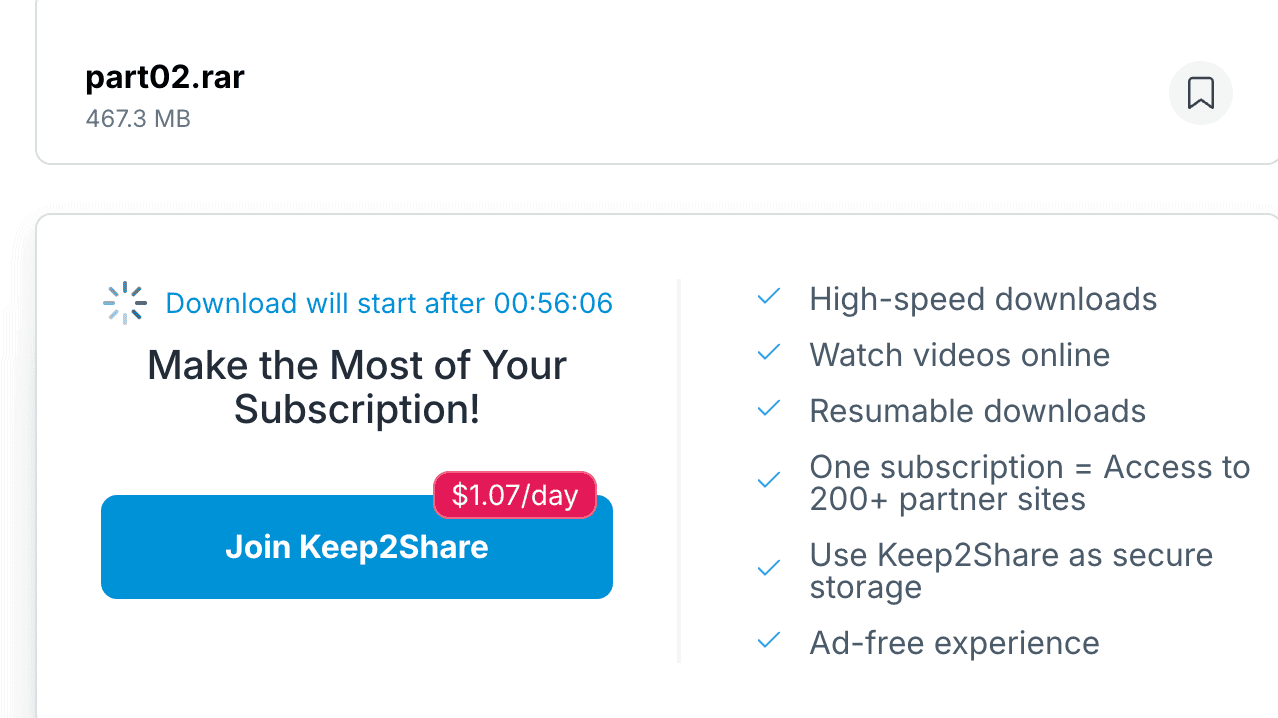
Our free test showed slow downloading and two different waits. The first file page displayed a 20-second countdown.
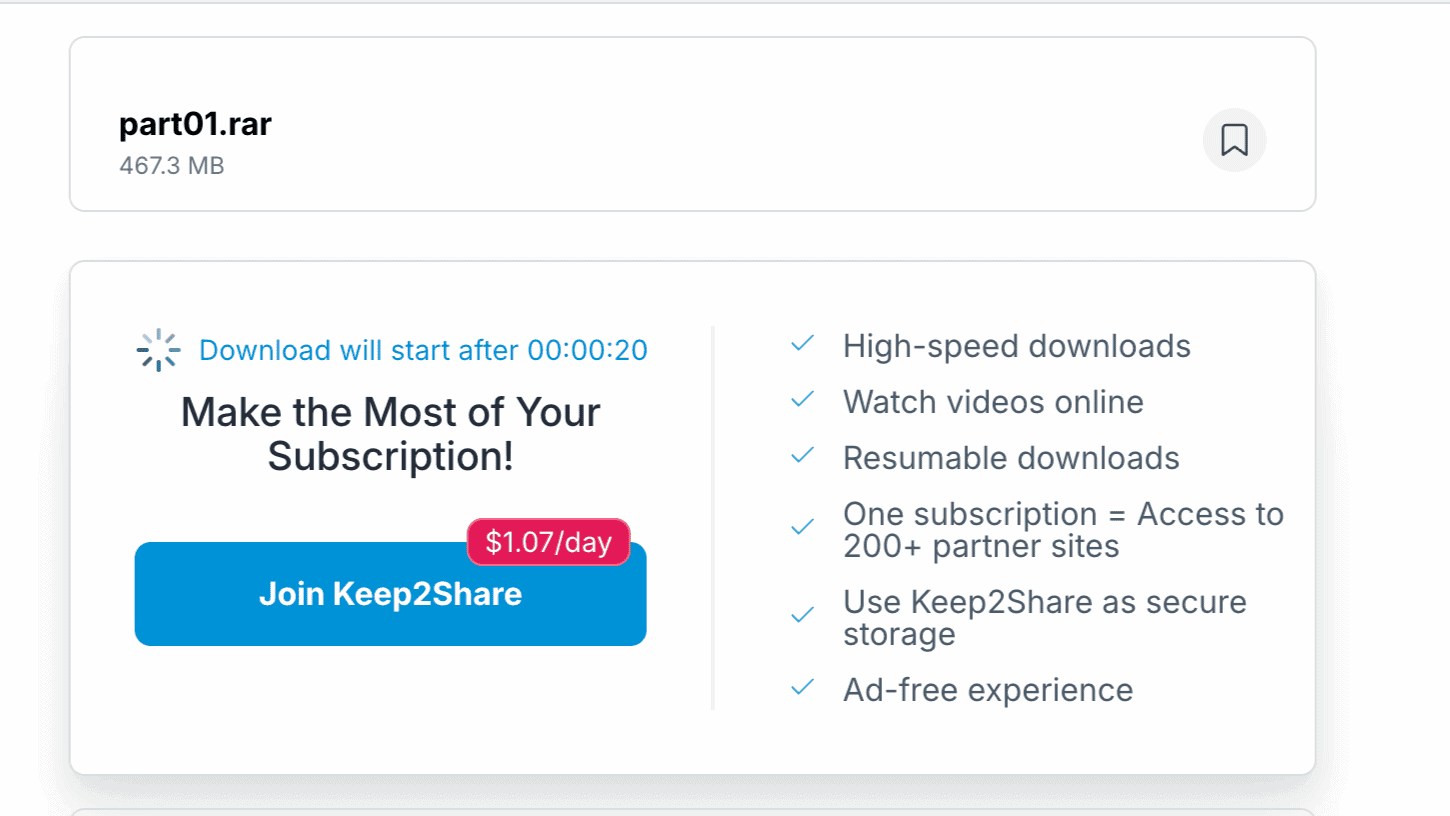
Chrome then showed 22.4 KB/s for an approximately 467 MB archive and about six hours remaining. That was its estimate, not a measured completion time.
A separate page for the next file displayed a 56-minute 6-second wait. It should not be confused with the initial countdown.
| Feature Category | Free Tier | Basic Premium | Premium Pro | Premium Max |
|---|---|---|---|---|
| Daily Download Quota | Not verified here | 10 GB / day | 50 GB / day | 100 GB / day |
| Observed / Advertised Speed | 22.4 KB/s observed | Fast listed | Chrome: 18.5 MB/s across three files | Exclusive servers listed |
| Simultaneous Downloads | Not tested | Not listed as a feature | Simultaneous listed & tested | Simultaneous listed |
| Download Accelerators | Not tested | Not advertised | Accelerators listed & tested | Accelerators listed |
| Wait Times Between Files | 56 minutes observed | Not timed here | Not timed here | Not timed here |
| Resuming Broken Downloads | Restart required, per official help | Resumable listed | Resumable listed | Resumable listed |
We tested Pro’s listed support for accelerators and parallel downloads. Basic Premium login to JD2 was not tested. Max lists exclusive servers, video collections and priority support; we did not test those extras. Keep2Share’s free-download help says failed free downloads cannot be resumed.
Real Speed Tests
We used the Pro account for these browser and JD2 checks. See our testing methodology for the general test procedure. Each screenshot records one moment; it does not establish a full-session average.
Chrome Browser Speed Tests
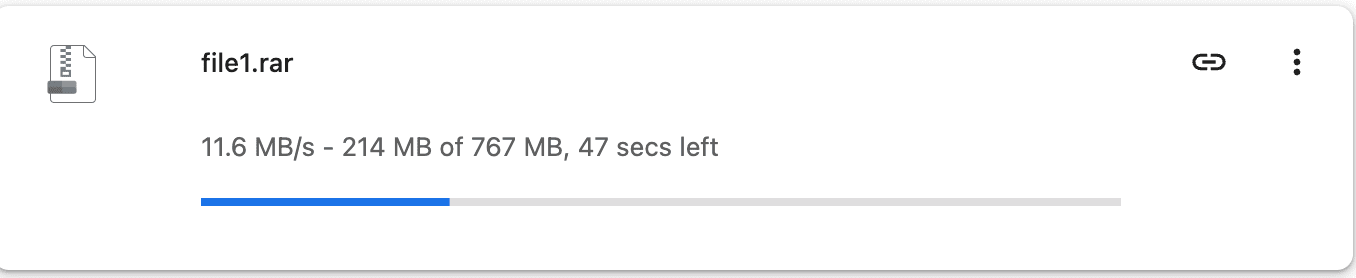
For a single file displayed as 767 MB, Chrome showed 11.6 MB/s. No external download manager was used for this capture.
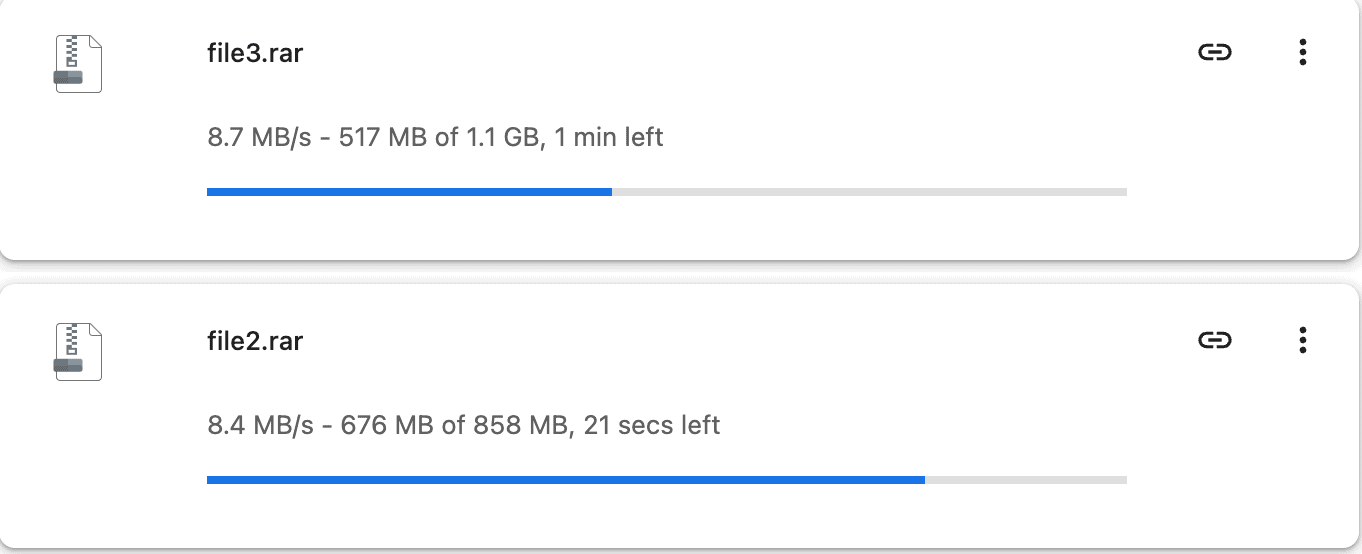
The two-file screenshot showed 8.7 MB/s and 8.4 MB/s. Their combined rate at that moment was 17.1 MB/s.
A separate three-file capture showed 6.0, 6.3 and 6.2 MB/s. Those readings total 18.5 MB/s.
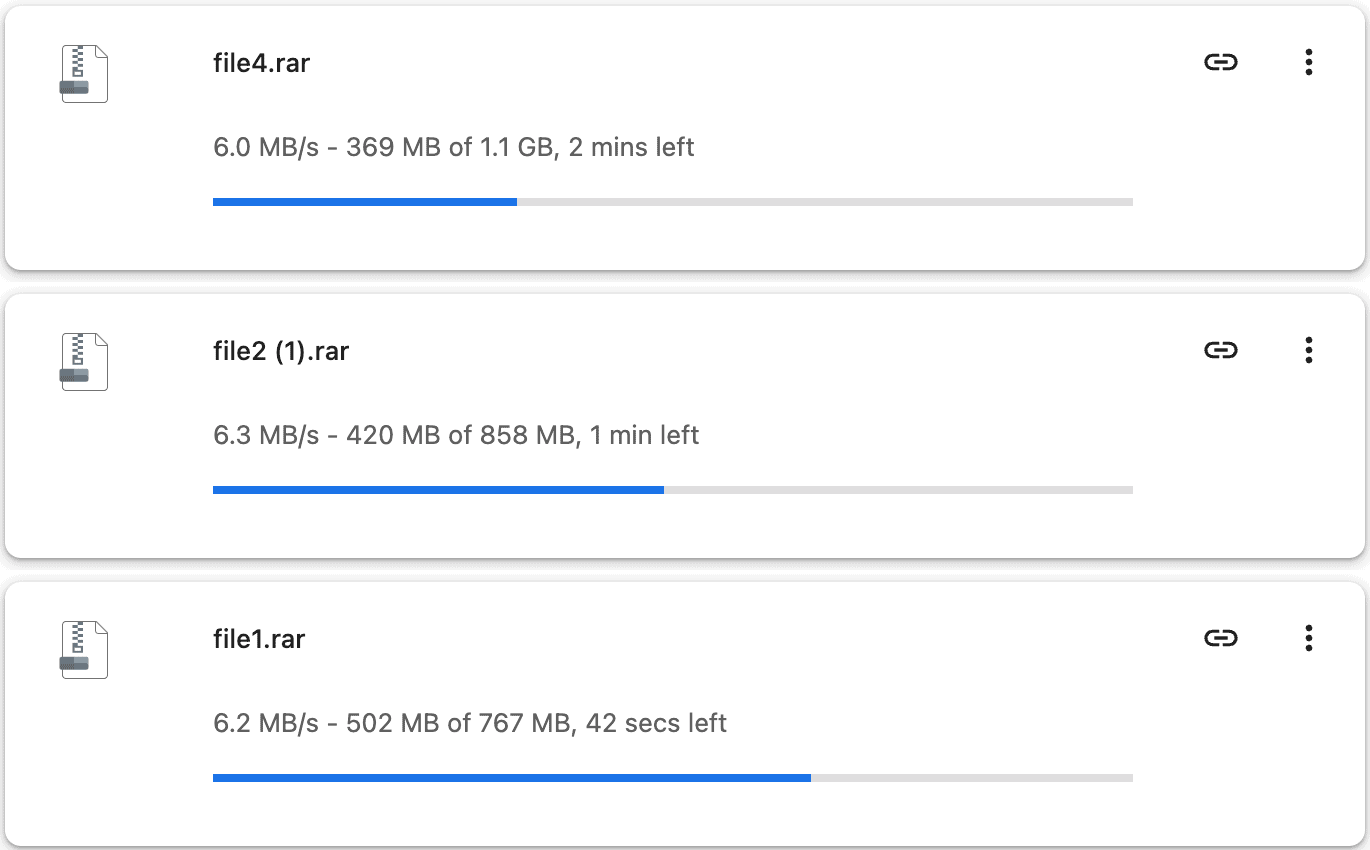
The multi-file captures show higher total speeds but lower rates per file. They are separate snapshots, so do not add their totals or assume identical conditions.
JDownloader 2 Download Manager Tests
In the JD2 screenshot, the Pro account downloaded four files at once. The lower panel shows the combined speed and connection count.
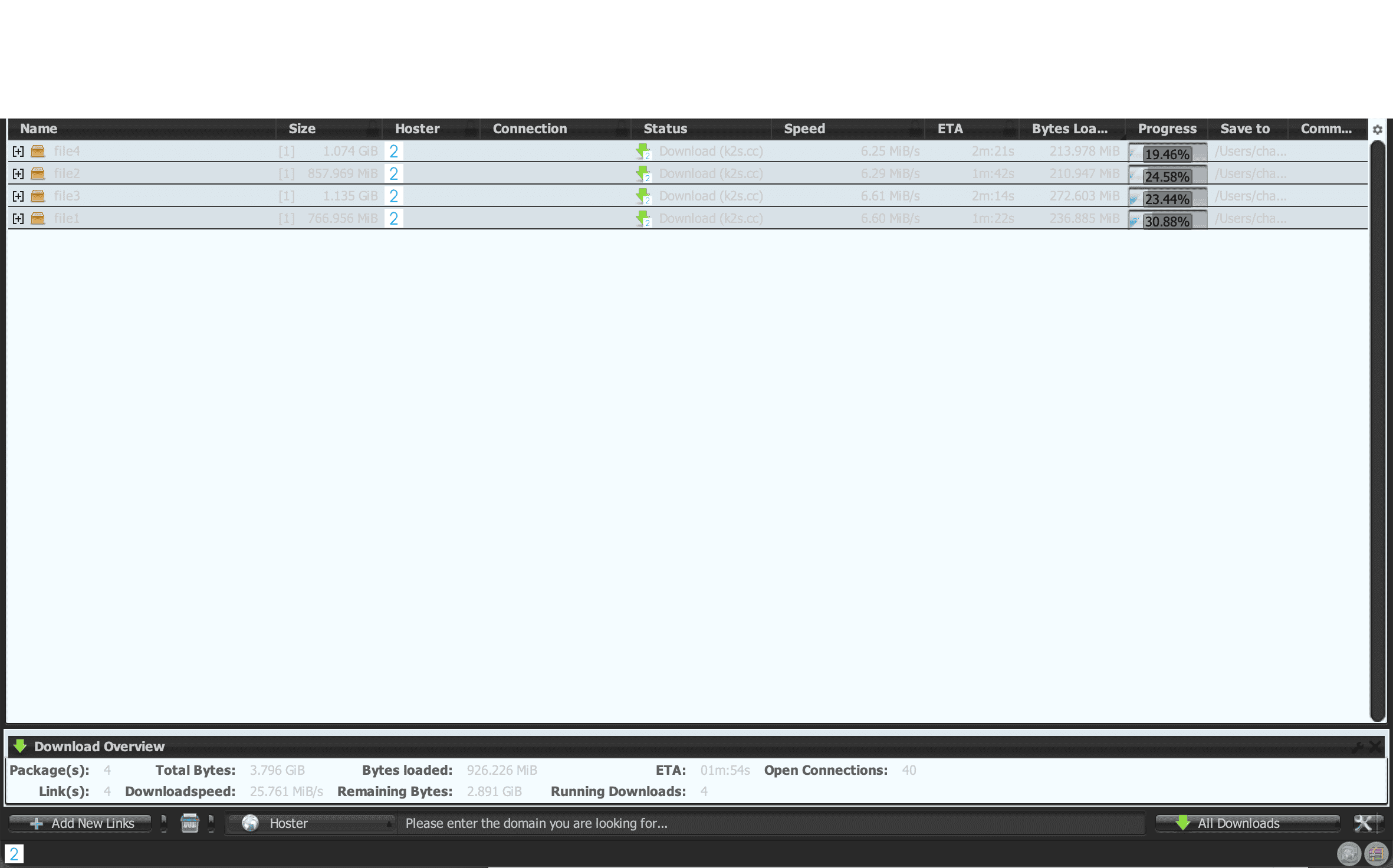
The four files totaled 3.796 GiB. JD2 displayed 40 open connections and a current speed of 25.761 MiB/s. The Connection column also showed a 2. We do not use that column to infer a fixed two-chunk limit or override the global connection count.
This is a current total, not an average or server limit. Chrome uses MB/s; JD2 uses MiB/s. Converting units still would not prove a controlled speed-up ratio: files, timing and settings may differ.
How to Buy & Activate a Code
Create an account, choose a plan and review the payment terms. These checkout screenshots demonstrate Max; the speed tests used Pro.
- Account Registration: Click Sign Up in the header. Enter your email and a password meeting the displayed rules: at least eight characters, upper- and lowercase letters, and a number. The form also offers Google sign-in.
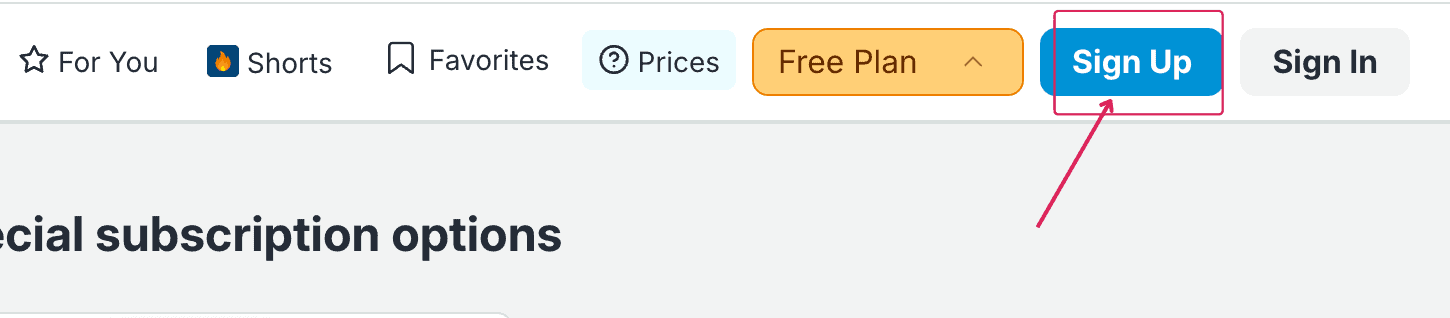
Click the Sign Up button located in the top navigation bar. 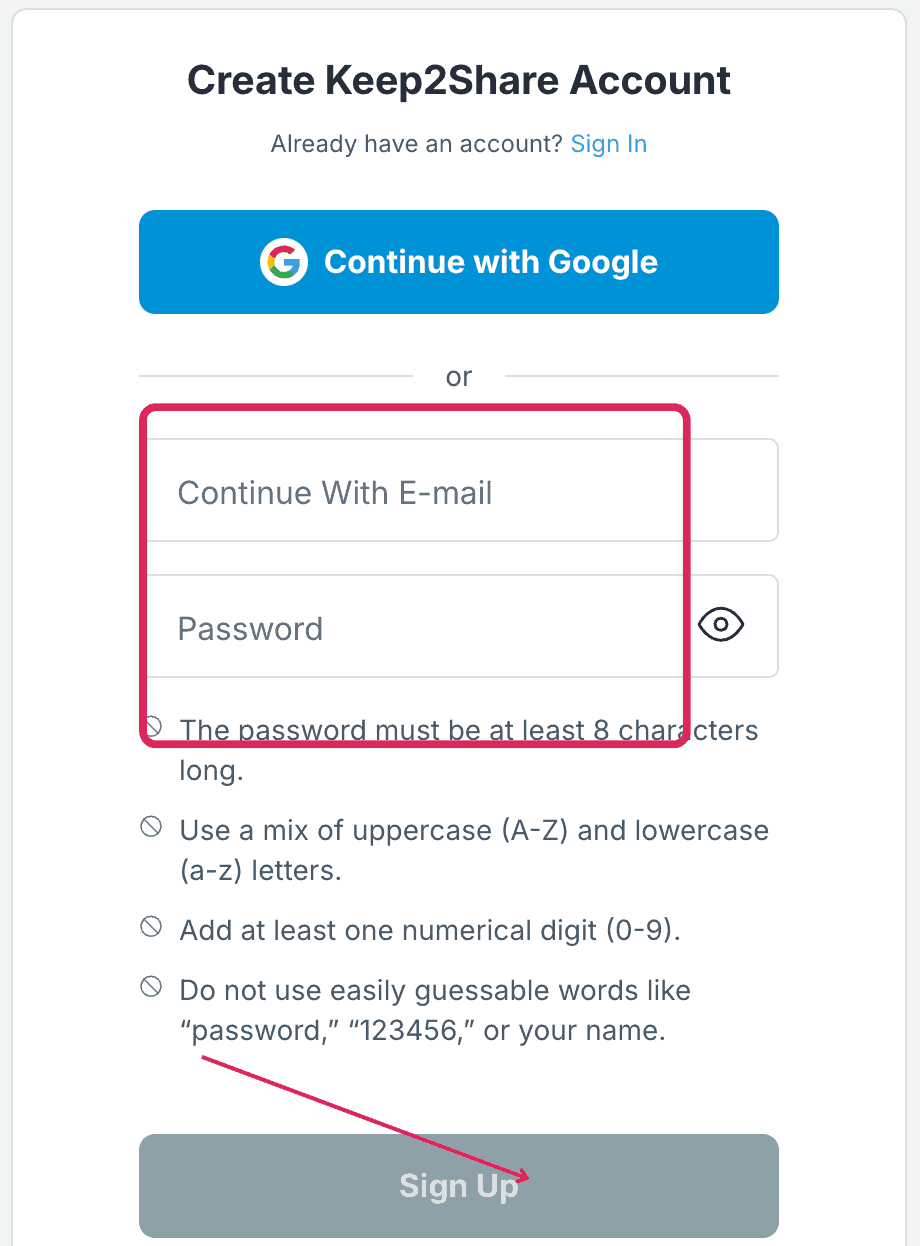
Enter your email and a password meeting the stated rules. - Plan Selection & Payment Options: Choose the tier and duration you need. The screen lists cards, Google Pay, crypto, Alipay, PayPay, PayPal and other options. PayPal carries a +transaction fee note. Availability may differ; we did not test every method.
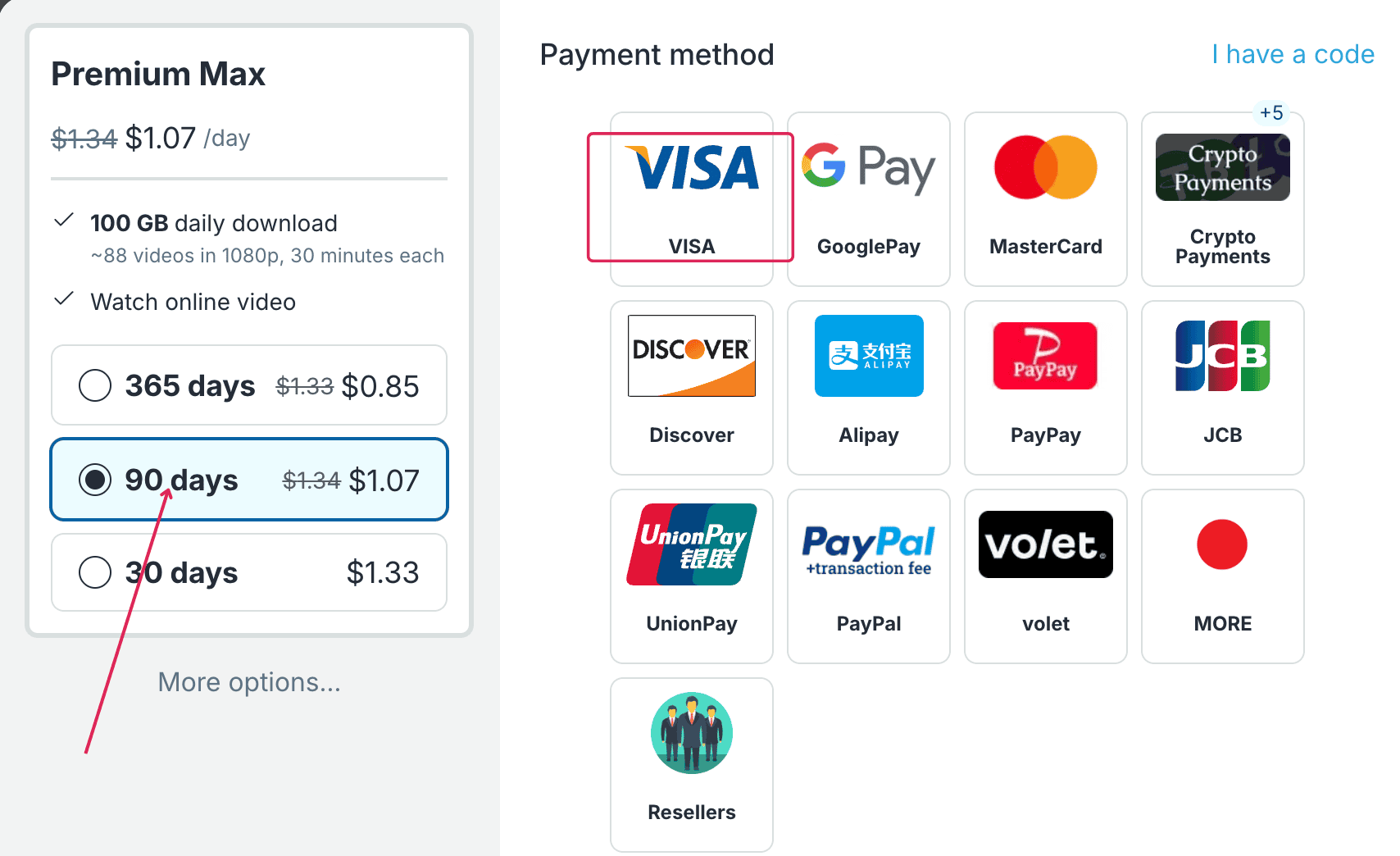
Max checkout displaying plan durations and several payment options. - Review Total Charge: On the demonstrated card checkout for a 90-day Premium Max subscription, the interface button displayed Pay $100.92. Always verify the currency and final amount before completing payment.
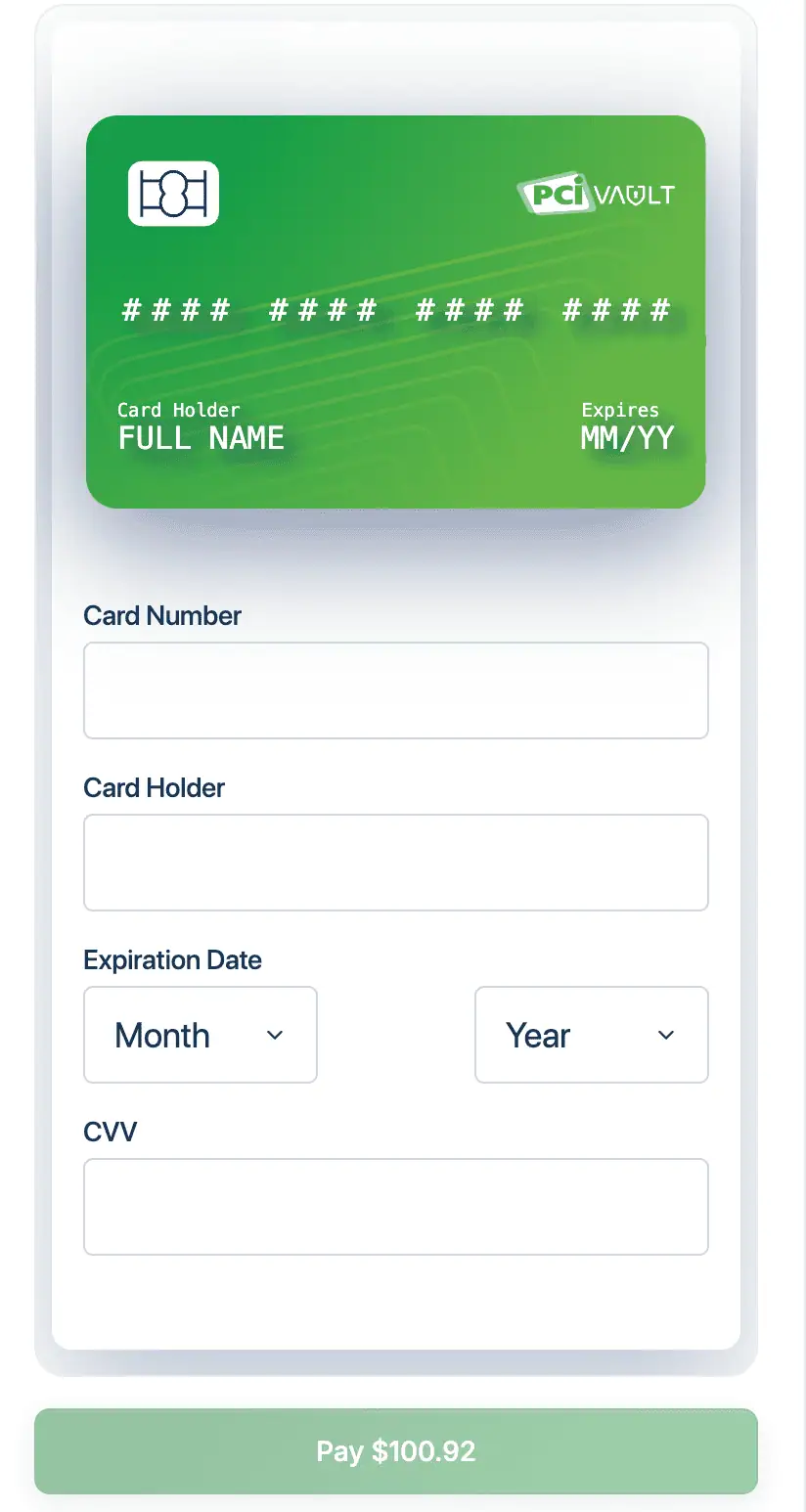
Card checkout displaying a Pay $100.92 button for this order.
Reseller Purchases and Code Activation
You can also choose from the resellers listed in Keep2Share checkout. The captured list is for 90-day Max codes, not every tier or duration.
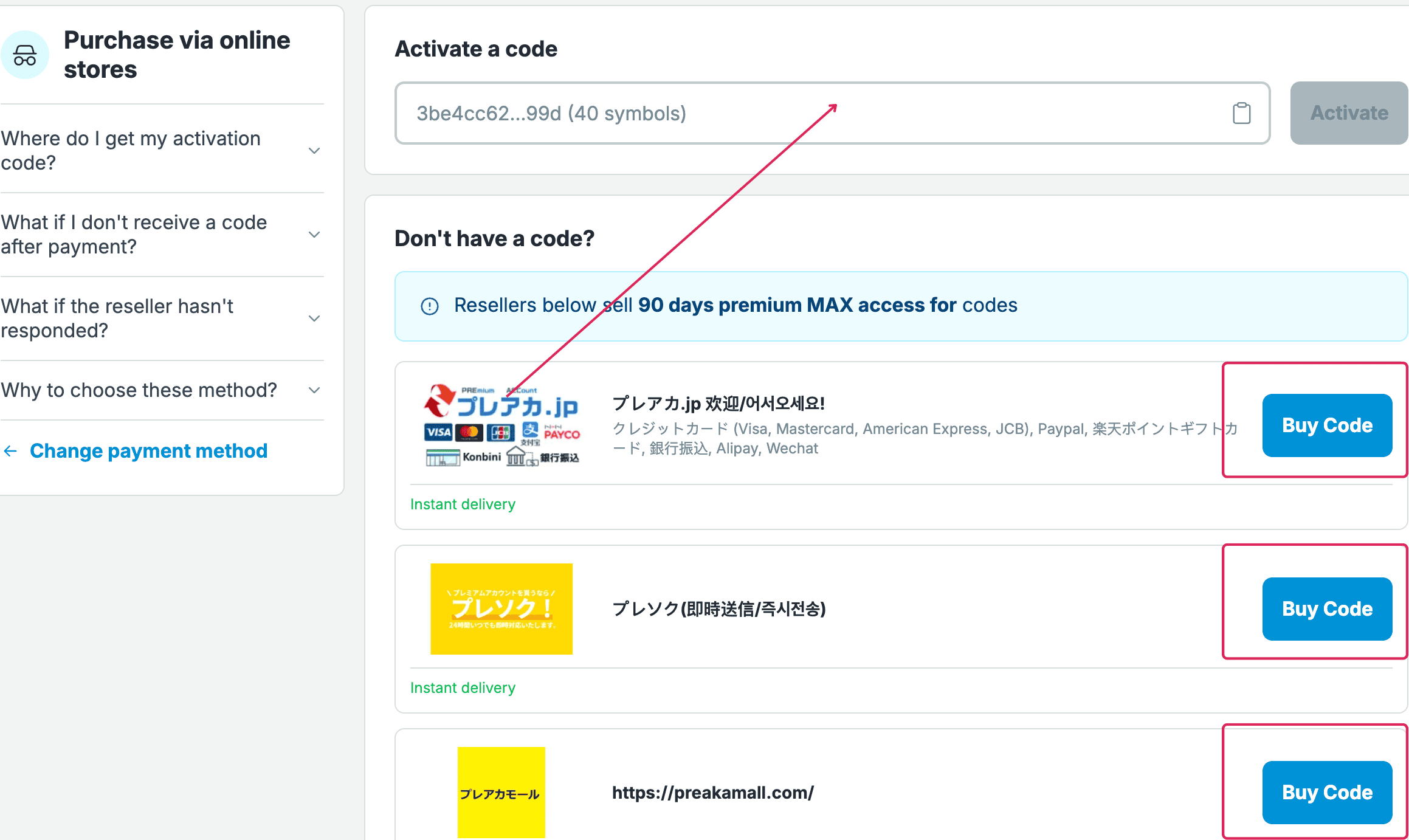
Before buying a code, check its tier, duration, final price and delivery terms. The official voucher guide describes a 40-character activation code. To redeem it:
- Open Code Entry: Click I have a code at the top right of the payment screen.
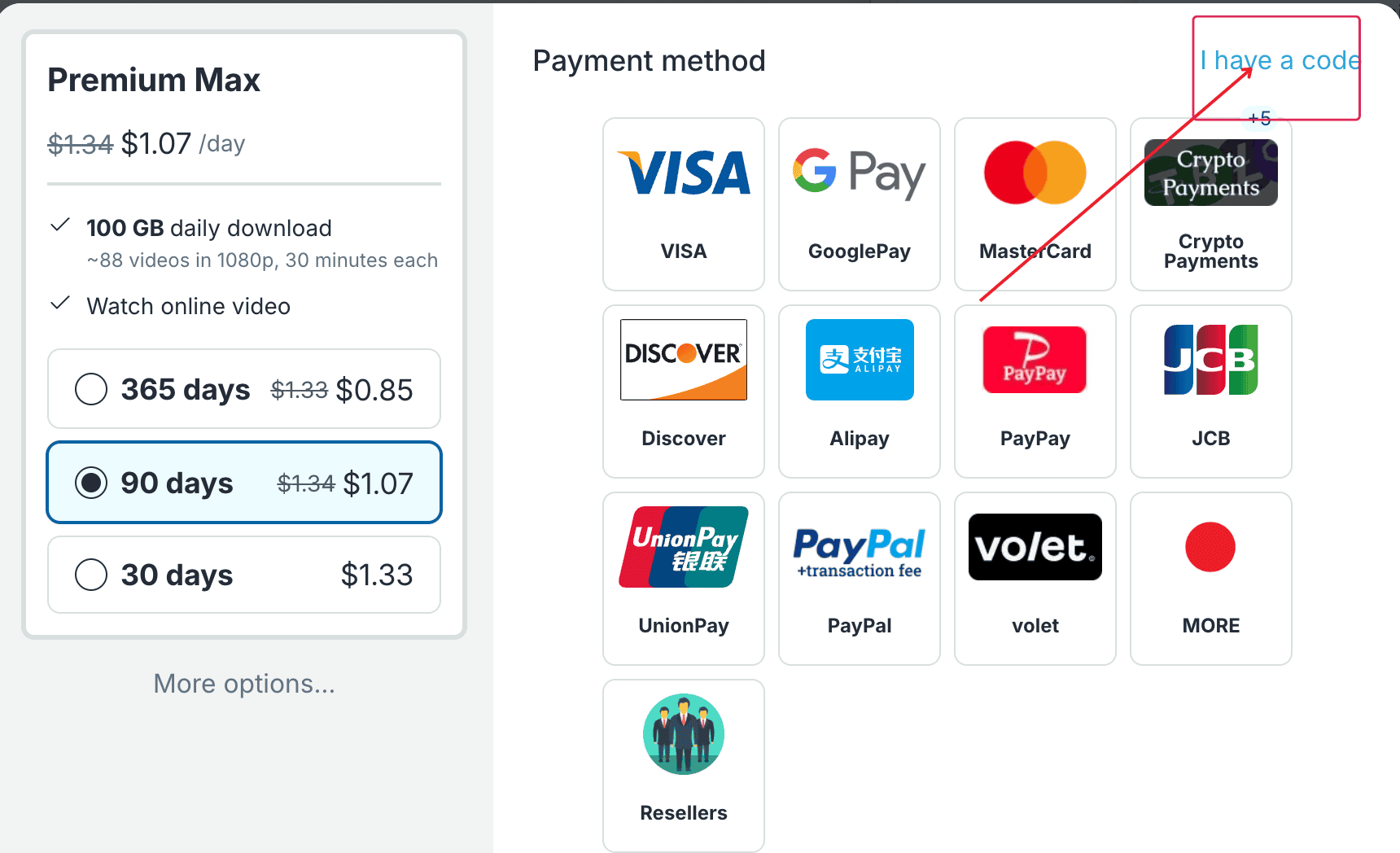
Click the I have a code link to open the voucher field. - Enter Voucher: Paste your 40-character code into the Reseller Code box and click Activate.
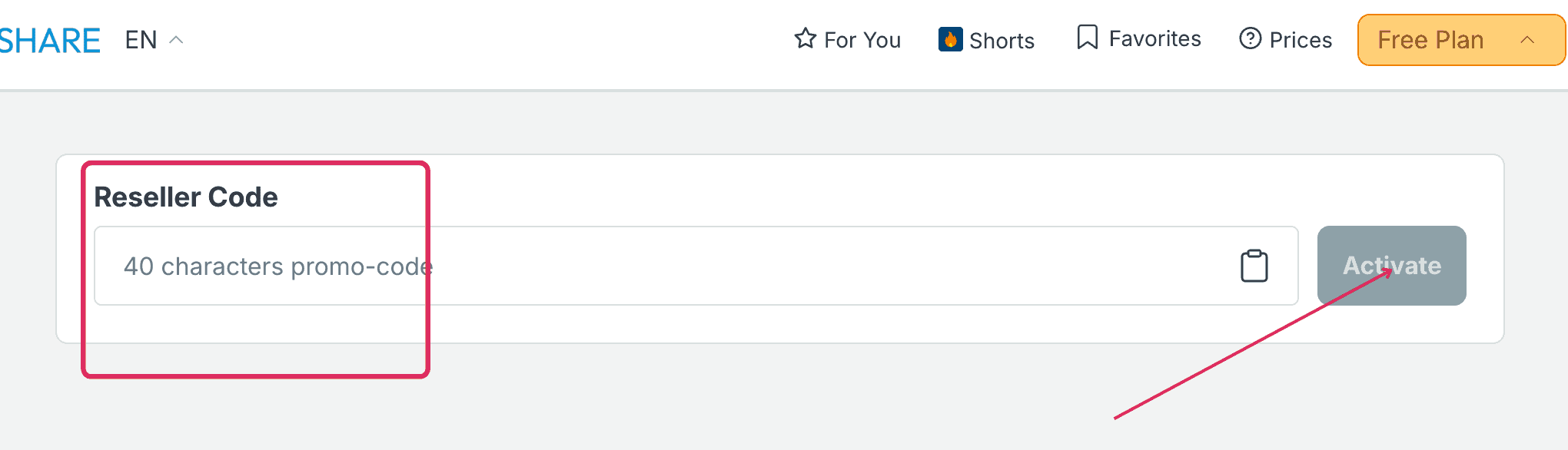
Paste the 40-character voucher code and click the Activate button.
Use the access code supplied by your seller, rather than treating the field as a discount offer. If the code is missing or fails, contact the seller first.
How to Use It & JDownloader 2 Setup
Sign in before opening your download links. Our profile had Enable Direct Download selected. The interface describes this as downloading without viewing the file page; it does not increase your traffic allowance.
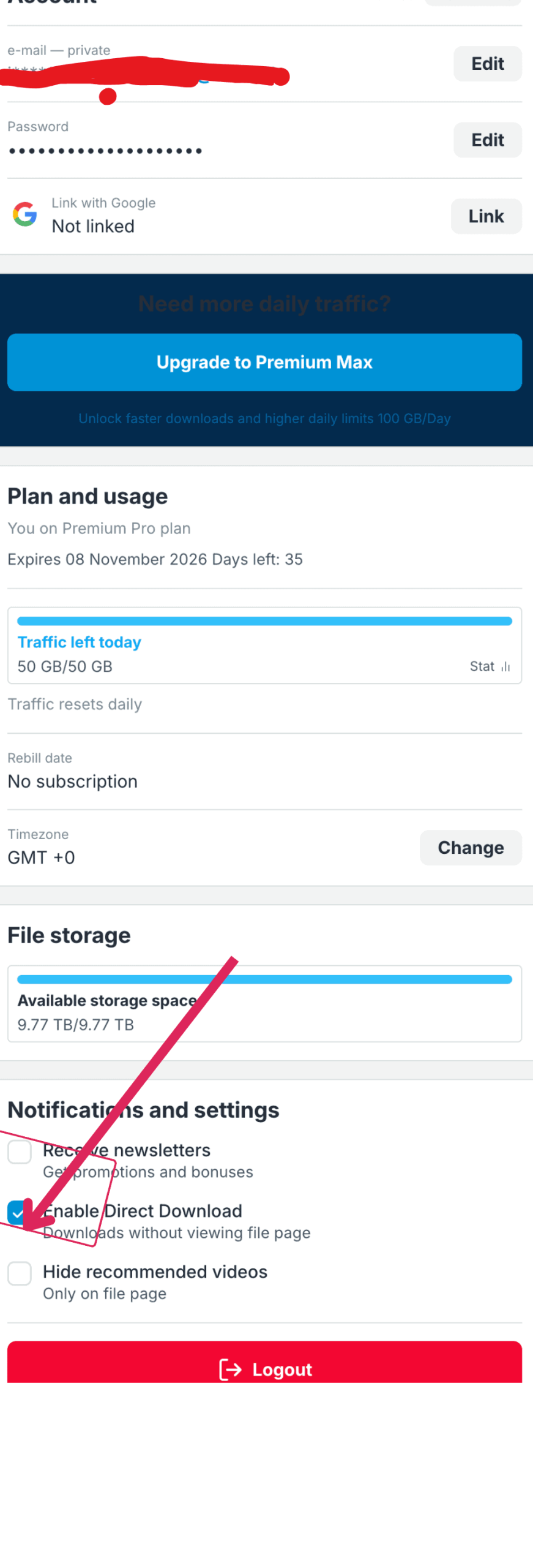
The profile displays Pro, 50 GB/50 GB, Traffic resets daily and Rebill date: No subscription. These are account-page values, not independently tested reset or renewal behavior. To add the account to JD2:
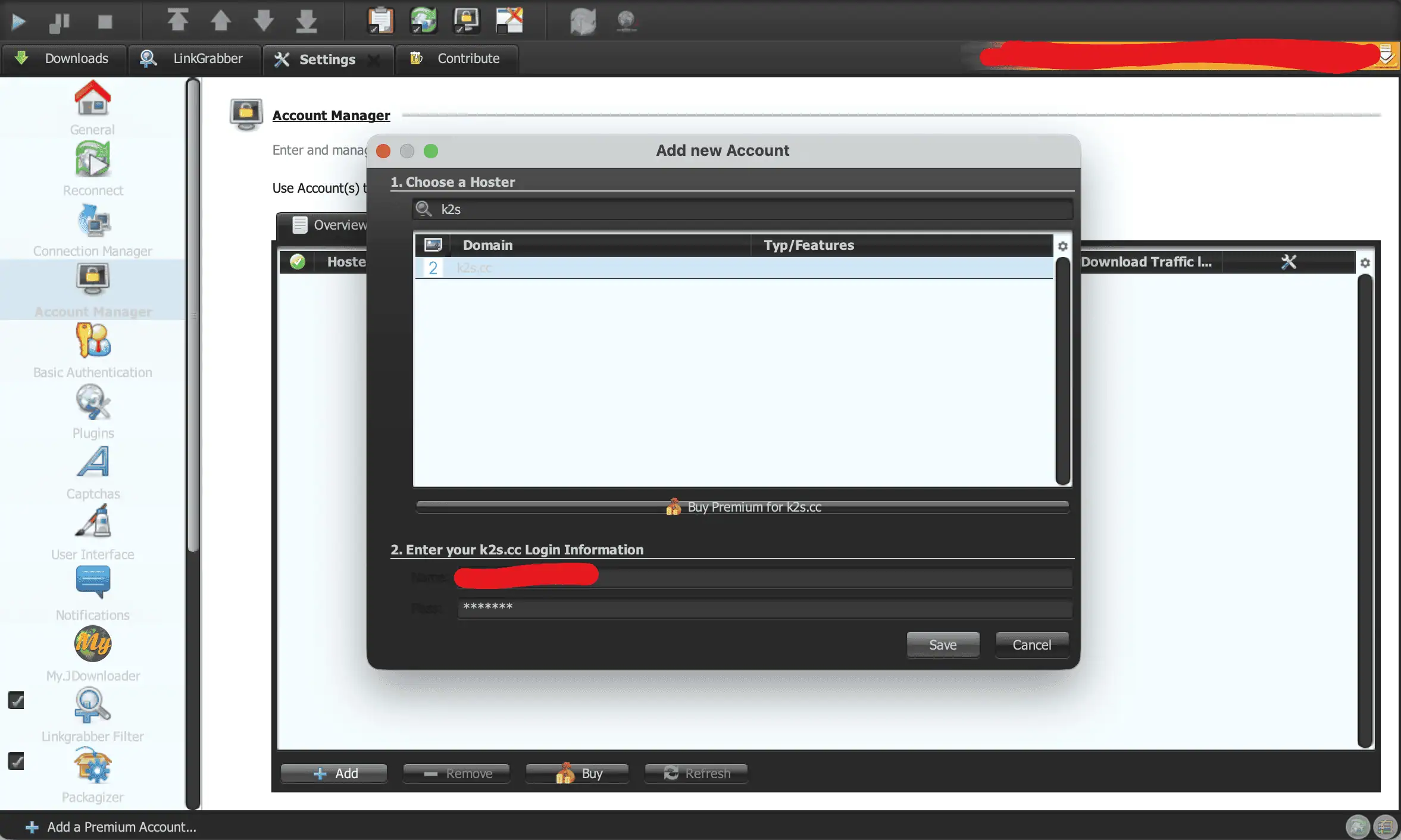
- Open JDownloader 2 Settings and select Account Manager from the sidebar.
- Click the Add button at the bottom of the window.
- Select k2s.cc from the domain menu, enter your Keep2Share username and password, and click Save.
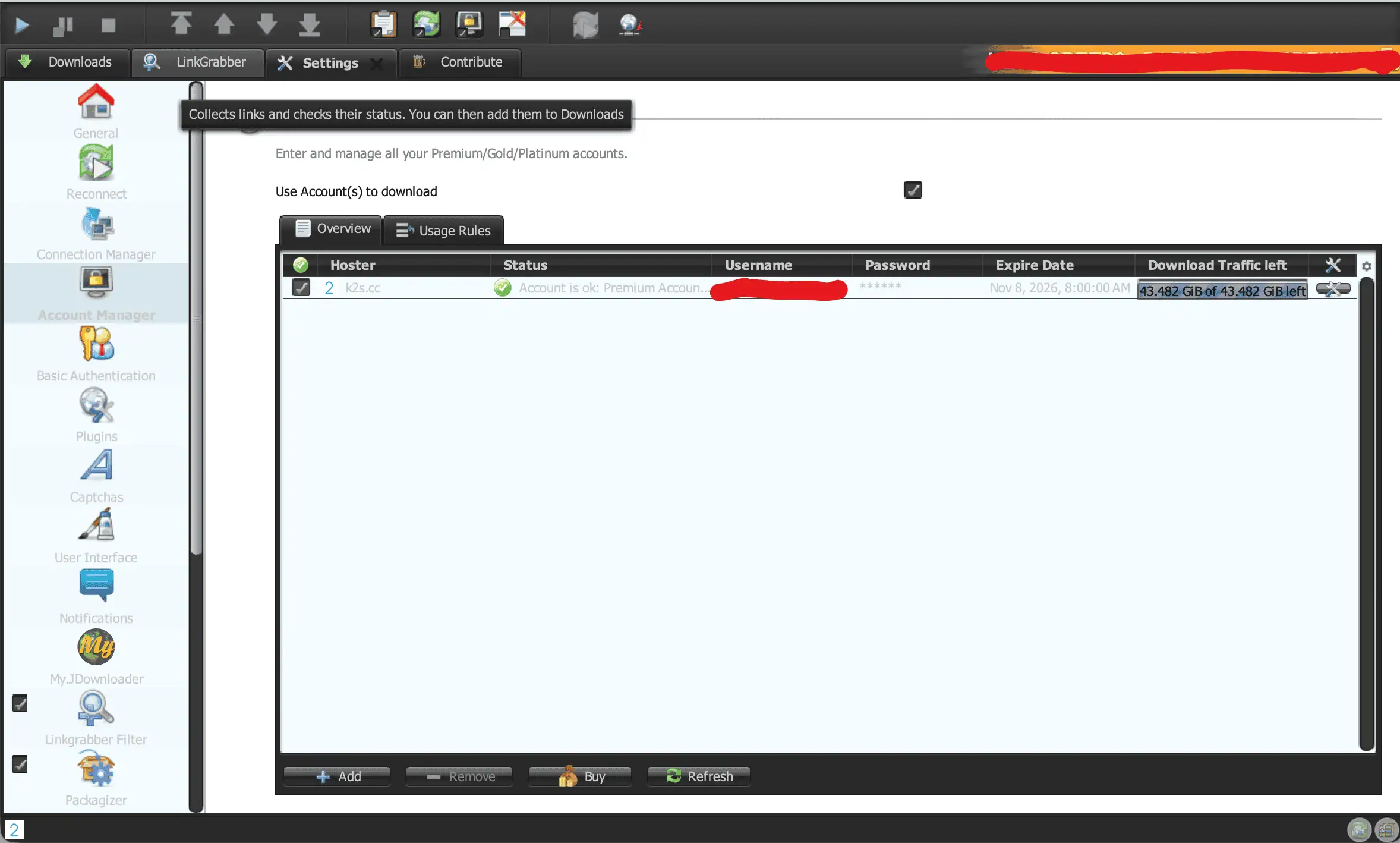
Account Manager confirmed Premium status and displayed 43.482 GiB of 43.482 GiB left. We report that client value without equating it to the website’s 50 GB allowance. See our JDownloader compatible file hosts guide for other tested hosts.
View Keep2Share Premium Options
Limits & Things to Know Before Buying
Keep2Share enforces strict daily bandwidth caps across all tiers. Basic Premium provides 10 GB per day, Premium Pro provides 50 GB per day, and Premium Max provides 100 GB per day.
The official traffic guide states that allowances reset at 00:00 GMT. We did not independently test the reset. Do not confuse the daily allowance with a pool covering the whole subscription period.
Keep2Share’s traffic-counting policy says online viewing and a download canceled after starting can count the full file size. We did not retest this rule. Check your balance when planning a large queue, especially if you also watch videos.
Keep2Share documents recurring subscriptions. Our profile displayed No subscription, but that does not establish the terms of another purchase. Check the checkout terms and your account’s rebill status.
These speed captures came from our 1 Gbps connection. Your connection, timing and host load may produce different results. We did not verify Max’s advertised server benefits or deliberately interrupt a download to test resuming.
Alternatives & When Not to Buy
Keep2Share makes most sense when it hosts the files you want to download regularly. If the uploader also provides mirrors, compare their prices and allowances before choosing a paid account. A mirror can change which plan offers the best value for your needs.
For a multi-host or debrid service, check current Keep2Share support, access to your particular links and the applicable quota. Do not assume that a host name in a list guarantees every download will work. For occasional small files, free access may suffice if the wait is acceptable. Our Keep2Share alternatives guide covers other choices.
Who Should Buy Which Plan?
Choose around your file volume and download tools:
- Free Tier: An option for small files if you can accept slow speeds and waits.
- Basic Premium: An option within 10 GB daily if you qualify for the new-user offer. We did not test it.
- Premium Pro: Our tested choice for parallel downloads and JD2, with a 50 GB daily allowance.
- Premium Max: Worth comparing if you need more than 50 GB daily, within its advertised 100 GB limit. Max speed was not tested.
FAQ
Is Keep2Share Premium worth it?
Paid access can make sense if you regularly need files hosted on Keep2Share. Pro is the plan we tested for parallel downloads and JD2. Compare its 50 GB daily allowance and final price with your needs and any available mirrors.
What is the difference between Premium, Pro and Max?
The captured plan screen lists Premium at 10 GB daily, Pro at 50 GB and Max at 100 GB. Pro adds advertised accelerators and simultaneous downloads. Max lists exclusive servers and priority support. The basic tier carries a new-user badge.
How fast is Keep2Share Premium Pro?
In our tests, Premium Pro reached 11.6 MB/s for one Chrome download and 18.5 MB/s across three browser streams. In JDownloader 2, four concurrent files achieved a combined current speed of 25.761 MiB/s across 40 connections.
What is the daily download limit and when does it reset?
The displayed allowances are 10 GB for Premium, 50 GB for Pro and 100 GB for Max. Keep2Share’s traffic documentation states a daily reset at 00:00 GMT. We did not independently check the reset during these captures.
Does Keep2Share work with JDownloader 2?
We successfully added our Pro account under k2s.cc in JD2. It confirmed Premium status and displayed remaining traffic. The separate download capture showed four active files at 25.761 MiB/s. We did not test basic Premium or Max in JD2.
Does Keep2Share renew automatically?
Keep2Share documents recurring subscriptions, while our profile displayed Rebill date: No subscription. This account-specific status does not cover every purchase. Check the terms of your selected order and confirm the rebill status in your account after payment.
How do I activate a reseller code?
To redeem a voucher, open the Keep2Share checkout screen and click the I have a code link. Enter your 40-character voucher into the Reseller Code box and click Activate to apply prepaid subscription access to your account.
Final Verdict
Premium Pro is a practical choice for regular Keep2Share downloads within 50 GB per day. Our screenshots show 11.6 MB/s for one Chrome file and 25.761 MiB/s currently across four JD2 files. Choose Max for a larger advertised daily allowance, rather than assuming a tested speed advantage. Check the final price and renewal terms before paying.