
Uploady vs DDownload: Which Is Better in 2026?
Quick verdict
If you are choosing between Uploady and DDownload, the most important factor is usually where the files you actually need are hosted. Both premium hosts share one key limitation: they allow only one connection per file. In our tests, Uploady delivered faster single-file browser performance at 17.4 MB/s versus 13.7 MB/s for DDownload, while its free tier was also much faster. DDownload, however, offers a clearly defined 200 GB daily traffic limit and a lower effective monthly cost on its annual plan. If both services host the same files, Uploady is the better choice for browser downloads, while DDownload offers stronger long-term value for heavy premium use.
Comparison table
| Feature | Uploady Premium | DDownload Premium |
|---|---|---|
| Speed (JD2 Combined) | 40.01 MiB/s | 51.19 MiB/s |
| Speed (Chrome Single) | 17.4 MB/s | 13.7 MB/s |
| Free Tier Speed | ~474 KB/s | ~28.4 KB/s |
| Free Tier Wait Time | 120 seconds | 55 seconds |
| Connections Per File | 1 chunk | 1 chunk |
| JD2 Support | Yes | Yes |
| Traffic Limit | Shown as “Unlimited” in JD2 | 200 GB/day |
| Price | From $14.99 / 30 days | €9.99 / month |
Speed & free-tier comparison
Both hosts perform well in JDownloader 2 when several files are downloaded in parallel. Because Uploady and DDownload both enforce a one-connection-per-file limit, you cannot significantly accelerate a single large file by increasing the number of chunks. In our JD2 testing, Uploady reached a combined 40.01 MiB/s across four open connections, while DDownload reached 51.19 MiB/s across eight parallel connections.
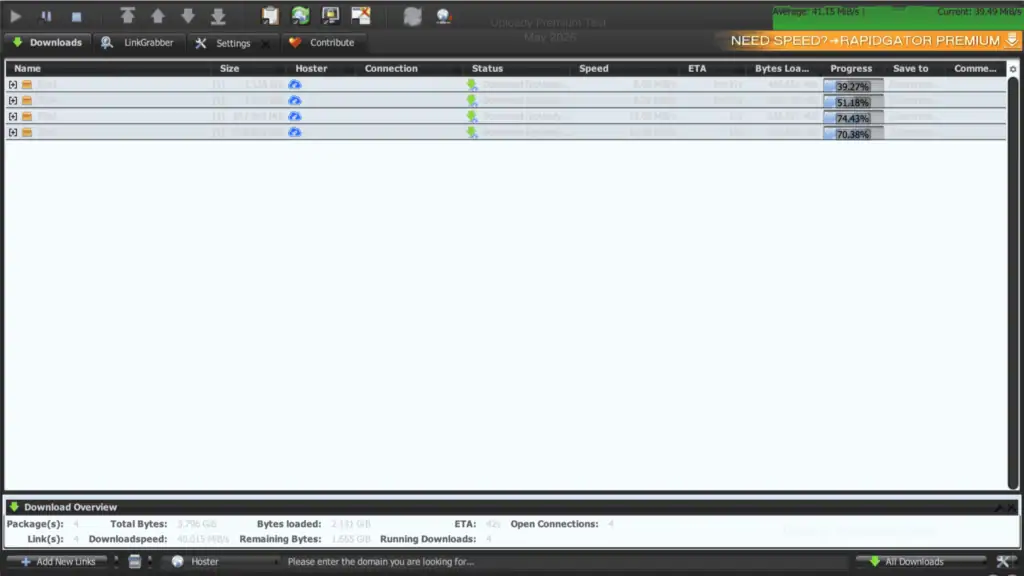
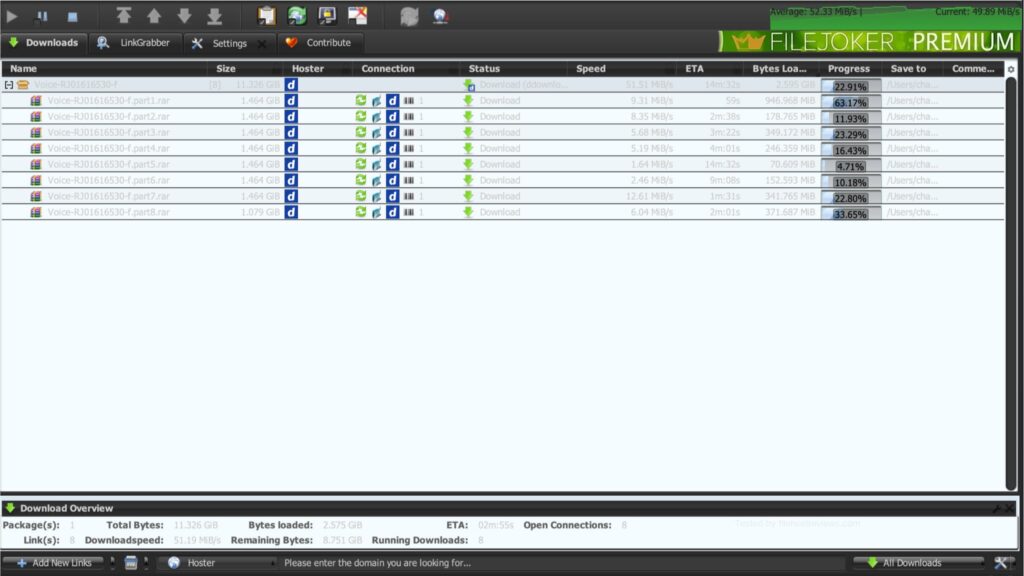
For direct browser downloads, Uploady performed better. A single Premium file reached 17.4 MB/s in Chrome, compared with 13.7 MB/s on DDownload. The difference is not dramatic, but Uploady has the advantage if you prefer downloading directly through a browser instead of using a download manager.
The free tiers show a much larger gap. Uploady delivered around 474 KB/s in our test, although it required a 120-second wait, a graphical captcha, and several overlay ads before the download started. DDownload had a shorter 55-second wait, but its free download speed was only around 28.4 KB/s. For occasional free downloads, Uploady is clearly the more practical option.
Traffic limits & JD2
Both Uploady and DDownload work with JDownloader 2 using normal account credentials. In our tests, adding either Premium account to JD2 was straightforward and did not require cookie workarounds or manual configuration.
DDownload has the clearer traffic policy. Premium accounts include a 200 GB daily allowance, and the remaining traffic is displayed directly in JD2’s account manager. For most users, this is enough for a large amount of daily downloading while still making the limit easy to track.
Uploady was shown as having “Unlimited” remaining traffic inside JD2 during our testing, and we did not encounter a traffic cap while running our speed tests. However, Uploady does not present its traffic allowance as clearly as DDownload. If predictable daily bandwidth is important to you, DDownload is easier to evaluate.
Which one should you choose?
You should not choose based only on the highest benchmark number. Both hosts can deliver high aggregate speeds when several files are downloaded in parallel, so file availability and your normal downloading method are more important.
Choose Uploady if you prefer browser downloads, regularly use the free tier, or simply want faster single-file performance in Chrome. Its free download speed was also far more usable in our testing.
Choose DDownload if price and a high daily traffic allowance are your priorities. Its annual plan works out to roughly €3.33 per month, while the 200 GB daily limit gives heavy users a clearly defined amount of available bandwidth.
In practice, file availability should still come first. Before buying either Premium account, check which service hosts the files you download most often.
Final verdict
Uploady and DDownload have a similar technical limitation: both allow only one connection per file, so their best speeds appear when several files are downloaded at the same time. In our tests, Uploady reached 40.01 MiB/s in JD2 and 17.4 MB/s in Chrome, while DDownload reached 51.19 MiB/s in JD2 and 13.7 MB/s in Chrome. Uploady is the stronger option for browser downloads and free users, while DDownload offers clearer traffic limits and better annual pricing. The better choice ultimately depends on which platform hosts the files you actually need.