
Tested: May 2026 · Plans: $14.99 (1TB) to $49.99 (6TB) per 30 days · Traffic: Pooled quota, not a daily reset
Alfafile is a premium file host built around a pooled traffic model rather than a daily reset — buy a tier, and you draw down from a single large balance until it’s gone or expires. We bought the top 6 TiB plan, ran a four-part archive through Chrome and JDownloader 2, and measured the free tier on an identical file for comparison.
Short answer: Alfafile premium reached 60.28 MiB/s combined in JDownloader 2 across four active downloads, and 11–13 MB/s per file in Chrome. Unlike DDownload or Upstore, Alfafile’s per-file JD2 speeds varied more than usual — we saw one file complete at 32 MiB/s while another crawled at under 2 MiB/s in the same session. The account showed 1.963 TiB of 6 TiB left, confirming the pooled-balance model that defines how this host should be budgeted.
Get Alfafile Premium →Affiliate link. See our disclosure.
Test results summary
| Free tier | Premium | |
|---|---|---|
| Speed (single file) | ~50 KB/s | 11 – 13 MB/s |
| Speed (combined, JD2, 4 files) | Not available | 54.24 – 60.28 MiB/s (two runs) |
| Speed (combined, Chrome, 3 files) | Not available | ~35 MB/s (three files, each 11+ MB/s) |
| Wait before download | 103–120 seconds + Cloudflare check | Instant |
| Connections per file | 1 | 1 |
| Parallel downloads | 1 (per host’s own comparison table) | Unlimited (per host’s own comparison table) |
| Traffic model | N/A | Pooled balance (e.g., 6 TiB), not daily |
| Ads | None seen in our test | None |
| JD2 support | Not usable | ✔ Verified first try |
| Price | Free | $14.99–$49.99 / 30 days, by tier |
Tested May 2026 on a 4-part RAR archive (467.30 MB per part, ~1.825 GiB total). All figures are from our own downloads.
Premium speed in JDownloader 2
We ran the same four-file queue twice to see how consistent the aggregate number was.
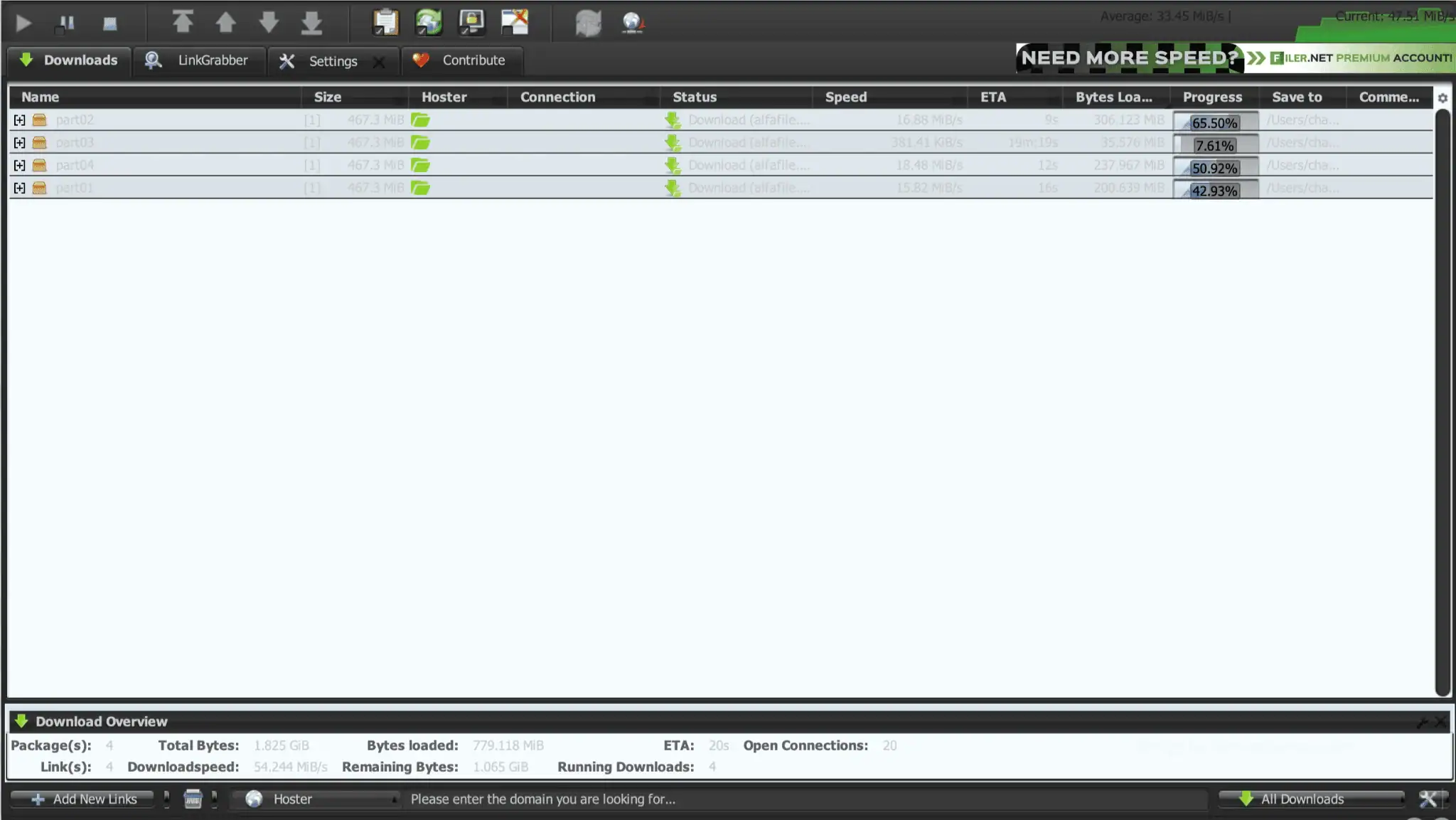
First run: 54.24 MiB/s combined (average 33.45 MiB/s, current spiking to 47+ MiB/s). Per-file speeds were highly uneven: 16.88 MiB/s, 381.41 KiB/s, 18.48 MiB/s, and 15.82 MiB/s.
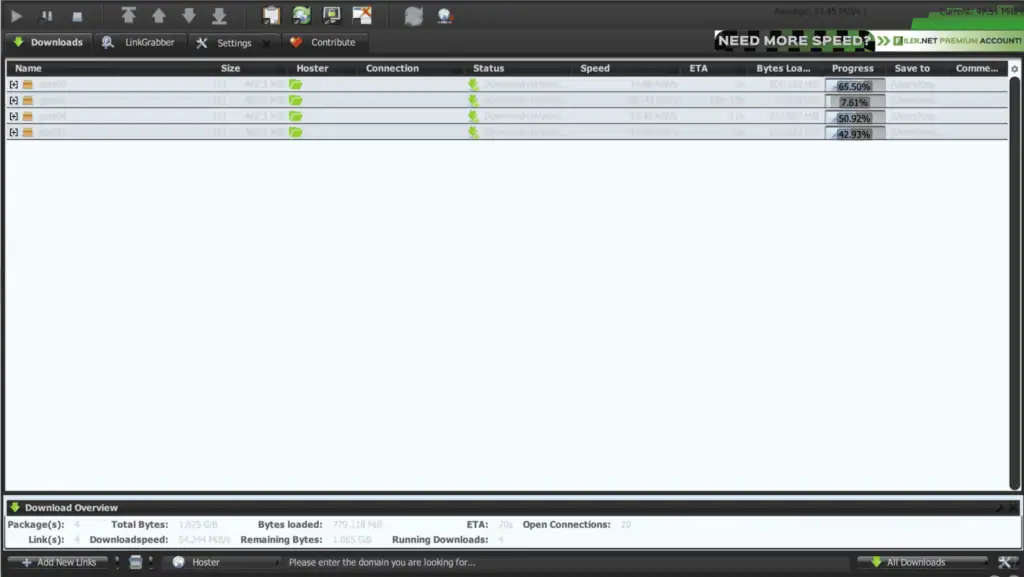
Second run: 60.28 MiB/s combined (average 21.35 MiB/s, current peaking at 58.68 MiB/s). Per-file speeds: 32.07, 2.06, 1.56, and 22.48 MiB/s.
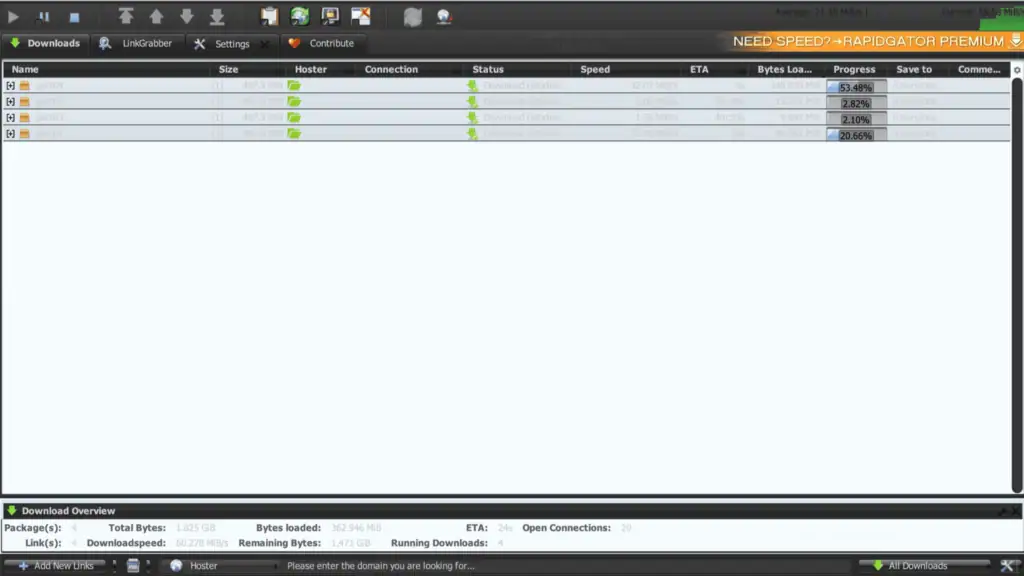
Both runs landed in the 54–60 MiB/s combined range despite very different per-file distributions each time. That’s a meaningfully wider spread than we measured on FileSpace or Upstore, but the aggregate throughput held up consistently across both sessions — this appears to be server-side load balancing across connections rather than a fixed per-file cap.
Premium speed in the browser
Alfafile Premium removed all free-tier waiting steps instantly in Chrome.
A single premium download jumped straight to 11.7 MB/s the moment we switched from the free link to the premium session — no countdown, no verification.
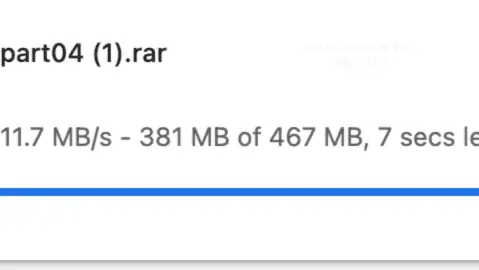
We then launched three archive parts simultaneously in Chrome. All three held steady above 11 MB/s — 11.1, 13.2, and 12.6 MB/s — without any single transfer dropping.
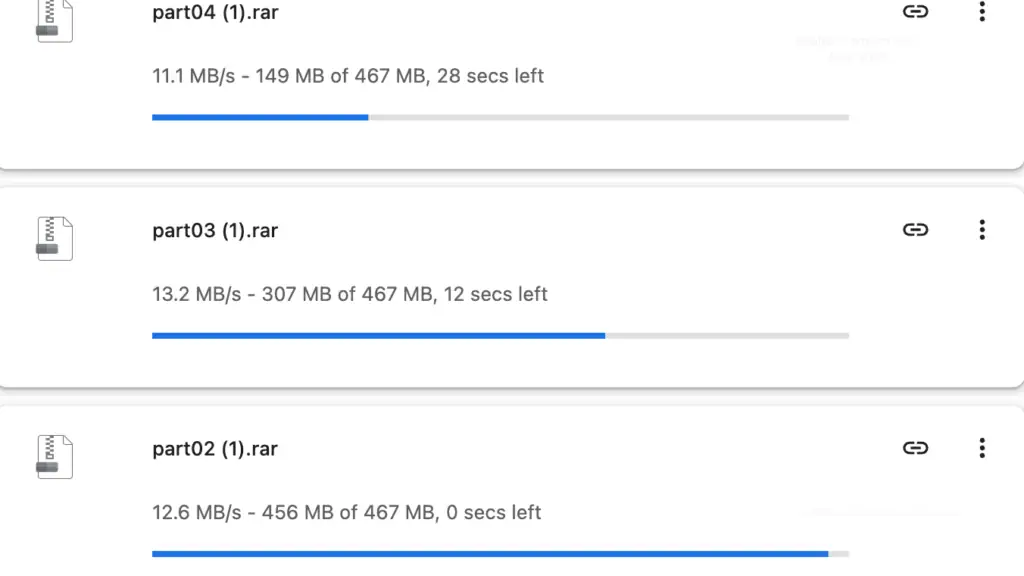
Browser vs JD2 verdict: three-file Chrome downloads combined for roughly 37 MB/s, which is actually closer to the JD2 aggregate than we’ve seen on other hosts. Alfafile appears to be one of the more browser-friendly premium hosts in our test set — you don’t need JD2 to get a meaningful multi-file speedup.
Free membership: what you actually get
Alfafile’s free tier stacks two separate waiting mechanisms, and the second one is easy to miss if you’re not paying attention.
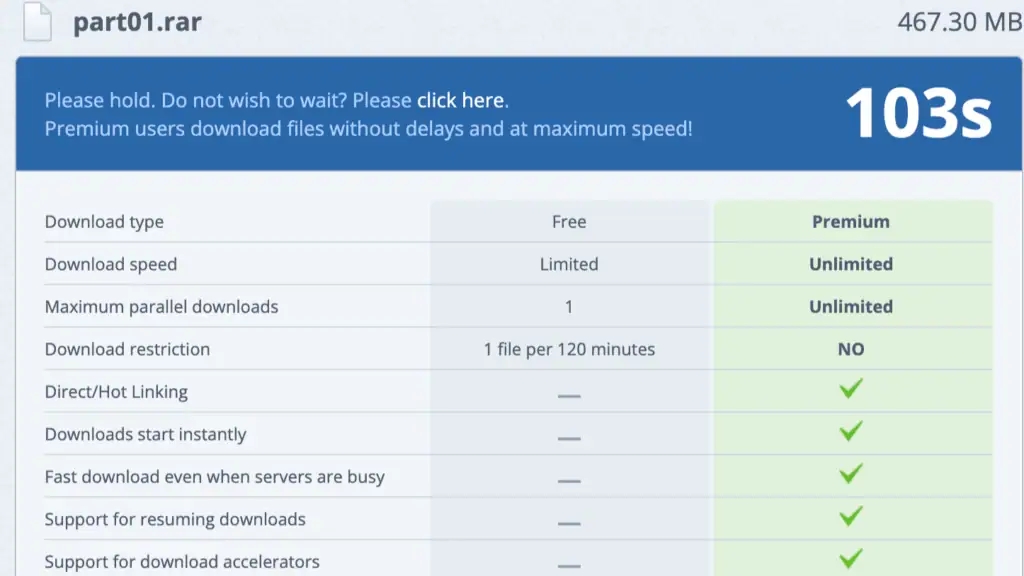
The first countdown ran 103–120 seconds depending on the session.
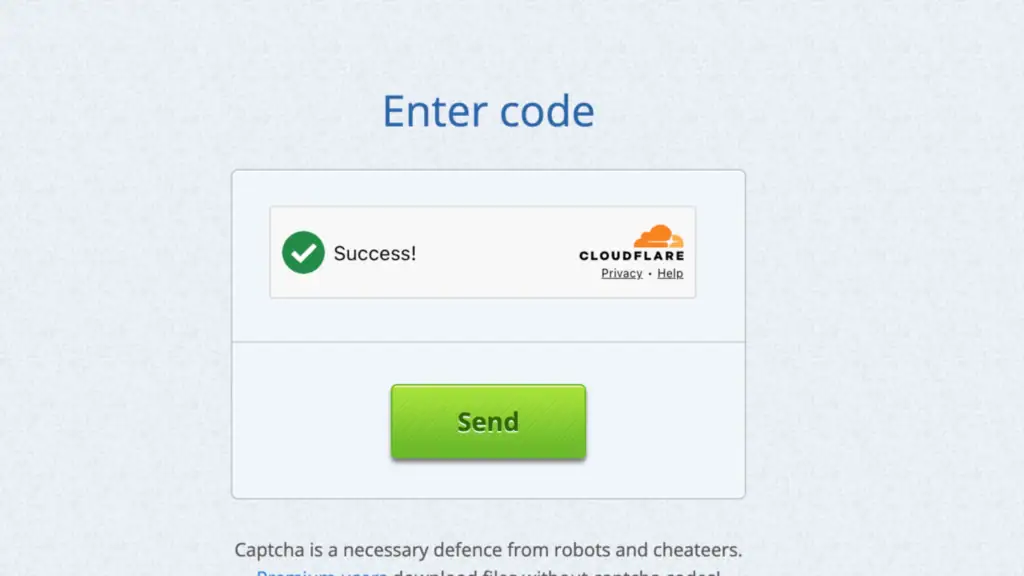
Right as that timer ends, a separate Cloudflare “Enter code” verification appears — this is not the same step as the countdown, and free users have to clear it manually every time.
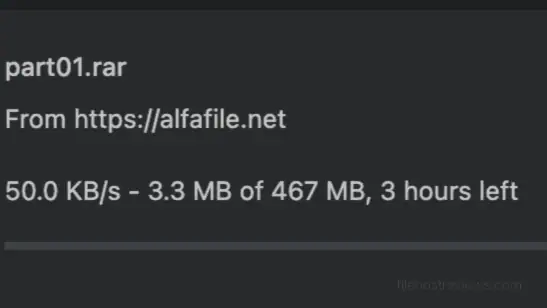
Once both steps clear, the download itself crawled at 50 KB/s in our test — for a 467 MB file, Chrome estimated roughly 3 hours.
Full free-tier restrictions, per our test and Alfafile’s own table:
- ~50 KB/s measured download speed
- 103–120 second wait, plus a separate Cloudflare verification step
- Maximum 1 parallel download
- 1 file per 120 minutes — this is the real bottleneck for multi-part archives, not just the speed
- No resume support, no download accelerator support
Verdict on the free tier: the 120-minute-per-file restriction is more punishing than the slow speed itself. A four-part archive at this rate would take most of a day just waiting between files, before accounting for the 50 KB/s transfer time.
See Current Alfafile Plans →Setting up Alfafile in JDownloader 2
Setup was fast and required no extra verification step.
Step 1 — Open Settings → Account Manager → Add, then search “alfafile”. It appears as a single hoster entry, alfafile.net.
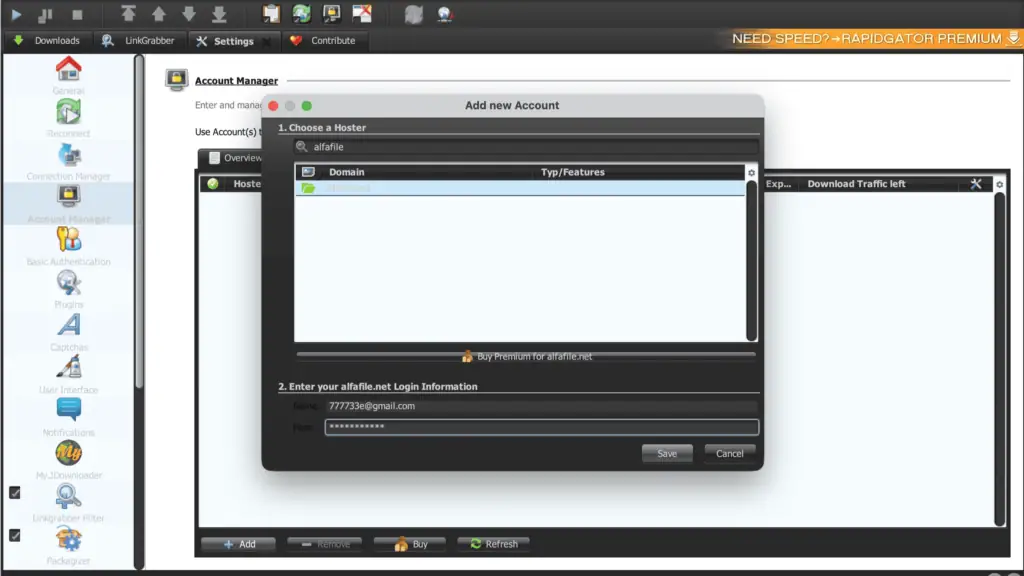
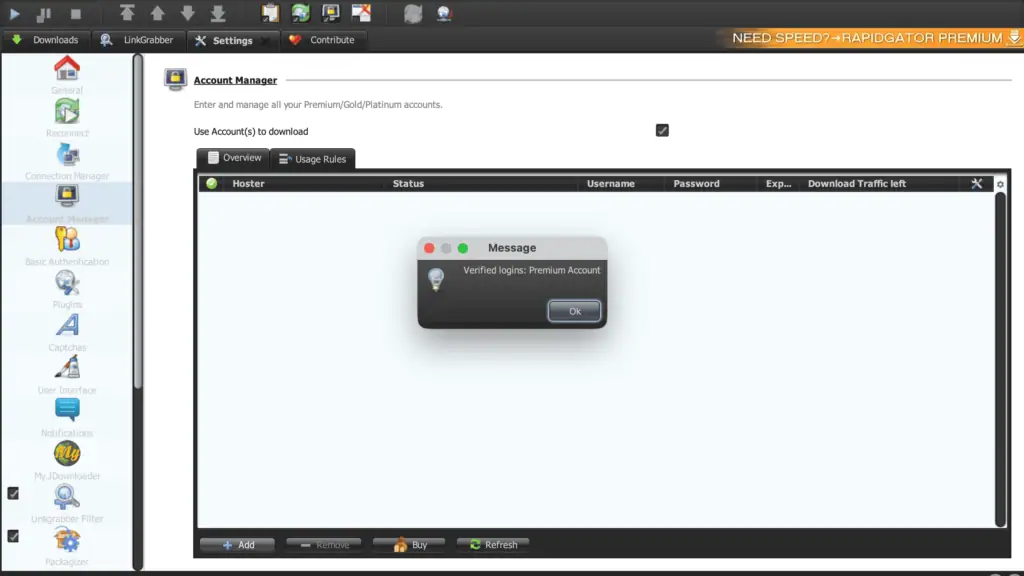
Step 2 — Enter your credentials and save. JD2 verified the account on the first attempt — no captcha, no cookie workaround needed.
Step 3 — Check the Download Traffic left column. This is where Alfafile’s pooled-balance model becomes visible: our account showed 1.963 TiB of 6 TiB left, and an expiry date of June 8, 2026.
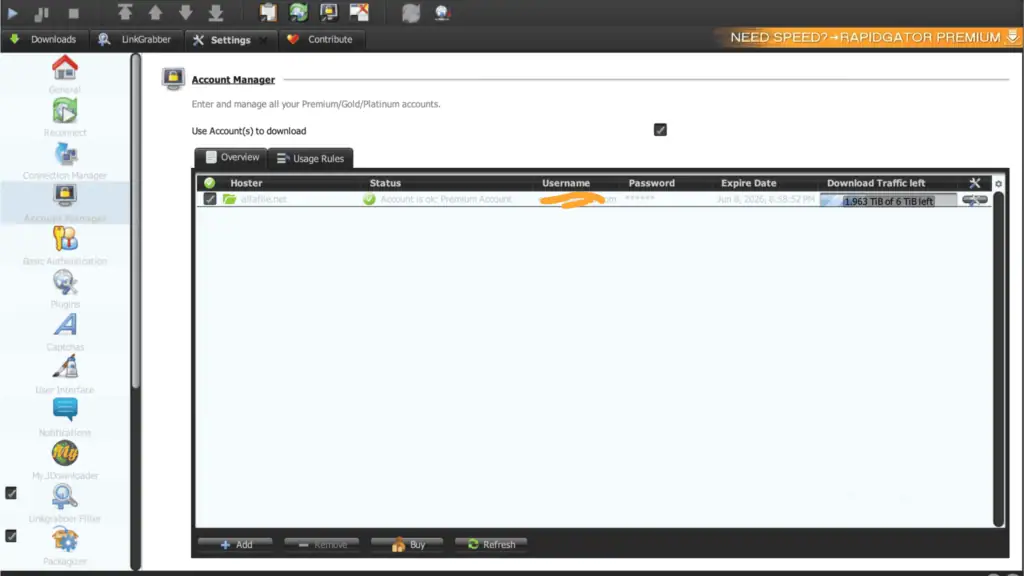
This is the single most important field for Alfafile specifically. Because the traffic doesn’t reset daily, a heavy weekend of downloading eats directly into your total balance for the rest of the plan — there’s no next-day refresh to fall back on.
Traffic model: a pooled balance, not a daily cap
This is the detail that separates Alfafile from DDownload, Upstore, and FileSpace. Those hosts reset your allowance every 24 hours. Alfafile instead sells a fixed total — 1 TB, 2 TB, 4 TB, or 6 TB — that you draw down from until the plan expires or the balance hits zero, whichever comes first.
Third-party premium-link services report daily figures in the 25–50 GB range when reselling access, but that’s a resale throttle, not Alfafile’s own account structure. Our own JD2 screenshot is the more reliable source: a single pooled balance, tracked in TiB, tied to a specific expiry date.
Watch for: if you buy the 1 TB tier expecting a fast burn-through-and-reset cycle, you’ll be disappointed — once it’s gone, it’s gone until you renew.
Pricing
| Traffic tier | 30 Days | 60 Days | |
|---|---|---|---|
| 1 TB | $14.99 | $29.99 | Buy 1 TB |
| 2 TB | $19.99 | $39.99 | Buy 2 TB |
| 4 TB | $39.99 | $49.99 | Buy 4 TB |
| 6 TB | $49.99 | — | Buy 6 TB |
Unlike most hosts on this site, Alfafile prices by traffic tier, not just duration. A 6 TB / 30-day plan and a 1 TB / 60-day plan cost roughly the same — the difference is total data allowance versus time window. Decide which constraint matters more for your use case before picking a plan.
Our recommendation: match the tier to your actual monthly volume. If you’re not sure, start with a smaller tier (1 TB or 2 TB) — since the balance doesn’t reset daily, an oversized tier just sits unused if you don’t come close to using it within the plan period.
Customer support
Alfafile runs support through a ticket form at alfafile.net/support, plus a listed support email. We found no live chat option, publicly or during our test, and no published response-time guarantee.
If you see a review claiming live chat support for Alfafile, treat that claim with the same caution we’ve applied to similar unverified claims on other budget file hosts.
Pros and cons
Pros
- 54.24–60.28 MiB/s combined in JDownloader 2 across four parallel files, confirmed across two separate test runs
- Strong single-file Chrome speed (11–13 MB/s) — no download manager required to get a usable single-file rate
- Three parallel Chrome downloads held steady above 11 MB/s each, without any file dropping
- JD2 account verified on the first attempt, no extra captcha step
- Premium removed both the wait timer and the Cloudflare check instantly
- Large pooled traffic tiers (up to 6 TiB) for heavy, sustained usage
Cons
- Per-file JD2 speeds are noticeably uneven — one file can run at 30+ MiB/s while another crawls under 2 MiB/s in the same session
- Free tier restricts users to 1 file per 120 minutes, on top of slow ~50 KB/s speeds
- Free tier requires clearing both a wait timer and a separate Cloudflare verification step
- Traffic is a pooled balance, not a daily reset — heavy use early in the plan leaves less for later
- No live chat support found; ticket/email only
- Pricing structure (by tier + duration) is less straightforward to compare than flat monthly hosts
Who should buy Alfafile premium?
Buy it if:
- Your target files are hosted on Alfafile mirrors and you download in batches rather than a steady daily trickle
- You want strong single-file Chrome speed without needing a download manager
- You can budget a large pooled allowance (1–6 TiB) against irregular, bursty usage rather than a predictable daily amount
Skip it if:
- You want predictable daily throughput — the pooled model makes usage planning harder than a daily-reset host like DDownload
- You need perfectly even per-file speeds when running multiple downloads at once
- You want a live chat option for support
Verdict
Rating: 8/10
Alfafile earned the strongest raw JD2 numbers we’ve measured in this batch of budget-host reviews — 54.24 and 60.28 MiB/s across two separate four-file test runs — and its Chrome performance is unusually solid for a host in this price bracket, with single files reaching 11–13 MB/s without any download manager.
The tradeoffs are real, though. Per-file speeds inside a JD2 queue vary more than on hosts like FileSpace or Upstore, and the pooled traffic model (measured in TiB, not reset daily) means budgeting looks different than on a host like DDownload. The free tier’s 120-minute wait between files is also more restrictive than most competitors’ straightforward speed caps.
If your usage is bursty rather than steady, and you’re comfortable judging performance by the combined total rather than individual file speeds, Alfafile is one of the stronger budget picks we’ve tested. If you want predictable daily allowances, look at DDownload instead.
Get Alfafile Premium Here →Frequently asked questions
How fast is Alfafile premium?
In our May 2026 test, JDownloader 2 reached 54.24 MiB/s combined in one run and 60.28 MiB/s in a repeat run, both across four parallel files. Chrome single-file speed reached 11–13 MB/s, with three parallel Chrome downloads all holding above 11 MB/s each.
Why do my Alfafile downloads show such different speeds per file?
This is normal behavior we observed consistently across two test runs — individual files in a JD2 queue can range from under 2 MiB/s to over 30 MiB/s at the same moment, even downloading identical file sizes. Judge performance by the combined total, not any single file’s speed.
Does Alfafile work with JDownloader 2?
Yes. Our premium account was verified on the first attempt with standard email and password login, no captcha or cookie workaround required.
What is Alfafile’s traffic limit?
Alfafile sells pooled traffic tiers (1 TB to 6 TB) that don’t reset daily — you draw down from the total until the plan expires or the balance reaches zero. Our test account showed 1.963 TiB of 6 TiB remaining.
Is the Alfafile free tier usable?
Not for regular use. We measured 50 KB/s, a 103–120 second wait plus a separate Cloudflare check, and a strict 1-file-per-120-minutes restriction confirmed on Alfafile’s own comparison table.
How much does Alfafile premium cost?
$14.99 for 1 TB up to $49.99 for 6 TB, both on 30-day terms; longer 60-day terms are available on some tiers. Pricing scales with traffic allowance, not just duration.
Is Alfafile better than DDownload?
DDownload resets 200 GB every day, which is easier to plan around for steady daily use. Alfafile sells a larger pooled balance (up to 6 TiB) better suited to bursty, batch-style downloading, and posted stronger raw JD2 numbers in our test. Pick based on whether your usage pattern is steady or bursty. → Compare alternatives
Related: Best File Hosting Services · Fastest File Hosts Tested · JDownloader Compatible File Hosts · Cheapest Premium File Hosts