
Tested: May 2026 · Tested on a paid Premium account
Our Real-World Setup
- Internet: 1 Gbps fiber line
- Gear: Mac running Chrome & JDownloader 2
- Testing account: Uploadgig Premium (active account, verified May 2026)
- Test files: 370 MB free-tier archive; mixed multi-file queue (~8.298 GiB total) on premium
Our Uploadgig review covers browser speed, JDownloader 2 compatibility, free-tier restrictions, the hourly download cap, current pricing, and practical usability. Read our full testing methodology.
Our rating: 8.5/10 — one of the stronger all-round performers we’ve tested. Excellent in JD2, strong in Chrome, and clean to use on premium. The free tier is another story entirely.
Uploadgig Pricing 2026: Straightforward Terms, Real Discount Curve
Uploadgig sells plans by duration only — one tier, no upsell layers. Pricing verified at checkout during our testing period:
| Plan | Total price | Effective per day | |
|---|---|---|---|
| 30 days | ~$14.00 | ~$0.47/day | Buy 30 Days |
| 90 days | ~$30.00 | ~$0.33/day | Buy 90 Days |
| 180 days | ~$55.00 | ~$0.30/day | Buy 180 Days |
| 365 days | ~$95.00 | ~$0.26/day | Buy 365 Days |
Unlike Keep2Share’s three-tier plan structure, Uploadgig keeps things simple: every premium account gets the same features. There’s no “basic” tier that locks out download accelerators or parallel downloads. You’re choosing between plan lengths, not capability levels.
The 365-day plan is roughly 1.8× cheaper per day than the 30-day plan. Our recommendation: start with 30 days. Uploadgig is one of the largest file hosts by mirror availability, but you should confirm your specific file sources use it before locking in a year upfront.
Check Current Uploadgig Pricing →Affiliate link. See our disclosure.
Uploadgig Free Tier: Clean Page, Punishing Limits
Uploadgig is one of the largest file hosts on the market, and it handles enormous daily traffic. The free tier reflects that reality — it’s designed to function, but only barely, for occasional small files.
The free download page is visibly cleaner than ad-heavy rivals. In our test, we didn’t encounter aggressive pop-ups or fake virus-style download buttons. That’s a genuine positive compared to the worst offenders in this category.
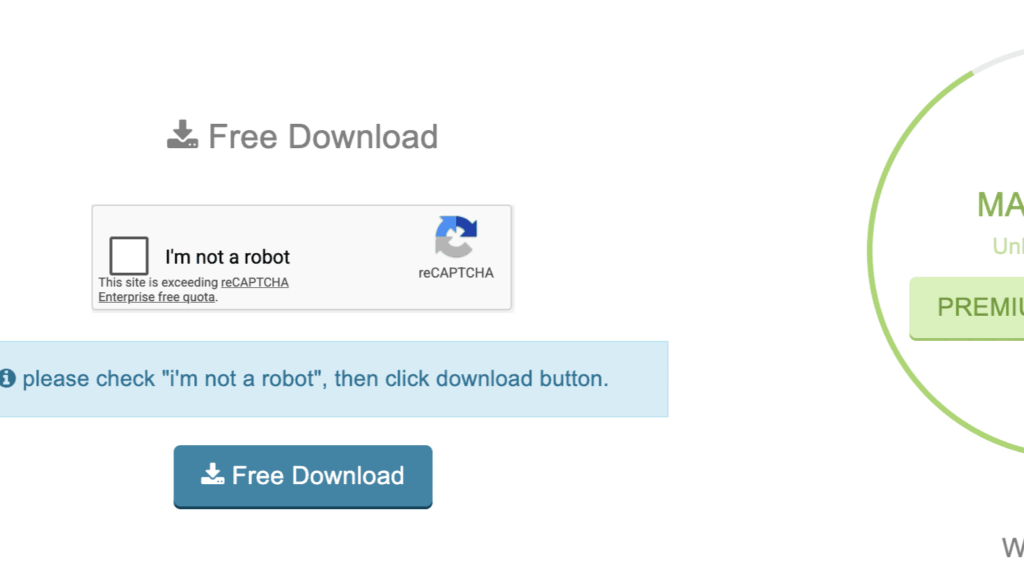
What you do encounter: a reCAPTCHA check first.
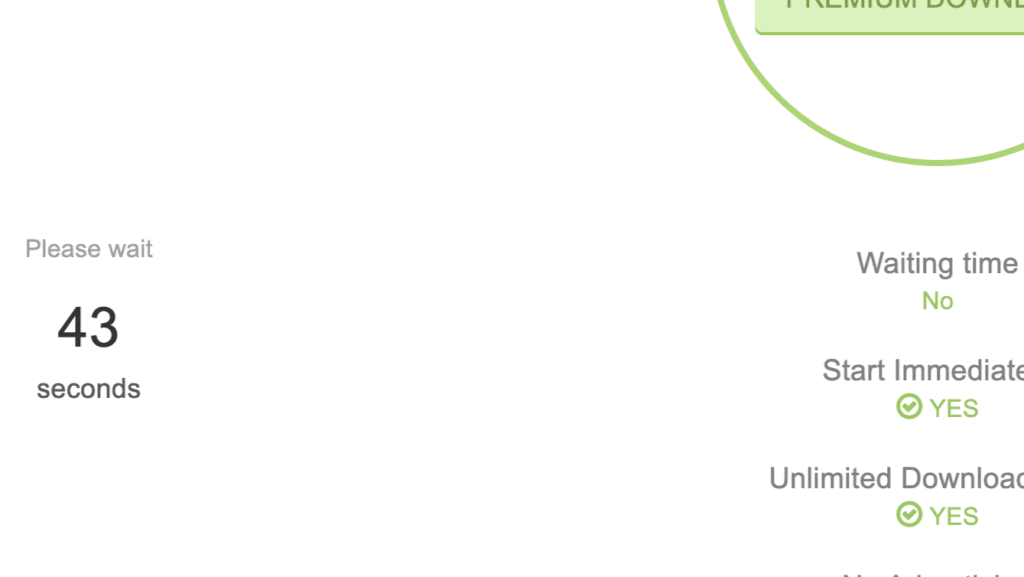
After ticking the box, a countdown timer begins. Our session showed 43 seconds. Uploadgig’s own premium comparison sits alongside it — a side-by-side reminder of what you’re waiting through.
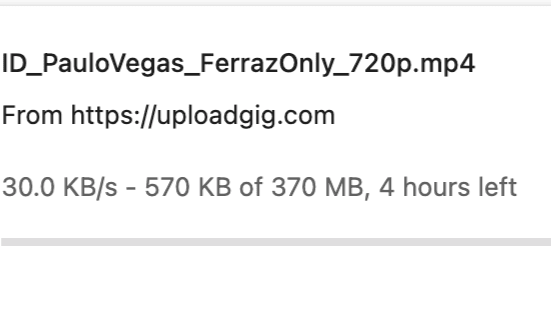
Once the countdown clears, the download starts — at 30.0 KB/s. For our 370 MB test file, Chrome estimated 4 hours remaining.
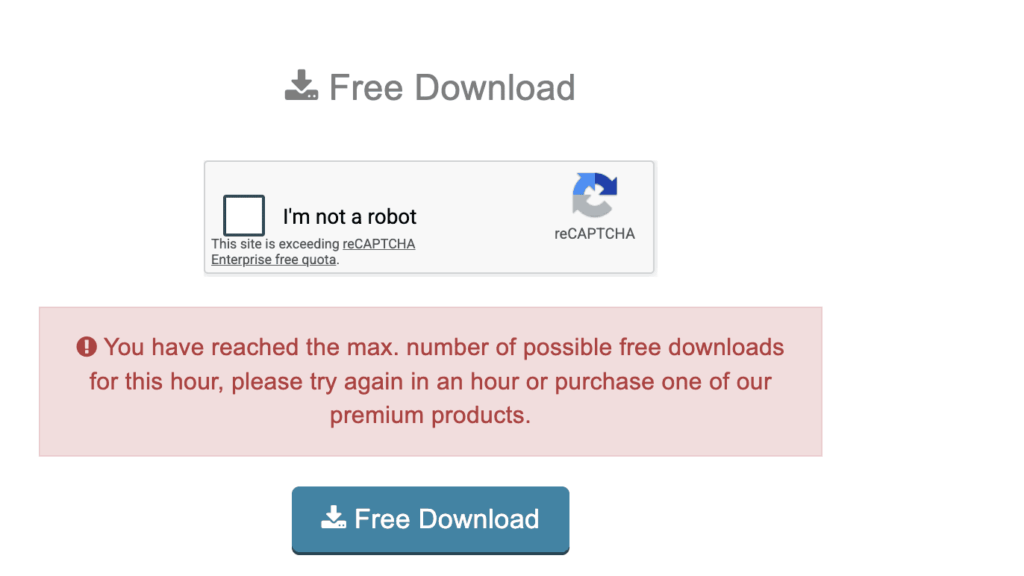
Then comes the part that makes multi-part archives essentially impossible on free. When we attempted a second download shortly after finishing the first, Uploadgig displayed a full lockout message.
Full free-tier restrictions confirmed in our test:
- ~30.0 KB/s measured download speed
- reCAPTCHA check before each download
- Countdown wait (43–60 seconds per session)
- Strict hourly download cap — locked out after the first file
- No parallel downloads
Verdict on the free tier: more usable than some hosts on the page cleanliness front, but the hourly lockout is more punishing than a simple countdown. A 10-part archive isn’t 10 × 4 hours of slow downloading — it’s 10 hours of slow downloading spread across 10+ hours of forced waiting between files.
Official Claims vs. What We Measured
Uploadgig’s free-vs-premium comparison is shown directly on the download page. Here’s how those claims held up:
| Feature | Uploadgig claims (Free) | Uploadgig claims (Premium) | What we measured |
|---|---|---|---|
| Download speed | Limited | Unlimited / Maximum speed | Free: 30.0 KB/s. Premium Chrome: 14.4 MB/s single, 37.8+ MB/s combined. JD2: 52.338 MB/s combined |
| Waiting time | Yes (countdown) | No | Free: 43–60 second countdown confirmed. Premium: instant start, confirmed |
| Start immediately | No | Yes | Confirmed on both sides |
| Unlimited downloads | No | Yes | Hourly cap confirmed on free. Premium: unlimited confirmed in JD2 multi-file test |
| CAPTCHA | Required | Not required | Free: reCAPTCHA on every attempt. Premium: zero captcha |
The premium claims all held up under testing. The free-side claims are accurate in description but undersell how limiting the hourly cap actually is in practice.
Premium Browser Speed: Strong Enough Without JD2
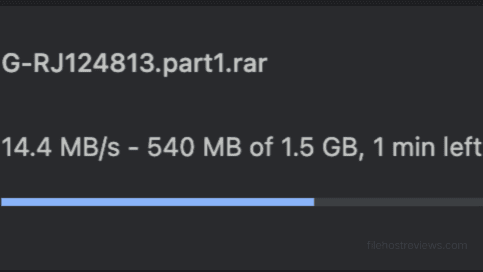
A single premium download in Chrome reached 14.4 MB/s — comfortably the strongest single-file browser result in our current test set for a budget-adjacent host.
Three parallel Chrome downloads ran at 11.3, 14.1, and 12.4 MB/s, producing a combined 37.8+ MB/s — a level of browser throughput that many hosts can only approach with a download manager.
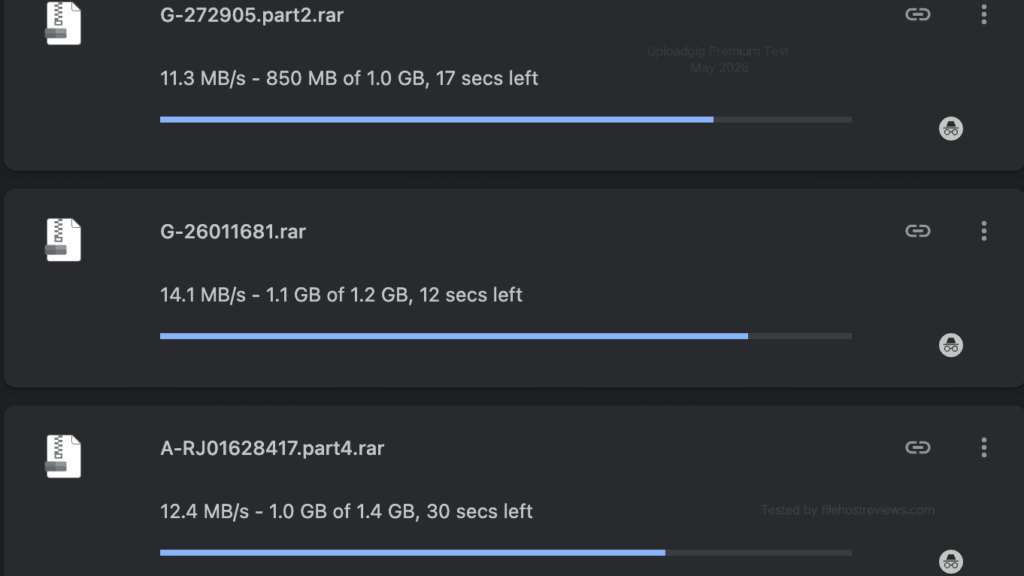
Browser vs JD2 verdict: Uploadgig is one of the few hosts where Chrome alone delivers genuinely strong multi-file throughput. If you don’t use a download manager, you’re not completely wasting the premium. But JD2 still adds another 38% on top.
JDownloader 2 Test: 52.338 MB/s — and 10 Chunks Per File
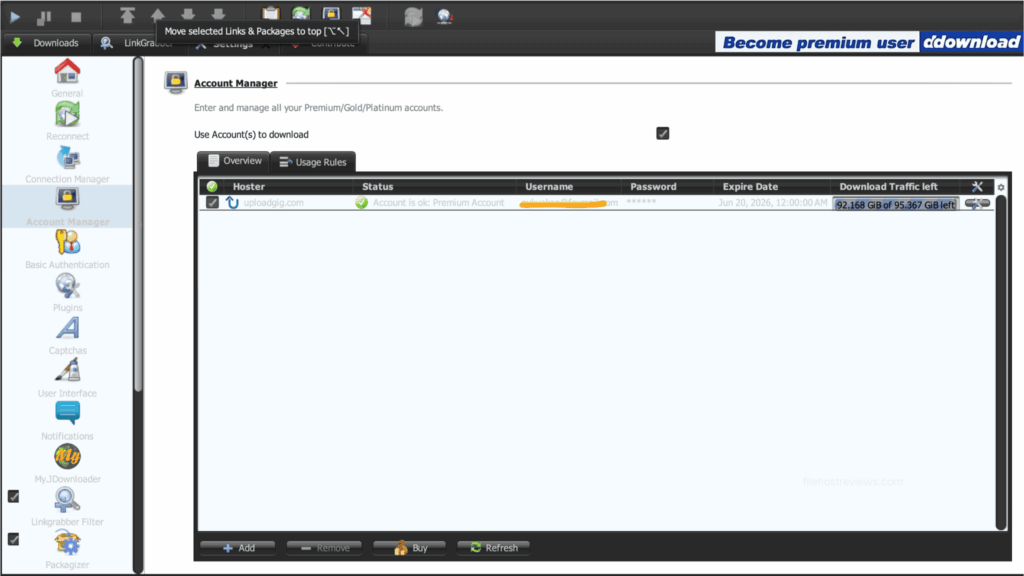
Setup in JD2 went cleanly. In Account Manager we clicked Add, searched “uploadgig”, and the hoster appeared as uploadgig.com with “Username is e-mail” noted in the features column.
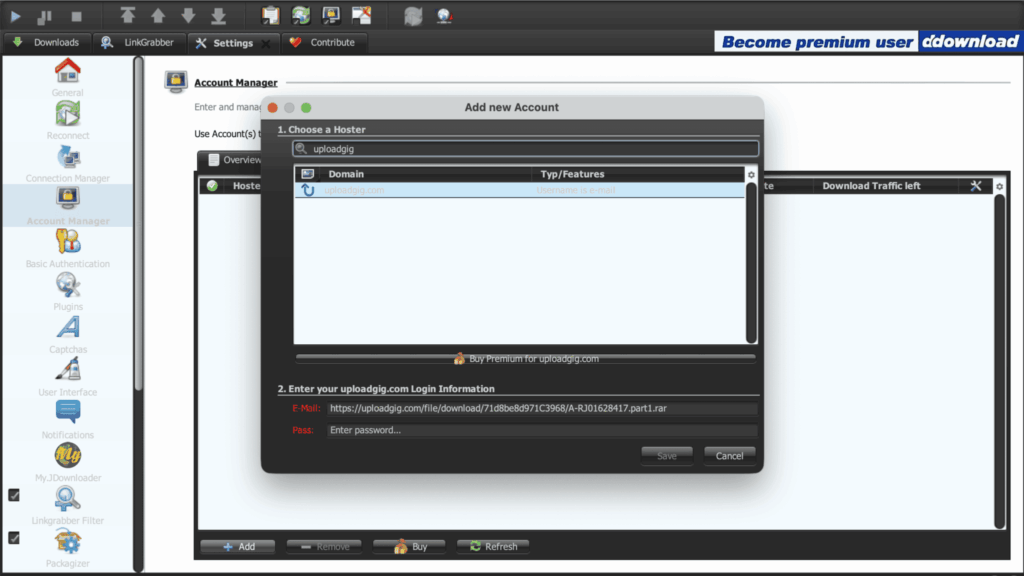
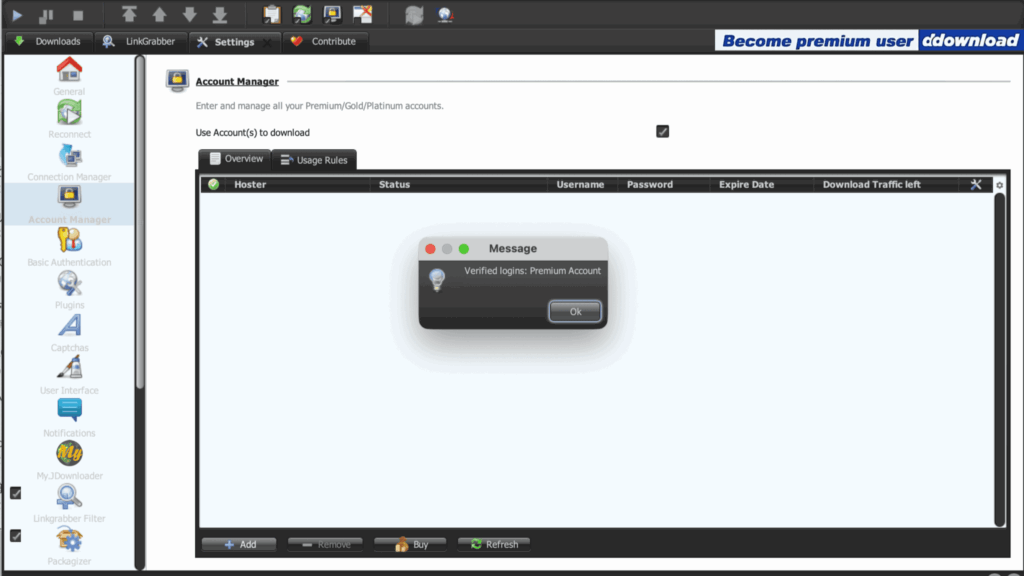
JD2 verified the account on the first attempt.
The account row showed our premium status, expiry date (June 20, 2026), and a live traffic counter: 92.168 GiB of 95.367 GiB remaining.
We then queued a six-file package (~8.298 GiB total). The first run reached a combined 52.338 MiB/s, with a current speed briefly hitting 63.32 MiB/s and an average settling at 52.380 MiB/s.
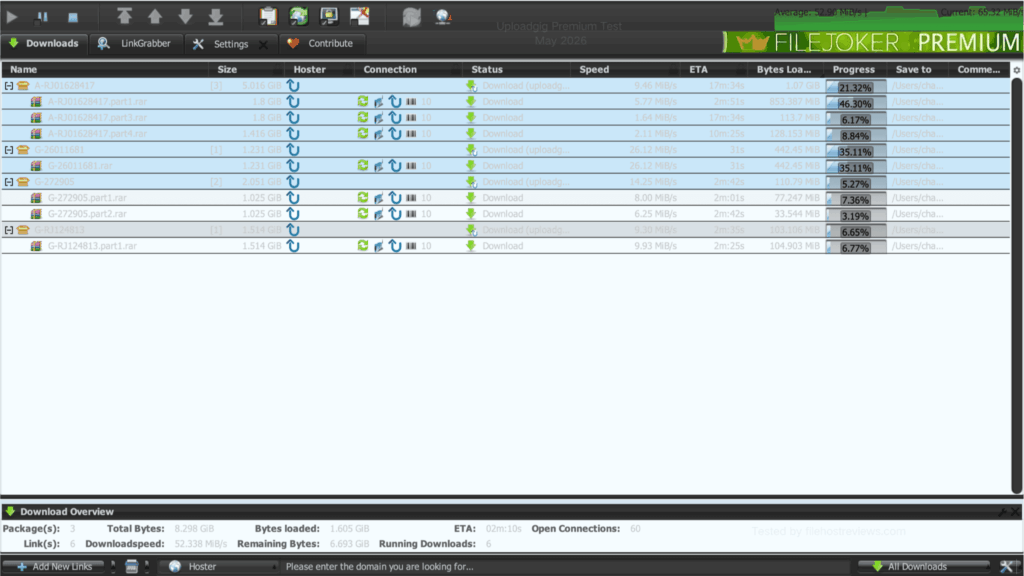
That connection count is the detail that explains why Uploadgig performs the way it does. Look at the Connection column in the JD2 screenshots: each file shows 10. Unlike budget-tier hosts where JD2 is limited to a single connection per file, Uploadgig allows 10 simultaneous chunks per file. Six files × 10 chunks = 60 open connections — matching JD2’s own counter exactly.
This is the same technical mechanism we documented on Rapidgator (5 chunks per file, 40 connections on 8 files). Uploadgig allows twice as many chunks per file as Rapidgator, which is part of why it posts such strong combined numbers even as individual file speeds vary across the queue.
We ran a second test to check consistency. That session recorded 40.652 MiB/s combined (average 53.07 MiB/s, current 61.81 MiB/s, 59 open connections).
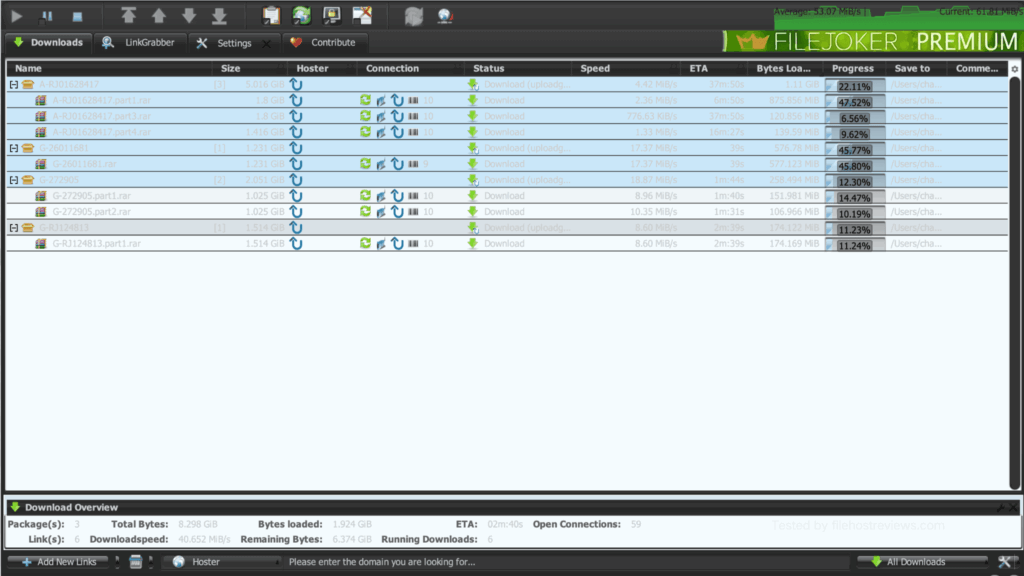
The two runs landed at 40.65 and 52.34 MiB/s — a wider gap than we prefer to see between repeated tests. Server load and routing variance at the time of testing are the most likely explanation. Expect results somewhere within that range in practice rather than treating either number as a guaranteed floor or ceiling.
Who Should Buy Uploadgig Premium
30 days (~$14.00) — the only sensible starting point. Uploadgig has broad mirror availability, but mirror presence alone doesn’t tell you whether your specific content sources use it. Confirm before committing longer.
90 to 180 days (~$30–$55.00) — for users who have verified Uploadgig works for their regular download sources and want a meaningful per-day discount without a year-long commitment.
365 days (~$95.00) — the best per-day rate. Worth it only if Uploadgig is a daily-use primary account for you, not an occasional secondary.
Free — for checking whether a specific link resolves. Don’t attempt a multi-part archive.
Pros and Cons
Pros
- 52.338 MiB/s combined in JD2 in our first run, with 10 chunks per file confirmed (6 files × 10 = 60 open connections)
- Strongest single-file Chrome result in our current secondary-host test set: 14.4 MB/s
- Three parallel Chrome downloads exceeded 37.8 MB/s combined — strong browser performance even without JD2
- JD2 account setup verified on the first attempt, with live traffic quota visible in Account Manager
- Single plan tier — no feature tiers that lock out accelerators or parallel downloads
- Free download pages are cleaner than most ad-heavy hosts
Cons
- Free tier is severely throttled (~30.0 KB/s) with a reCAPTCHA, a countdown, and a hard hourly download cap
- Two JD2 test runs produced noticeably different combined totals (40.65 vs 52.34 MiB/s) — some session variance to be expected
- File availability depends entirely on individual uploader mirror choices
- No confirmed live chat support — contact runs through info@uploadgig.com and Telegram channel
Verdict
Uploadgig Premium is one of the better all-round performers in our current test set. The free tier is clean to look at but operationally crippled — 30 KB/s, a reCAPTCHA, a countdown, and a strict hourly lockout that makes multi-part archives practically impossible to download without premium.
Premium is a different experience entirely. Browser downloads are strong enough to justify the account without a download manager: 14.4 MB/s on a single file, 37.8+ MB/s across three in parallel. JD2 pushes that further still, reaching 52.338 MiB/s combined with 10 chunks confirmed per file — a multi-connection structure that puts it closer to Rapidgator than to the 1-chunk budget hosts elsewhere in our reviews.
The only real caveat is session variance in JD2 (two runs returned 40.65 and 52.34 MiB/s). Neither number is bad; the range just means you shouldn’t take the higher figure as a guaranteed constant.
Start with a 30-day plan. If your targets are on Uploadgig and speeds run near what we measured, it’s one of the stronger secondary accounts you can add alongside a Rapidgator primary.
Our pick: 30-day plan first, upgrade once confirmed
~$14.00 · 14.4 MB/s single-file Chrome · 52.338 MiB/s JD2 combined
Visit Uploadgig →Affiliate link — we may earn a commission at no extra cost to you.
Uploadgig FAQ
Is Uploadgig worth it in 2026?
Yes, particularly if you use JDownloader 2. We measured 52.338 MiB/s combined in JD2 and 37.8+ MB/s combined across three Chrome downloads. Browser-only users still get a solid return — single files reached 14.4 MB/s.
How slow is the Uploadgig free tier really?
30.0 KB/s in our test — about 4 hours for a 370 MB file. The more limiting issue is the hourly download cap: attempting a second file in the same hour triggers a hard lockout.
How many connections does Uploadgig allow per file in JD2?
10 chunks per file on premium, confirmed by our test: 6 files × 10 chunks = 60 open connections, matching JD2’s counter exactly. This is double Rapidgator’s 5-chunk-per-file structure.
Does Uploadgig work with JDownloader 2?
Yes. Add uploadgig.com in Account Manager, log in with email and password, and JD2 verifies instantly. The account row also displays your remaining traffic quota.
Can I download multiple files at once?
On premium, yes — both in Chrome (37.8+ MB/s combined across three files) and JD2 (52.338 MiB/s across six files). Free users get one file per hour.
How much does Uploadgig premium cost?
~$14.00 for 30 days, down to ~$0.26/day ($95.00) on the annual 365-day plan.
Related: Best File Hosting Services · Fastest File Hosts Tested · JDownloader Compatible File Hosts · Cheapest Premium File Hosts